Lifestyle app detail screens
215 detail screens from 65 lifestyle app templates, each in its own design language. Lifestyle apps sell a feeling as much as a feature: considered type, generous space and photography with a point of view.
The examples
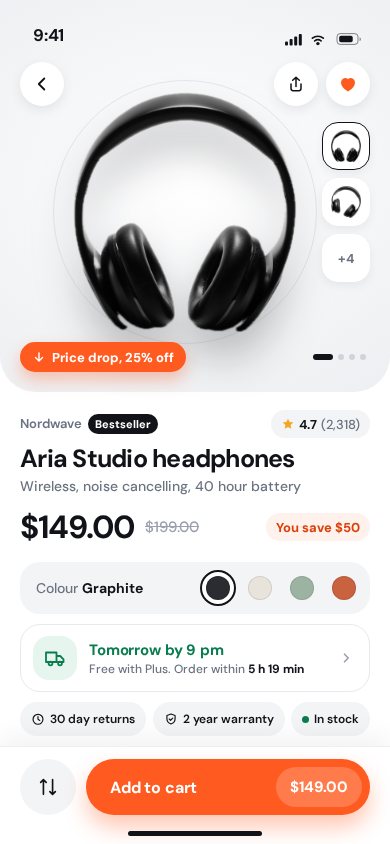 Emporia Product: Everything store, Minimal
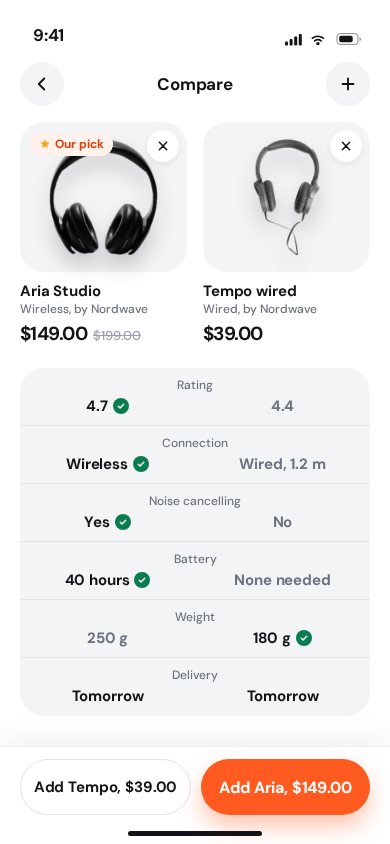 Emporia Compare: Everything store, Minimal
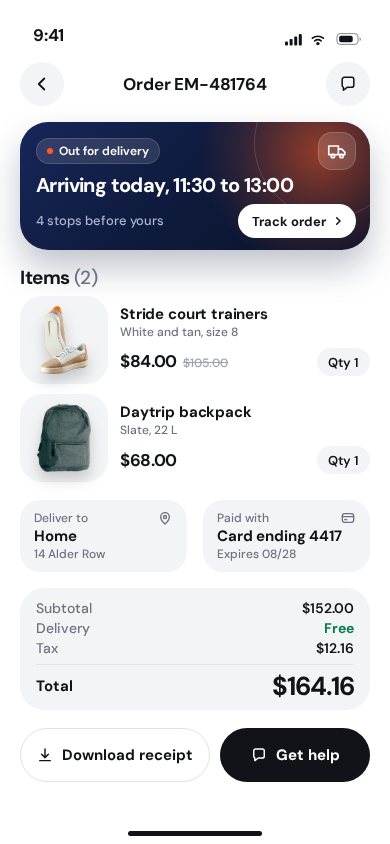 Emporia Order: Everything store, Minimal
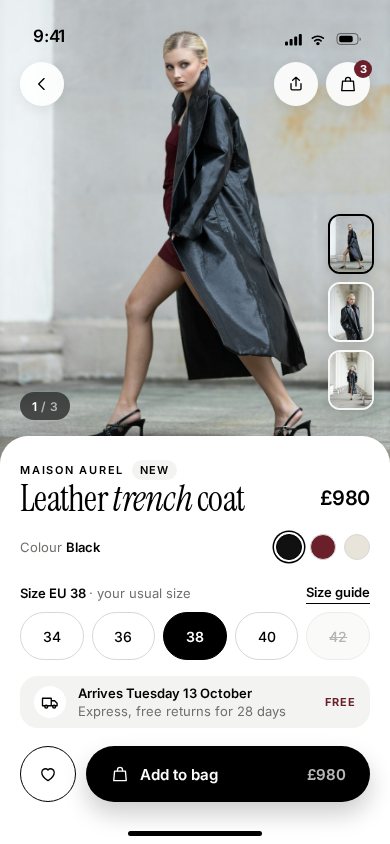 Sable Product: Fashion store, Luxury
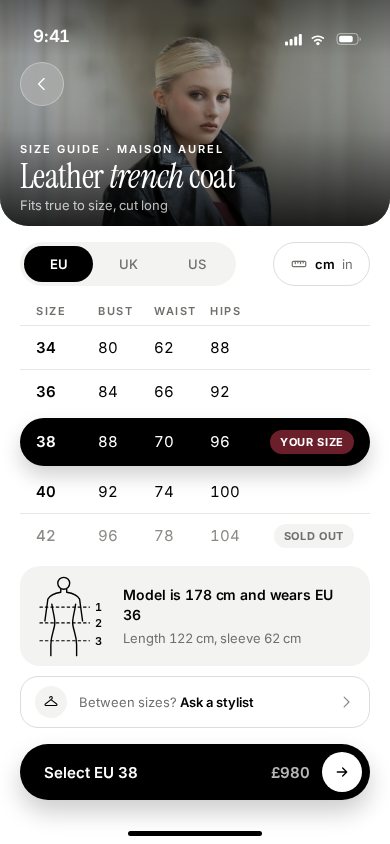 Sable Size guide: Fashion store, Luxury
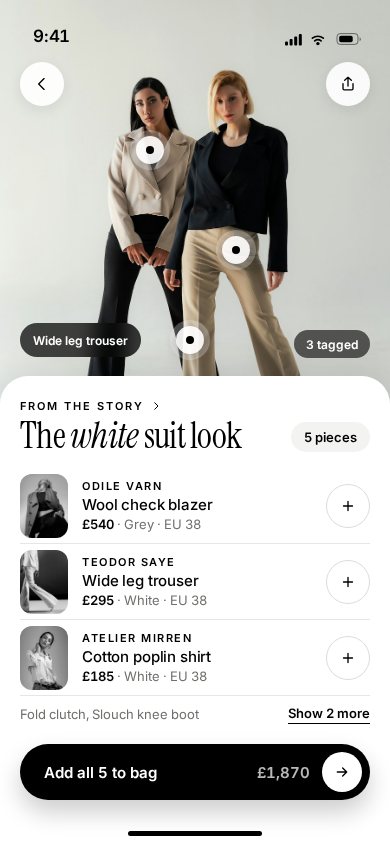 Sable Shop the look: Fashion store, Luxury
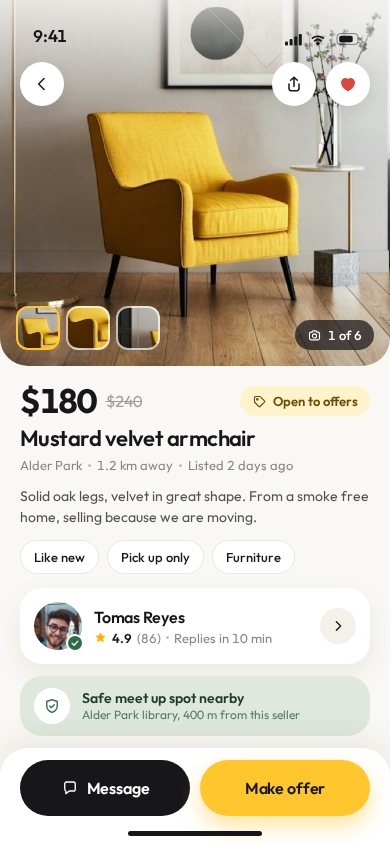 Bazaar Listing: Local buy and sell, Minimal
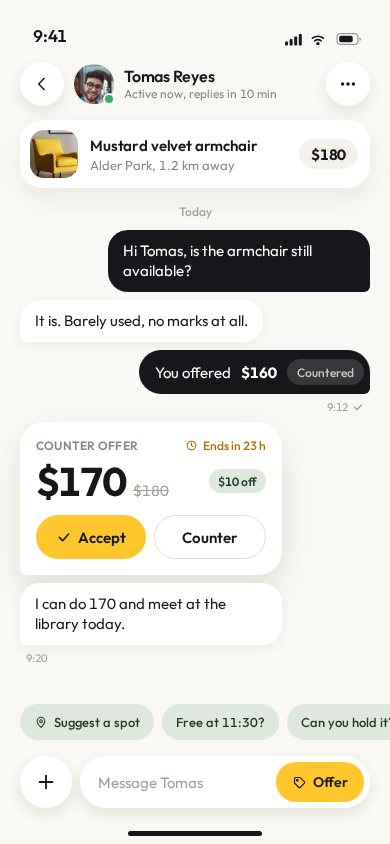 Bazaar Chat: Local buy and sell, Minimal
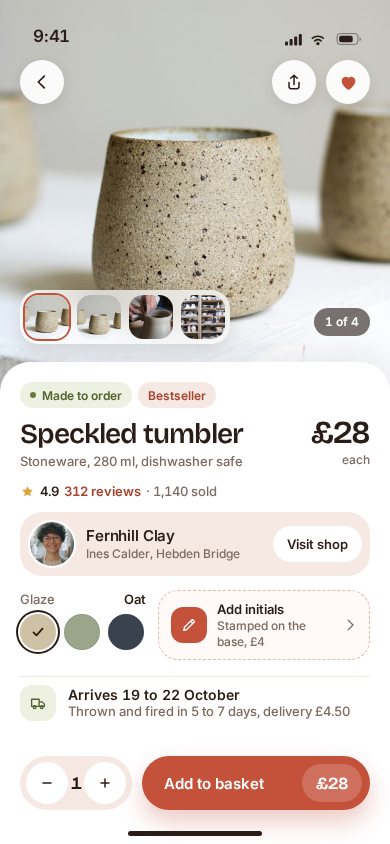 Kiln Item: Handmade marketplace, Minimal
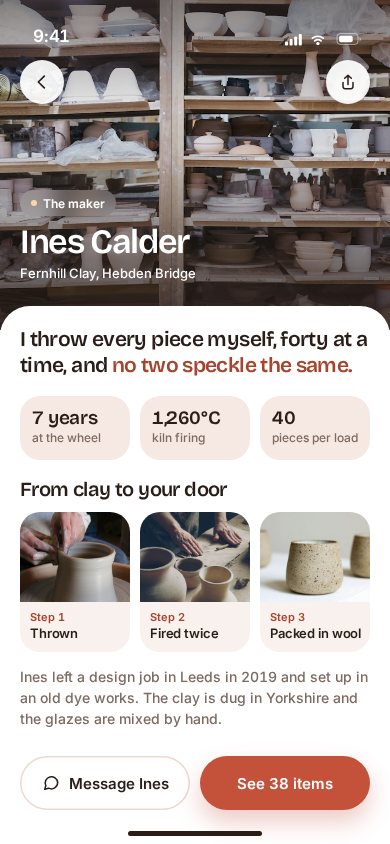 Kiln Maker story: Handmade marketplace, Minimal
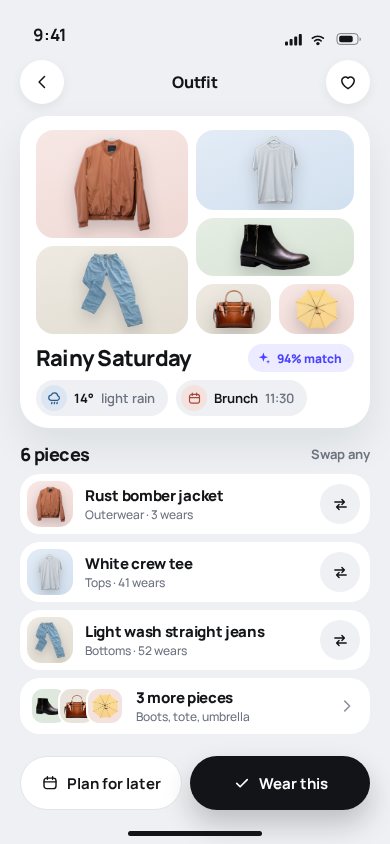 Drape Outfit: AI wardrobe and daily outfits, Minimal
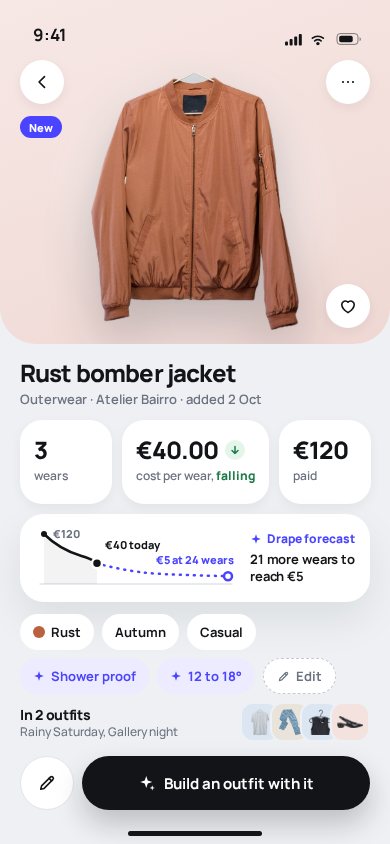 Drape Item: AI wardrobe and daily outfits, Minimal
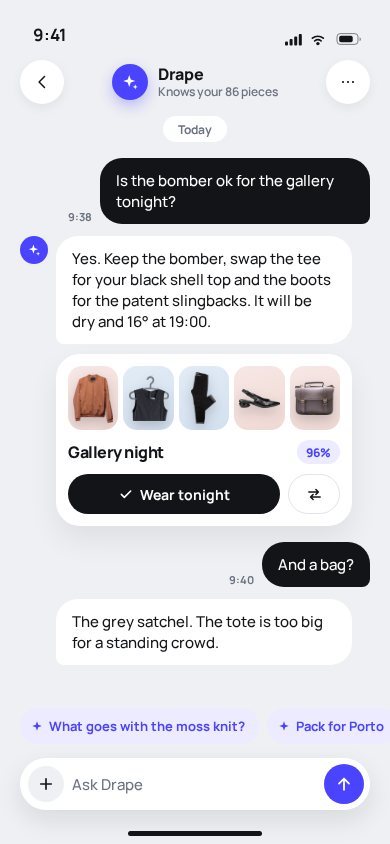 Drape Stylist chat: AI wardrobe and daily outfits, Minimal
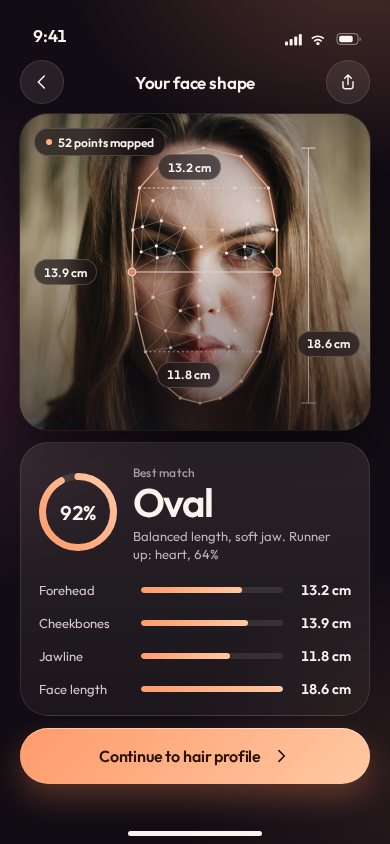 Mane Face shape: AI hairstyle try-on, Glass, dark
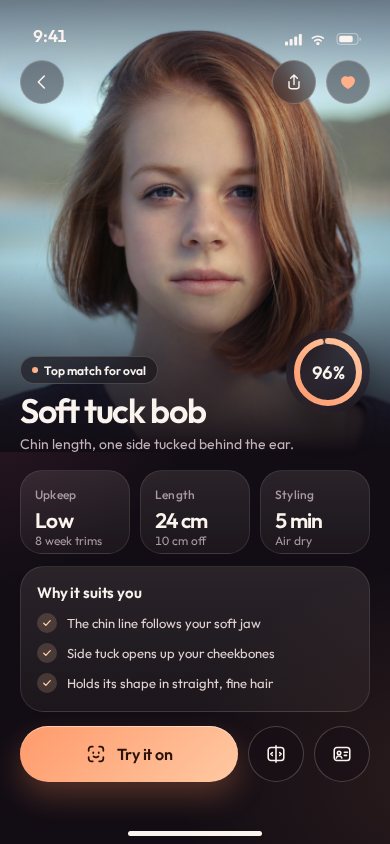 Mane Style: AI hairstyle try-on, Glass, dark
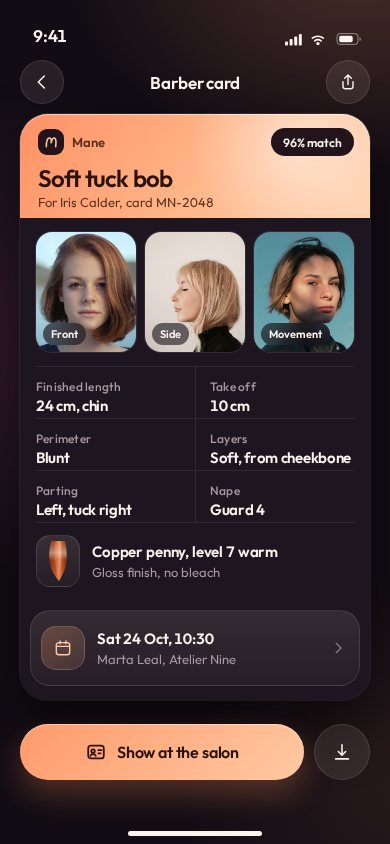 Mane Barber card: AI hairstyle try-on, Glass, dark
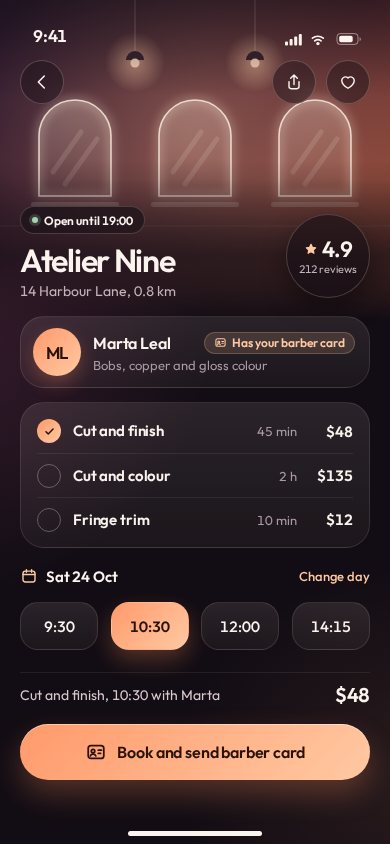 Mane Salon: AI hairstyle try-on, Glass, dark
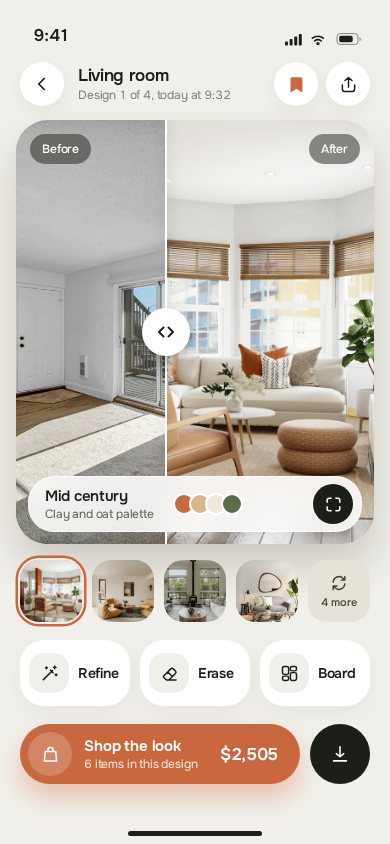 Annex Result: AI interior redesign, Minimal
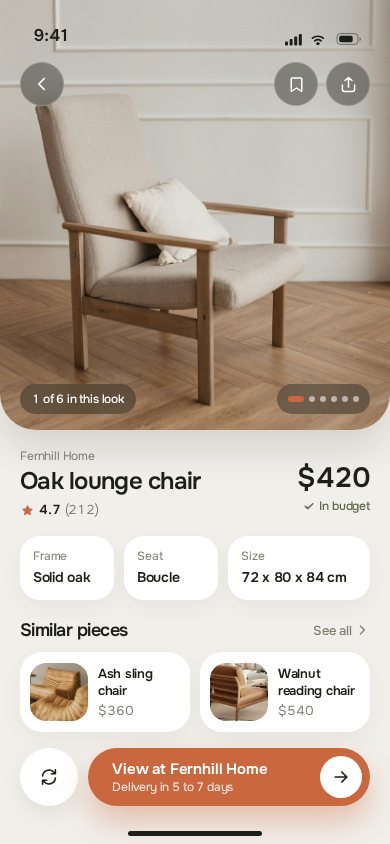 Annex Item: AI interior redesign, Minimal
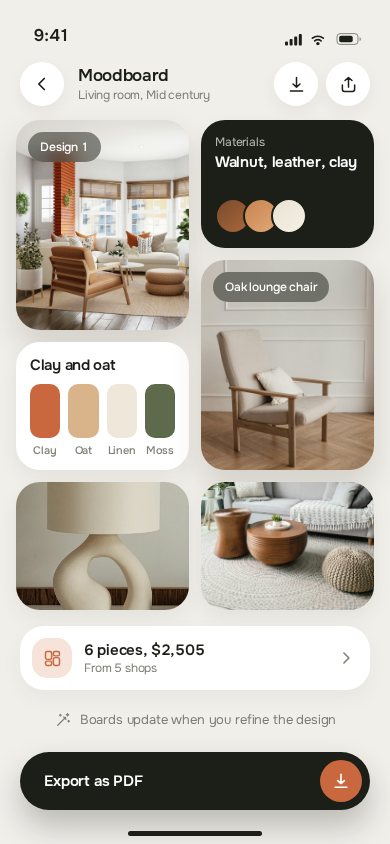 Annex Moodboard: AI interior redesign, Minimal
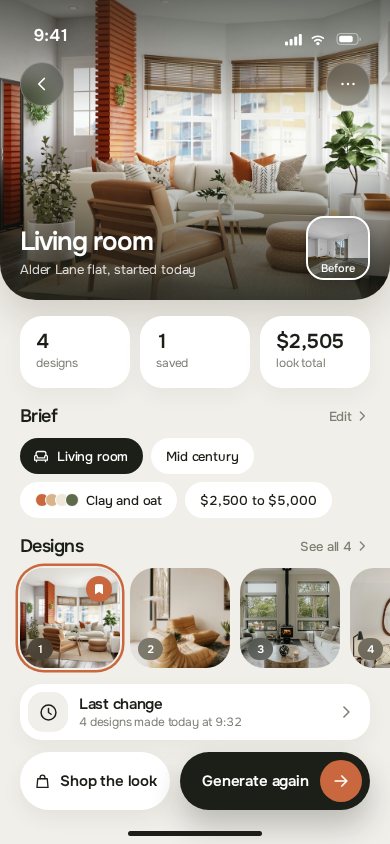 Annex Project: AI interior redesign, Minimal
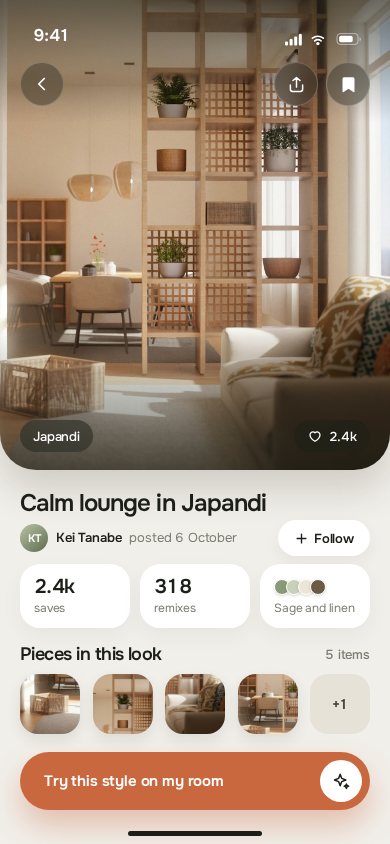 Annex Design: AI interior redesign, Minimal
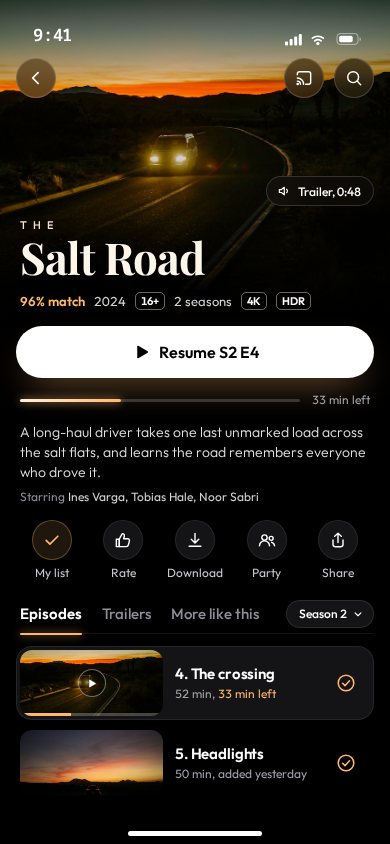 Kino Title: Film and series streaming, Dark-first, dark
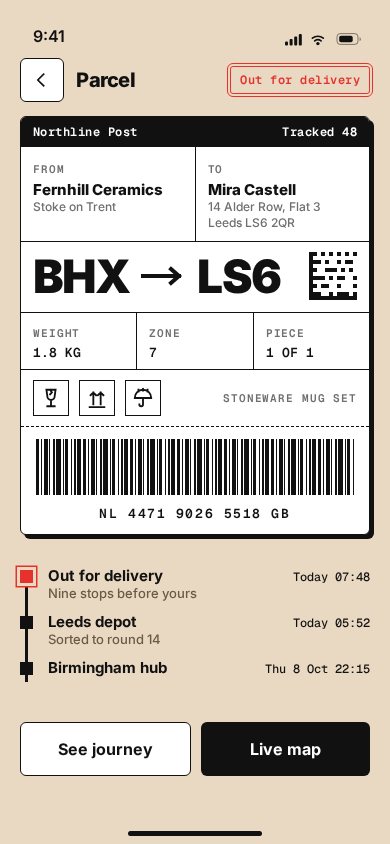 Waybill Parcel: Every parcel, read like its label, Clinical
- Waybill Journey: Every parcel, read like its label, Clinical
- Waybill Live map: Every parcel, read like its label, Clinical
- Torque Vehicle: The workshop manual for your own car, Enterprise
- Torque Update mileage: The workshop manual for your own car, Enterprise
- Torque Service item: The workshop manual for your own car, Enterprise
- Torque Part: The workshop manual for your own car, Enterprise
- Torque Garage: The workshop manual for your own car, Enterprise
- Torque Warning light: The workshop manual for your own car, Enterprise
- Vetly Pet: Pet health record, Neubrutalism
- Vetly Vaccine: Pet health record, Neubrutalism
- Vetly Visit: Pet health record, Neubrutalism
- Vetly Medication: Pet health record, Neubrutalism
- Stitch Project: A knitting companion drawn as one big knitting chart, Playful
- Stitch Row counter: A knitting companion drawn as one big knitting chart, Playful
- Stitch Chart: A knitting companion drawn as one big knitting chart, Playful
- Stitch Pattern: A knitting companion drawn as one big knitting chart, Playful
- Stitch Yarn: A knitting companion drawn as one big knitting chart, Playful
- Stitch guide: A knitting companion drawn as one big knitting chart, Playful
- Stitch Gauge swatch: A knitting companion drawn as one big knitting chart, Playful
- Roost Chore: Your shared house, stuck to the fridge door, Gen Z
- Roost Bill: Your shared house, stuck to the fridge door, Gen Z
- Roost Who is home: Your shared house, stuck to the fridge door, Gen Z
- Roost House rules: Your shared house, stuck to the fridge door, Gen Z
- Roost Housemate: Your shared house, stuck to the fridge door, Gen Z
- Trellis Bed: Vegetable garden planner, Minimal
- Trellis Plant a square: Vegetable garden planner, Minimal
- Trellis Crop: Vegetable garden planner, Minimal
- Trellis Watering: Vegetable garden planner, Minimal
- Trellis Season: Vegetable garden planner, Minimal
- Trellis Pests: Vegetable garden planner, Minimal
- Grain Photo: Camera and photo editor, Dark-first, dark
- Grain Film stock: Camera and photo editor, Dark-first, dark
- Posy Bouquet: Flower delivery and weekly stems, Luxury
- Posy Stem: Flower delivery and weekly stems, Luxury
- Fern Plant: Plant care, Minimal
- Fern Match: Plant care, Minimal
- Fern Diagnosis: Plant care, Minimal
- Fern Guide: Plant care, Minimal
- Fern Product: Plant care, Minimal
- Doorstep Listing: Homes for sale and rent, Enterprise
- Doorstep Floor plan: Homes for sale and rent, Enterprise
- Doorstep Chat: Homes for sale and rent, Enterprise
- Rewear Item: Secondhand fashion marketplace, Gen Z
- Rewear Chat: Secondhand fashion marketplace, Gen Z
- Laced Shoe: Sneaker drops and raffles, Brutalist
- Laced Size guide: Sneaker drops and raffles, Brutalist
- Laced Raffle result: Sneaker drops and raffles, Brutalist
- Laced Pair: Sneaker drops and raffles, Brutalist
- Gloss Salon: Salon and spa booking, Luxury
- Gloss Appointment: Salon and spa booking, Luxury
- Gloss Look: Salon and spa booking, Luxury
- Vow Task: Wedding planner, Luxury
- Vow Guest: Wedding planner, Luxury
- Vow Seating: Wedding planner, Luxury
- Vow Table: Wedding planner, Luxury
- Vow Vendor: Wedding planner, Luxury
- Drizzle Hourly: Weather with living skies, Glass, dark
- Drizzle Day detail: Weather with living skies, Glass, dark
- Drizzle Sun and moon: Weather with living skies, Glass, dark
- Drizzle Ostra: Weather with living skies, Glass, dark
- Drizzle Storm warning: Weather with living skies, Glass, dark
- Byline Article: Daily news reader, Minimal
- Shelf Book: Reading tracker and book club, Minimal
- Shelf Quote: Reading tracker and book club, Minimal
- Shelf Club: Reading tracker and book club, Minimal
- Shelf Meeting: Reading tracker and book club, Minimal
- Marquee Film: Cinema tickets and watchlist, Dark-first, dark
- Marquee Cinema: Cinema tickets and watchlist, Dark-first, dark
- Marquee Ticket: Cinema tickets and watchlist, Dark-first, dark
- Handy Cleaning: Home services, Minimal
- Handy Chat: Home services, Minimal
- Handy Booking: Home services, Minimal
- Tasker Furniture assembly: Book and do local odd jobs, Minimal
- Tasker Task: Book and do local odd jobs, Minimal
- Tasker Chat: Book and do local odd jobs, Minimal
- Toolbox Product: Hardware store and project lists, Enterprise
- Toolbox Specs: Hardware store and project lists, Enterprise
- Toolbox Project list: Hardware store and project lists, Enterprise
- Brief Full story: News in sixty words, Minimal
- Brief Trending topic: News in sixty words, Minimal
- Brief Weather: News in sixty words, Minimal
- Kibble Product: Pet supplies and autoship, Playful
- Filmlog Film: Film diary and reviews, Minimal
- Filmlog Director: Film diary and reviews, Minimal
- Filmlog Review: Film diary and reviews, Minimal
- Filmlog List: Film diary and reviews, Minimal
- Guardrail Child: Parental controls and screen time, Minimal
- Guardrail App: Parental controls and screen time, Minimal
- Guardrail Request: Parental controls and screen time, Minimal
- Guardrail Device: Parental controls and screen time, Minimal
- Collar Escape alert: GPS pet tracker, Glass, dark
- Collar History: GPS pet tracker, Glass, dark
- Collar Tracker: GPS pet tracker, Glass, dark
- Postage Item: Send parcels and find drop-off points, Enterprise
- Postage Branch: Send parcels and find drop-off points, Enterprise
- Postage Locker: Send parcels and find drop-off points, Enterprise
- Postage PO box: Send parcels and find drop-off points, Enterprise
- Specs Frame: Glasses with virtual try-on, Luxury
- Specs Looks: Glasses with virtual try-on, Luxury
- Specs Contacts: Glasses with virtual try-on, Luxury
- Circuit Product: Electronics store with trade-in and repairs, Dark-first, dark
- Circuit Specs: Electronics store with trade-in and repairs, Dark-first, dark
- Circuit Compare: Electronics store with trade-in and repairs, Dark-first, dark
- Circuit Trade in quote: Electronics store with trade-in and repairs, Dark-first, dark
- Provenance Item: Authenticated luxury resale, Luxury
- Provenance Authentication report: Authenticated luxury resale, Luxury
- Provenance Designer: Authenticated luxury resale, Luxury
- Gavel Lot: Live online auctions, Brutalist
- Gavel Condition: Live online auctions, Brutalist
- Gavel Expert review: Live online auctions, Brutalist
- Tidy Deep clean: Book home cleaners, Playful
- Tidy Booking: Book home cleaners, Playful
- Dorm Property: Find student housing, Gen Z
- Dorm Room: Find student housing, Gen Z
- Hem Quote: Tailoring and alterations, collected, Minimal, dark
- Hem Tailor: Tailoring and alterations, collected, Minimal, dark
- Lendly Item: Borrow things from neighbours, Playful
- Lendly Chat: Borrow things from neighbours, Playful
- Stub Artist: Fan to fan ticket resale, Dark-first, dark
- Stub Event: Fan to fan ticket resale, Dark-first, dark
- Stub Seat map: Fan to fan ticket resale, Dark-first, dark
- Stub Listing: Fan to fan ticket resale, Dark-first, dark
- Trove Idea: Visual ideas and boards, Minimal
- Trove Board: Visual ideas and boards, Minimal
- Trove Shop the look: Visual ideas and boards, Minimal
- Vidi Playlist: Video platform for creators, Minimal
- Roll Photo info: Photo library and backups, Minimal
- Roll Person: Photo library and backups, Minimal
- Roll Album: Photo library and backups, Minimal
- Splice Template: Video editor for short clips, Dark-first, dark
- Blush Product: Beauty and makeup shopping, Luxury
- Blush Brand: Beauty and makeup shopping, Luxury
- Flatpack Product: Furniture store with room previews, Minimal
- Flatpack Dimensions: Furniture store with room previews, Minimal
- Flatpack Store stock: Furniture store with room previews, Minimal
- Column Publication: Newsletters and independent writers, Minimal
- Column Post: Newsletters and independent writers, Minimal
- Fetch Sitter: Dog walkers and pet sitters, Playful
- Fetch Report card: Dog walkers and pet sitters, Playful
- Fetch Chat: Dog walkers and pet sitters, Playful
- Forecourt Listing: Buy and sell used cars, Minimal
- Forecourt Specs: Buy and sell used cars, Minimal
- Forecourt History report: Buy and sell used cars, Minimal
- Forecourt Compare: Buy and sell used cars, Minimal
- Tower My plan: Mobile plan, data and bills, Playful
- Tower Bill: Mobile plan, data and bills, Playful
- Tower Travel pass: Mobile plan, data and bills, Playful
- Tower Phone: Mobile plan, data and bills, Playful
- Tower Support: Mobile plan, data and bills, Playful
- Haul Product: Bargain fashion and finds, Gen Z
- Haul Size guide: Bargain fashion and finds, Gen Z
- Muse Upscale: AI image studio, Dark-first, dark
- Muse Image: AI image studio, Dark-first, dark
- Muse Style: AI image studio, Dark-first, dark
- Muse Collection: AI image studio, Dark-first, dark
- Admit Event: Events and tickets near you, Playful
- Admit Ticket: Events and tickets near you, Playful
- Arcade Game: Game store, library and friends, Dark-first, dark
- Arcade Requirements: Game store, library and friends, Dark-first, dark
- Arcade Game hub: Game store, library and friends, Dark-first, dark
- Arcade Chat: Game store, library and friends, Dark-first, dark
- Natal Birth chart: Birth charts and daily astrology, Luxury, dark
- Natal Placement: Birth charts and daily astrology, Luxury, dark
- Natal Transit: Birth charts and daily astrology, Luxury, dark
- Natal Synastry: Birth charts and daily astrology, Luxury, dark
- Natal Astrologer: Birth charts and daily astrology, Luxury, dark
- Sillage Fragrance: Fragrance wardrobe, Minimal
- Sillage Note: Fragrance wardrobe, Minimal
- Sillage House: Fragrance wardrobe, Minimal
- Sillage Layering: Fragrance wardrobe, Minimal
- Sillage Sample set: Fragrance wardrobe, Minimal
- Hamper Shop: Wishlists and gift registry, Playful
- Hamper Item: Wishlists and gift registry, Playful
- Hamper Registry: Wishlists and gift registry, Playful
- Hamper Honeymoon fund: Wishlists and gift registry, Playful
- Hamper Gift swap: Wishlists and gift registry, Playful
- Fade Shop: Barber booking, Neubrutalism, dark
- Fade Barber: Barber booking, Neubrutalism, dark
- Fade Style: Barber booking, Neubrutalism, dark
- Fade Appointment: Barber booking, Neubrutalism, dark
- Fade Punch card: Barber booking, Neubrutalism, dark
- Inked Healed piece: Tattoo artists and bookings, Dark-first, dark
- Inked Flash design: Tattoo artists and bookings, Dark-first, dark
- Inked Appointment: Tattoo artists and bookings, Dark-first, dark
- Inked Chat: Tattoo artists and bookings, Dark-first, dark
- Scrapbook Book: Digital scrapbook journal, Gen Z
- Scrapbook Page: Digital scrapbook journal, Gen Z
- Scrapbook Sticker pack: Digital scrapbook journal, Gen Z
- Rinse Wash and fold: Laundry pickup and delivery, Glass
- Rinse Order: Laundry pickup and delivery, Glass
- Rinse Care guide: Laundry pickup and delivery, Glass
What makes a good lifestyle app detail screen
- Lead with what identifies the item. A large image or title, the price or status, and the key facts at the top. People should know they are in the right place at a glance.
- Keep the main action visible. A sticky bottom button for Add to cart, Book or Play stays reachable while people scroll through details.
- Order information by importance. The facts that decide the choice come first; reviews, specifications and fine print further down.
- Use progressive disclosure. Long descriptions, specifications and policies can expand on tap rather than filling the screen.
- Make the way back obvious. A clear back button and, for media, swipe down to dismiss, so people can return to their place in the list.
The full detail screen guide: layouts, mistakes and questions
Detail screens in other kinds of app
- Productivity app detail screens (185)
- Finance app detail screens (142)
- Travel app detail screens (137)
- Social app detail screens (125)
- Fitness app detail screens (121)
- Education app detail screens (94)
- Sports app detail screens (87)
- Food app detail screens (81)
- Smart home app detail screens (66)
- Music app detail screens (61)
Other lifestyle app screens
- Lifestyle app onboarding screens
- Lifestyle app sign in and sign up screens
- Lifestyle app home screens
- Lifestyle app search and explore screens
- Lifestyle app list and feed screens
- Lifestyle app booking and checkout screens
- Lifestyle app paywall screens
- Lifestyle app success and confirmation screens
- Lifestyle app profile screens
- Lifestyle app settings screens
- Lifestyle app dashboard and stats screens
- Lifestyle app player, camera and editor screens
- Lifestyle app live tracking screens
- Lifestyle app form and input screens