Templates · Detail screens · Lifestyle app · Byline
Byline Article screen
A detail screen from Byline, a daily news reader app template in a Minimal style. Screen 7 of 25.
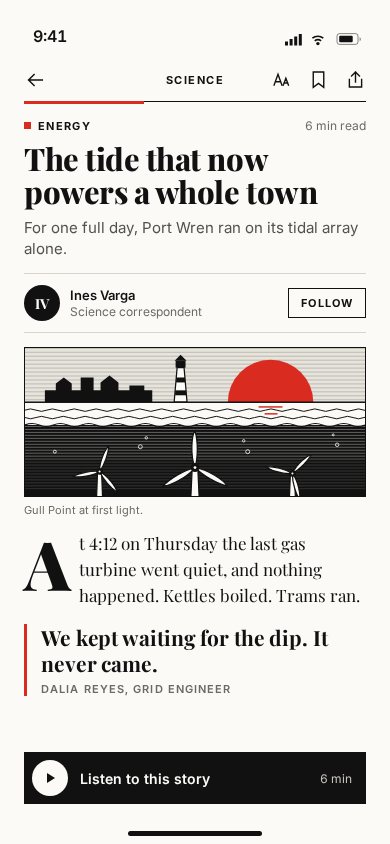
Byline is a complete news app for an invented city paper: welcome, sign in, a code and topic picks, a front page for today, an article with a drop cap and pull quote, live updates on a timeline, sections, a topic page, search, a writer page, audio briefings with a player, puzzles with a mini crossword, saved stories, alerts, reading stats, a subscription with payment, profile and settings. Everything is square cornered and ruled like a printed page, with red kept for what is live, new or selected.
| Detail | Value |
|---|---|
| Screen type | Detail |
| App | Byline: Daily news reader |
| Category | Lifestyle |
| Design language | Minimal, light |
| Type | Playfair Display |
| Colours | #fbfaf7 background, #f0eee8 surface, #111111 text, #6e6a63 text-muted, #d92b1f accent, #ffffff accent-contrast, #111111 secondary, #d8d4ca border, #d92b1f danger |
What this screen says
- Science
- Energy 6 min read
- The tide that now powers a whole town
- For one full day, Port Wren ran on its tidal array alone.
- IV
- Ines VargaScience correspondent
- Follow
- Gull Point at first light.
- At 4:12 on Thursday the last gas turbine went quiet, and nothing happened. Kettles boiled. Trams ran.
- We kept waiting for the dip. It never came.Dalia Reyes, grid engineer
- Listen to this story
- 6 min
Around it in Byline
More detail screens
- Torque Vehicle: The workshop manual for your own car
- Vetly Pet: Pet health record
- Stitch Project: A knitting companion drawn as one big knitting chart
- Roost Chore: Your shared house, stuck to the fridge door
- Trellis Bed: Vegetable garden planner
- Grain Photo: Camera and photo editor
- Posy Bouquet: Flower delivery and weekly stems
- Fern Plant: Plant care
- Doorstep Listing: Homes for sale and rent
- Rewear Item: Secondhand fashion marketplace
- Laced Shoe: Sneaker drops and raffles
- Gloss Salon: Salon and spa booking
Every lifestyle app detail screen
What makes a good detail screen
- Lead with what identifies the item. A large image or title, the price or status, and the key facts at the top. People should know they are in the right place at a glance.
- Keep the main action visible. A sticky bottom button for Add to cart, Book or Play stays reachable while people scroll through details.
- Order information by importance. The facts that decide the choice come first; reviews, specifications and fine print further down.
- Use progressive disclosure. Long descriptions, specifications and policies can expand on tap rather than filling the screen.
The full detail screen guide and every example
Remix Byline free: describe your own app and it is drawn in this design. Or get its files from $10: Figma, React Native, SwiftUI, Flutter and HTML.