Templates · Detail screens · Lifestyle app · Admit
Admit Ticket screen
A detail screen from Admit, an events and tickets near you app template in a Playful style. Screen 14 of 25.
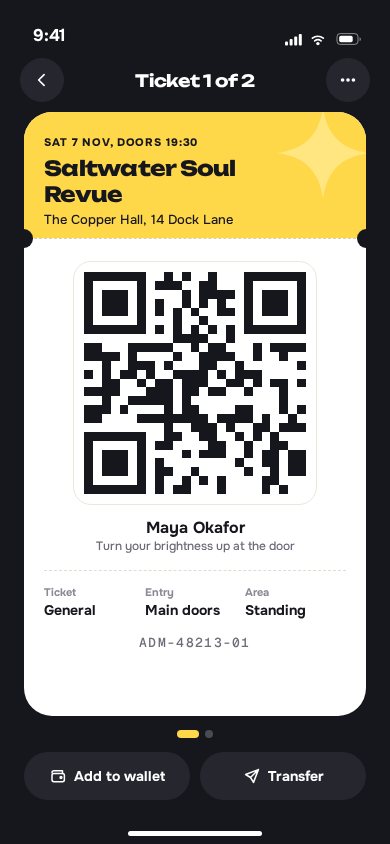
Admit is a complete local events app: welcome, interests and sign in, a discover home, search with categories, a weekend list by date, a map of what is on, event pages with the organiser, ticket tiers, checkout and a booked screen, a ticket wallet with QR codes and transfers, likes, followed organisers, notifications, a Plus plan, profile and settings, and a host mode with sales, a create event form, a guest list and a check in scanner. Oat and white with jade, sunflower and bubblegum.
| Detail | Value |
|---|---|
| Screen type | Detail |
| App | Admit: Events and tickets near you |
| Category | Lifestyle |
| Design language | Playful, light |
| Type | Unbounded for headings, Onest for text |
| Colours | #f6f3ec background, #ffffff surface, #16161d text, #6e6b78 text-muted, #14a06a accent, #ffffff accent-contrast, #ffd84a secondary, #ff8fb8 tertiary, #e8e3d8 border, #f0533e danger |
What this screen says
- Ticket 1 of 2
- SAT 7 NOV, DOORS 19:30Saltwater Soul
- Revue
- The Copper Hall, 14 Dock Lane
- Maya OkaforTurn your brightness up at the door
- TicketGeneral
- EntryMain doors
- AreaStanding
- ADM-48213-01
- Add to wallet
- Transfer
Around it in Admit
More detail screens
- Vidi Playlist: Video platform for creators
- Roll Photo info: Photo library and backups
- Splice Template: Video editor for short clips
- Blush Product: Beauty and makeup shopping
- Flatpack Product: Furniture store with room previews
- Column Publication: Newsletters and independent writers
- Fetch Sitter: Dog walkers and pet sitters
- Forecourt Listing: Buy and sell used cars
- Tower My plan: Mobile plan, data and bills
- Haul Product: Bargain fashion and finds
- Muse Upscale: AI image studio
- Arcade Game: Game store, library and friends
Every lifestyle app detail screen
What makes a good detail screen
- Lead with what identifies the item. A large image or title, the price or status, and the key facts at the top. People should know they are in the right place at a glance.
- Keep the main action visible. A sticky bottom button for Add to cart, Book or Play stays reachable while people scroll through details.
- Order information by importance. The facts that decide the choice come first; reviews, specifications and fine print further down.
- Use progressive disclosure. Long descriptions, specifications and policies can expand on tap rather than filling the screen.
The full detail screen guide and every example
Remix Admit free: describe your own app and it is drawn in this design. Or get its files from $10: Figma, React Native, SwiftUI, Flutter and HTML.