Templates · Detail screens · Lifestyle app · Roll
Roll Album screen
A detail screen from Roll, a photo library and backups app template in a Minimal style. Screen 12 of 25.
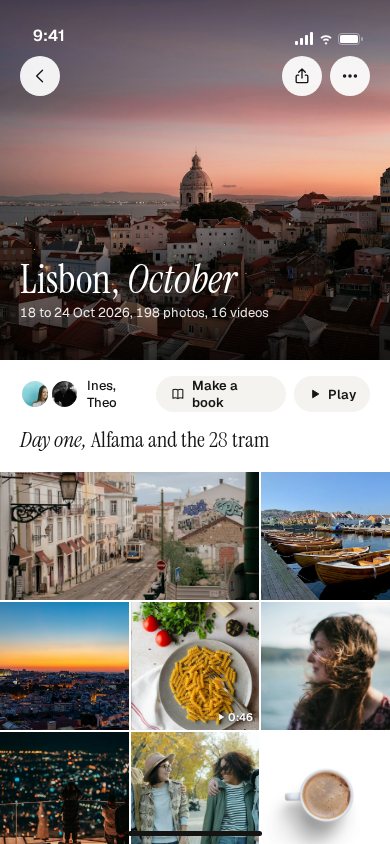
Roll is a complete photo library app: welcome, choosing what to back up, sign in, a library grid grouped by day, a photo viewer with its details, an editor, search by people, places and things, results, a person's photos, albums and an album, a memory story, a new album, sharing a link, shared albums and a partner library, live backup progress, storage and a clean up review, ordering prints with confirmation, a storage plan, activity, account and settings. White and warm grey with near black ink and a persimmon accent.
| Detail | Value |
|---|---|
| Screen type | Detail |
| App | Roll: Photo library and backups |
| Category | Lifestyle |
| Design language | Minimal, light |
| Type | Instrument Serif for headings, Geist for text |
| Colours | #ffffff background, #f4f3ef surface, #141413 text, #76736b text-muted, #ff5a1f accent, #fff0e8 accent-soft, #e9e7e1 border, #1f9d5c success, #e5383b danger |
What this screen says
- Lisbon, October
- 18 to 24 Oct 2026, 198 photos, 16 videos
- Ines, Theo
- Make a book Play
- Day one, Alfama and the 28 tram
Around it in Roll
More detail screens
- Circuit Product: Electronics store with trade-in and repairs
- Provenance Item: Authenticated luxury resale
- Gavel Lot: Live online auctions
- Tidy Deep clean: Book home cleaners
- Dorm Property: Find student housing
- Hem Quote: Tailoring and alterations, collected
- Lendly Item: Borrow things from neighbours
- Stub Artist: Fan to fan ticket resale
- Trove Idea: Visual ideas and boards
- Vidi Playlist: Video platform for creators
- Splice Template: Video editor for short clips
- Blush Product: Beauty and makeup shopping
Every lifestyle app detail screen
What makes a good detail screen
- Lead with what identifies the item. A large image or title, the price or status, and the key facts at the top. People should know they are in the right place at a glance.
- Keep the main action visible. A sticky bottom button for Add to cart, Book or Play stays reachable while people scroll through details.
- Order information by importance. The facts that decide the choice come first; reviews, specifications and fine print further down.
- Use progressive disclosure. Long descriptions, specifications and policies can expand on tap rather than filling the screen.
The full detail screen guide and every example
Remix Roll free: describe your own app and it is drawn in this design. Or get its files from $10: Figma, React Native, SwiftUI, Flutter and HTML.