Templates · Detail screens · Lifestyle app · Kino
Kino Title screen
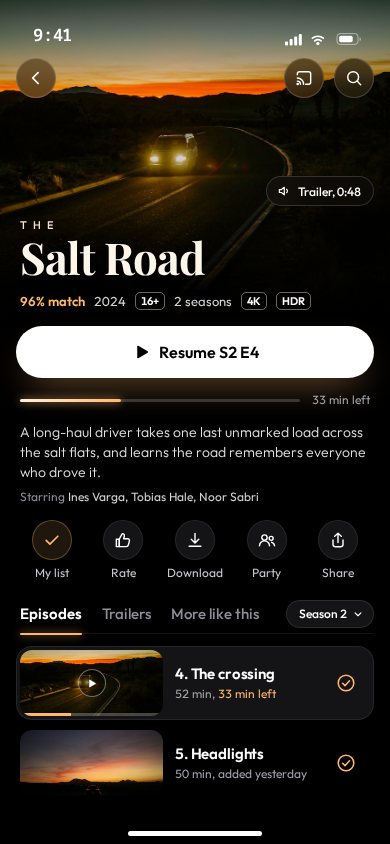
A detail screen from Kino, a film and series streaming app template in a Dark-first style. Screen 5 of 25.
Kino is a complete streaming app: welcome, sign in, profiles, a home with a tall hero poster, continue watching and a top ten, title pages with episodes, a portrait player with audio and subtitles, search, genres, new and upcoming, downloads, my list, a vertical trailer feed, watch party, ratings, a kids profile, plans, payment, devices, parental controls, account and settings. True black with cinematic photography, white type and a sparing amber glow.
| Detail | Value |
|---|---|
| Screen type | Detail |
| App | Kino: Film and series streaming |
| Category | Lifestyle |
| Design language | Dark-first, dark |
| Type | Outfit |
| Colours | #000000 background, #141416 surface, #ffffff text, #a1a1aa text-muted, #ffb86b accent, #1a1206 accent-contrast, #f5efe6 secondary, #26262b border, #ff6b5e danger |
What this screen says
- Trailer, 0:48
- THESalt Road
- 96% match2024 16+2 seasons 4KHDR
- Resume S2 E4
- 33 min left
- A long-haul driver takes one last unmarked load across the salt flats, and learns the road remembers everyone who...
- Starring Ines Varga, Tobias Hale, Noor Sabri
- My list
- Rate
- Download
- Party
- Share
- Episodes Trailers More like this
- Season 2
- 4. The crossing
- 52 min, 33 min left
- 5. Headlights
- 50 min, added yesterday
Around it in Kino
More detail screens
- Blush Product: Beauty and makeup shopping
- Flatpack Product: Furniture store with room previews
- Column Publication: Newsletters and independent writers
- Fetch Sitter: Dog walkers and pet sitters
- Forecourt Listing: Buy and sell used cars
- Tower My plan: Mobile plan, data and bills
- Haul Product: Bargain fashion and finds
- Muse Upscale: AI image studio
- Admit Event: Events and tickets near you
- Arcade Game: Game store, library and friends
- Natal Birth chart: Birth charts and daily astrology
- Sillage Fragrance: Fragrance wardrobe
Every lifestyle app detail screen
What makes a good detail screen
- Lead with what identifies the item. A large image or title, the price or status, and the key facts at the top. People should know they are in the right place at a glance.
- Keep the main action visible. A sticky bottom button for Add to cart, Book or Play stays reachable while people scroll through details.
- Order information by importance. The facts that decide the choice come first; reviews, specifications and fine print further down.
- Use progressive disclosure. Long descriptions, specifications and policies can expand on tap rather than filling the screen.
The full detail screen guide and every example
Remix Kino free: describe your own app and it is drawn in this design. Or get its files from $10: Figma, React Native, SwiftUI, Flutter and HTML.