Templates · Detail screens · Lifestyle app · Guardrail
Guardrail Child screen
A detail screen from Guardrail, a parental controls and screen time app template in a Minimal style. Screen 6 of 25.
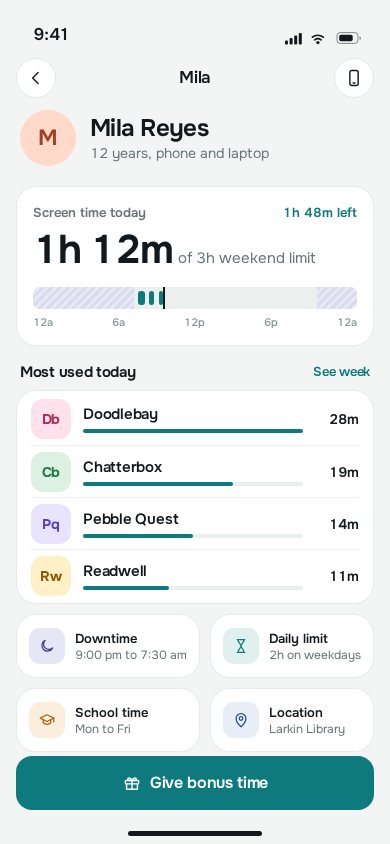
Guardrail is a complete family screen time app for parents: welcome, adding a child, sign in and linking a device, a family home with each child's day rail, a child overview, weekly activity, per app usage, daily and app limits, a bedtime dial, school time, app approval requests with an approved screen, bonus time, content filters by age, live location, devices with lock and ring, notifications, a Plus plan, profile and settings. Pale mist and white with petrol teal, dusk indigo and a warm amber for bonus time.
| Detail | Value |
|---|---|
| Screen type | Detail |
| App | Guardrail: Parental controls and screen time |
| Category | Lifestyle |
| Design language | Minimal, light |
| Type | Onest |
| Colours | #f3f5f4 background, #ffffff surface, #12181b text, #687476 text-muted, #0e7a7e accent, #ffffff accent-contrast, #3d3f8f secondary, #e6eae9 border, #e5603f danger |
What this screen says
- Mila
- Mila Reyes
- 12 years, phone and laptop
- Screen time today 1h 48m left
- 1h 12mof 3h weekend limit
- 12a 6a 12p 6p 12a
- Most used todaySee week
- Db
- Doodlebay
- 28m
- Cb
- Chatterbox
- 19m
- Pq
- Pebble Quest
- 14m
- Rw
- Readwell
- 11m
- Downtime
- 9:00 pm to 7:30 am
- Daily limit
- 2h on weekdays
- School time
- Mon to Fri
- Location
- Larkin Library
- Give bonus time
Around it in Guardrail
More detail screens
- Trellis Bed: Vegetable garden planner
- Grain Photo: Camera and photo editor
- Posy Bouquet: Flower delivery and weekly stems
- Fern Plant: Plant care
- Doorstep Listing: Homes for sale and rent
- Rewear Item: Secondhand fashion marketplace
- Laced Shoe: Sneaker drops and raffles
- Gloss Salon: Salon and spa booking
- Vow Task: Wedding planner
- Drizzle Hourly: Weather with living skies
- Byline Article: Daily news reader
- Shelf Book: Reading tracker and book club
Every lifestyle app detail screen
What makes a good detail screen
- Lead with what identifies the item. A large image or title, the price or status, and the key facts at the top. People should know they are in the right place at a glance.
- Keep the main action visible. A sticky bottom button for Add to cart, Book or Play stays reachable while people scroll through details.
- Order information by importance. The facts that decide the choice come first; reviews, specifications and fine print further down.
- Use progressive disclosure. Long descriptions, specifications and policies can expand on tap rather than filling the screen.
The full detail screen guide and every example
Remix Guardrail free: describe your own app and it is drawn in this design. Or get its files from $10: Figma, React Native, SwiftUI, Flutter and HTML.