Templates · Dashboard and stats screens
Lifestyle app dashboard and stats screens
78 dashboard screens from 59 lifestyle app templates, each in its own design language. Lifestyle apps sell a feeling as much as a feature: considered type, generous space and photography with a point of view.
The examples
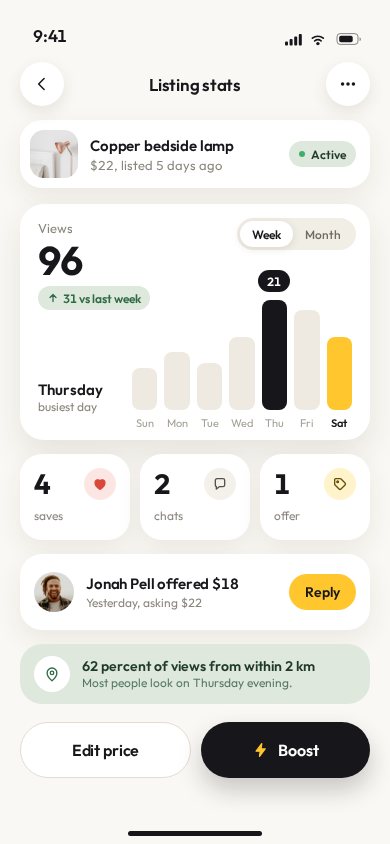 Bazaar Listing stats: Local buy and sell, Minimal
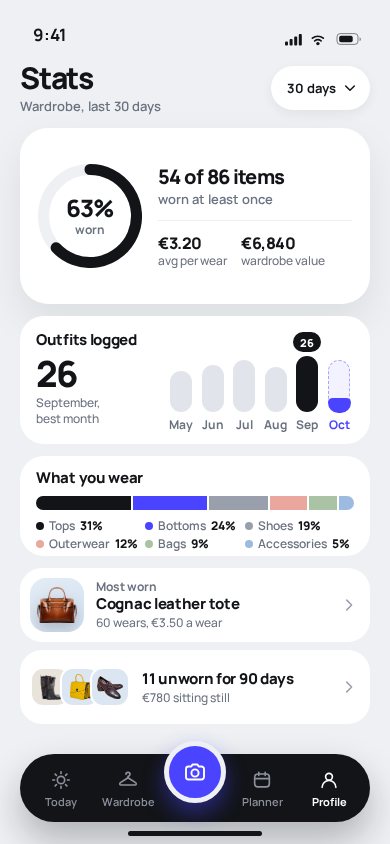 Drape Stats: AI wardrobe and daily outfits, Minimal
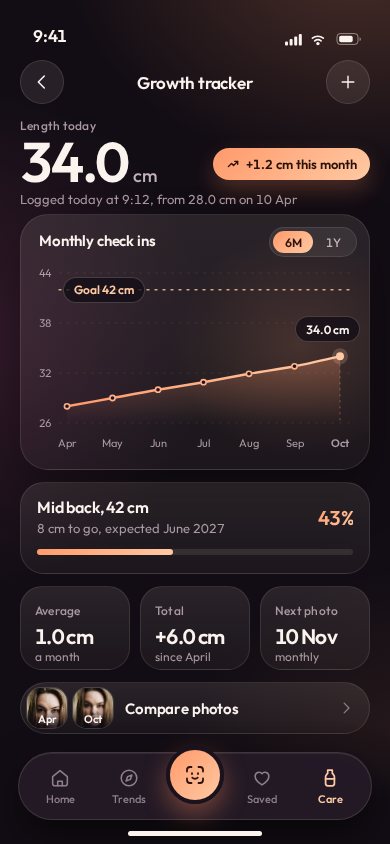 Mane Growth tracker: AI hairstyle try-on, Glass, dark
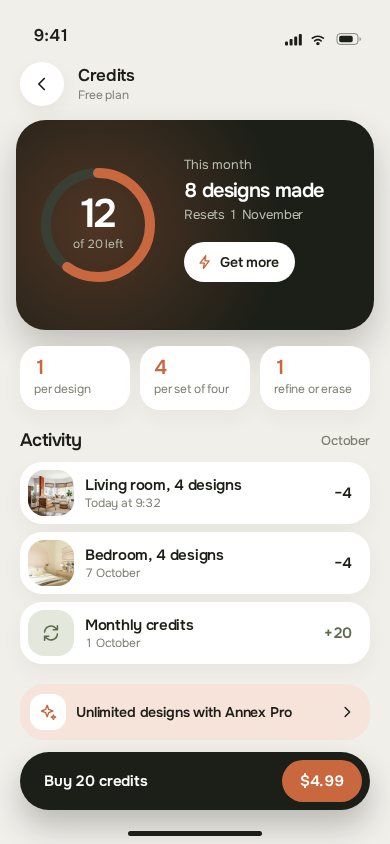 Annex Credits: AI interior redesign, Minimal
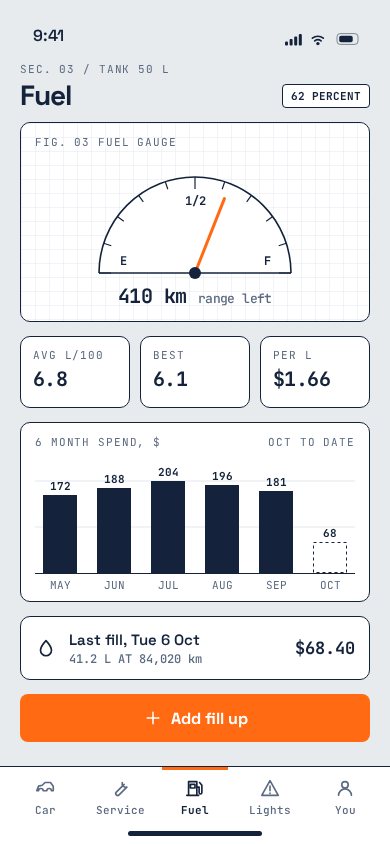 Torque Fuel: The workshop manual for your own car, Enterprise
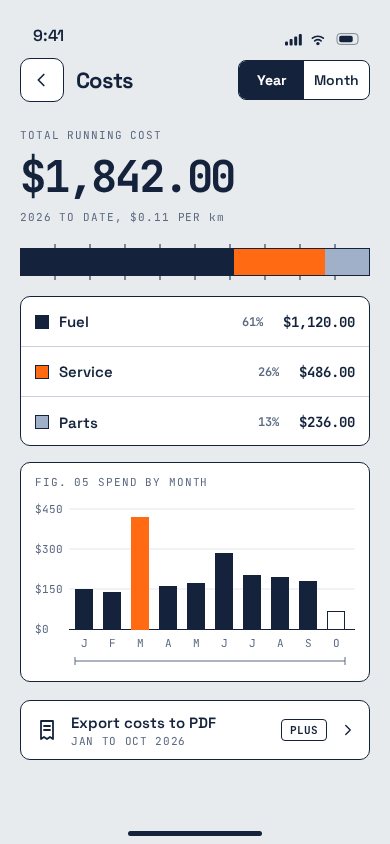 Torque Costs: The workshop manual for your own car, Enterprise
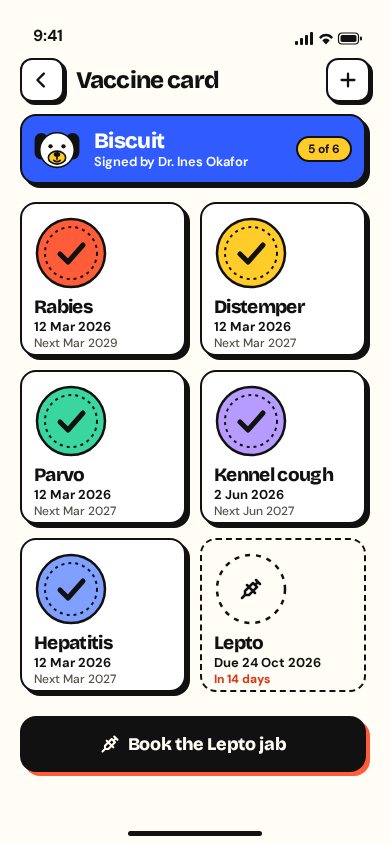 Vetly Vaccine card: Pet health record, Neubrutalism
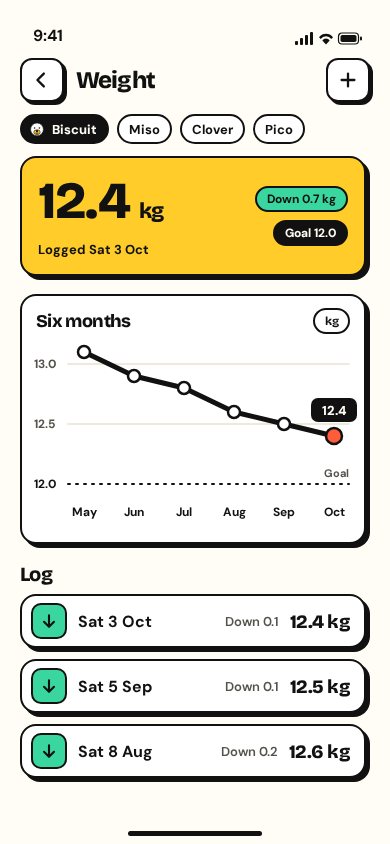 Vetly Weight: Pet health record, Neubrutalism
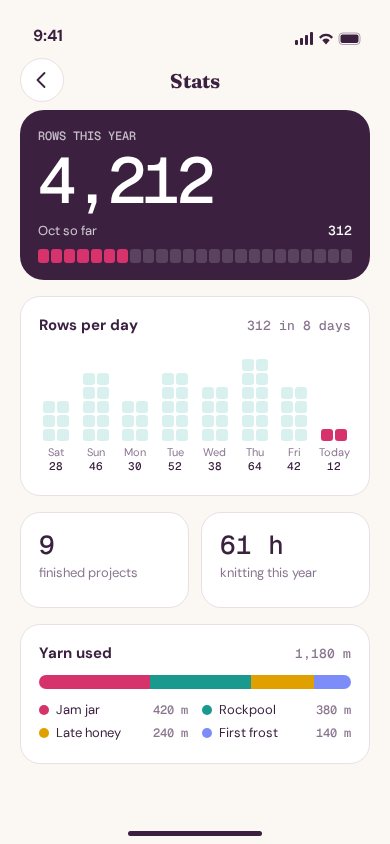 Stitch Stats: A knitting companion drawn as one big knitting chart, Playful
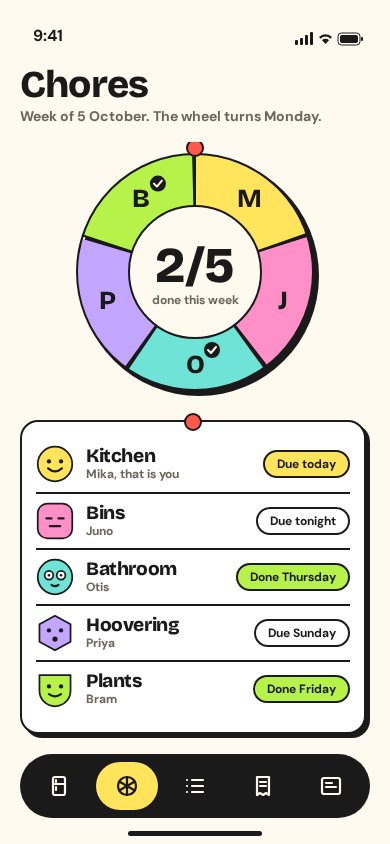 Roost Chores: Your shared house, stuck to the fridge door, Gen Z
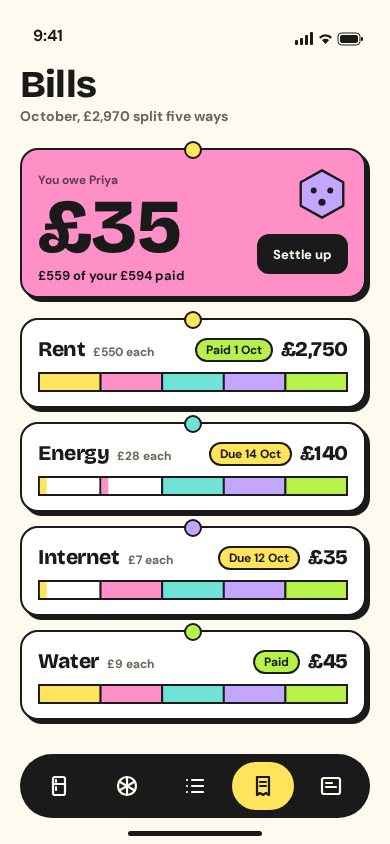 Roost Bills: Your shared house, stuck to the fridge door, Gen Z
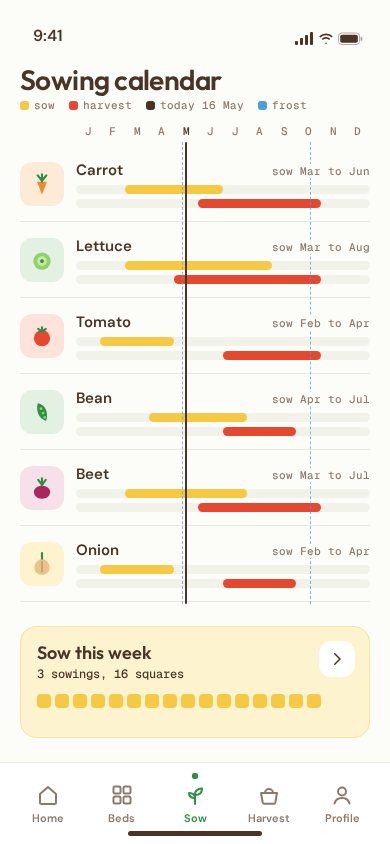 Trellis Sowing calendar: Vegetable garden planner, Minimal
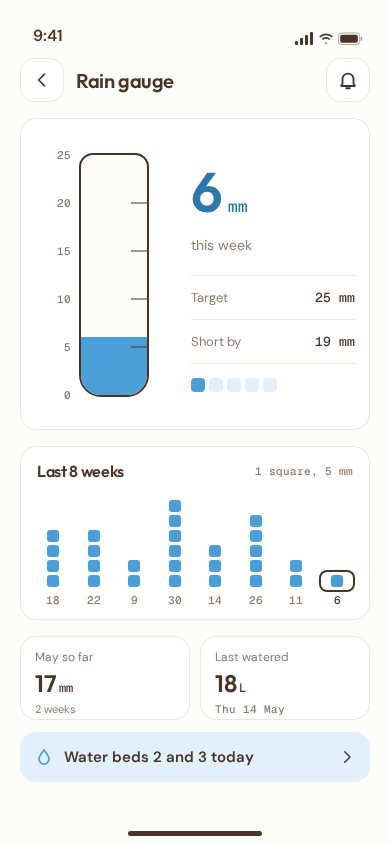 Trellis Rain gauge: Vegetable garden planner, Minimal
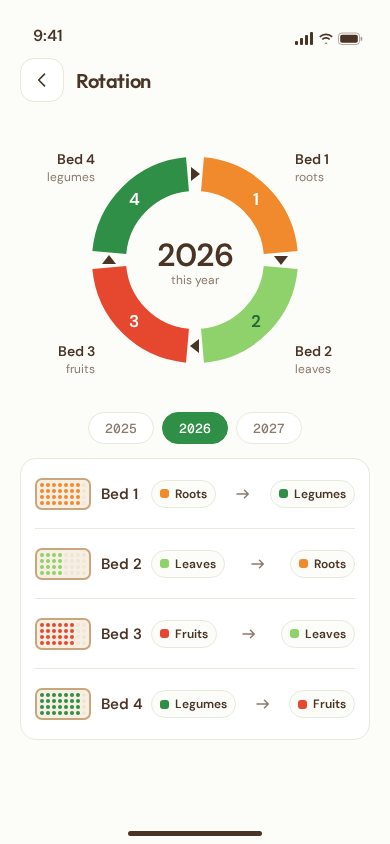 Trellis Rotation: Vegetable garden planner, Minimal
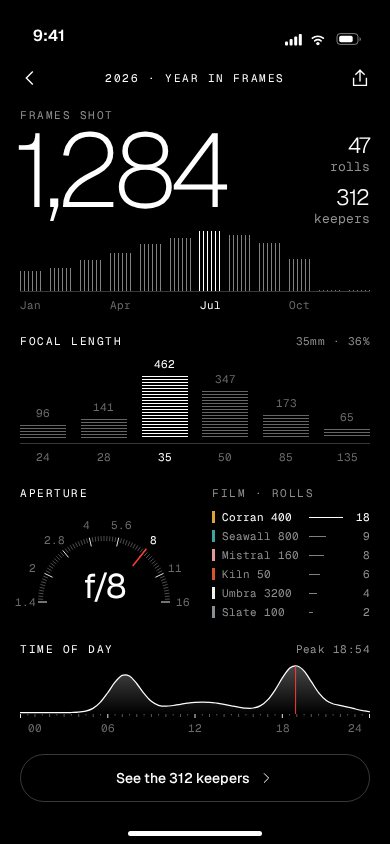 Grain Stats: Camera and photo editor, Dark-first, dark
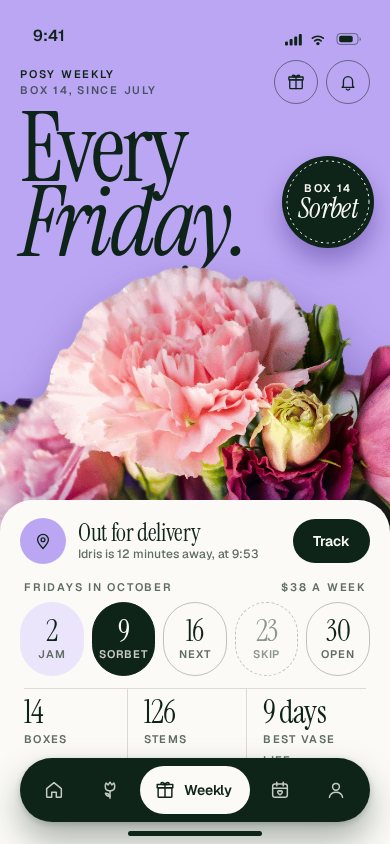 Posy Deliveries: Flower delivery and weekly stems, Luxury
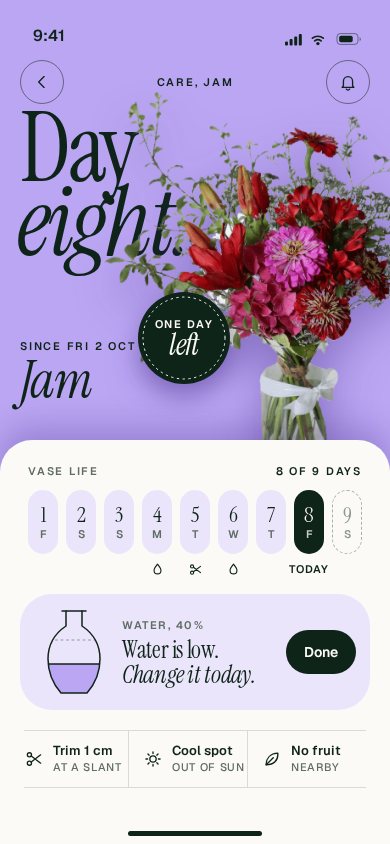 Posy Care: Flower delivery and weekly stems, Luxury
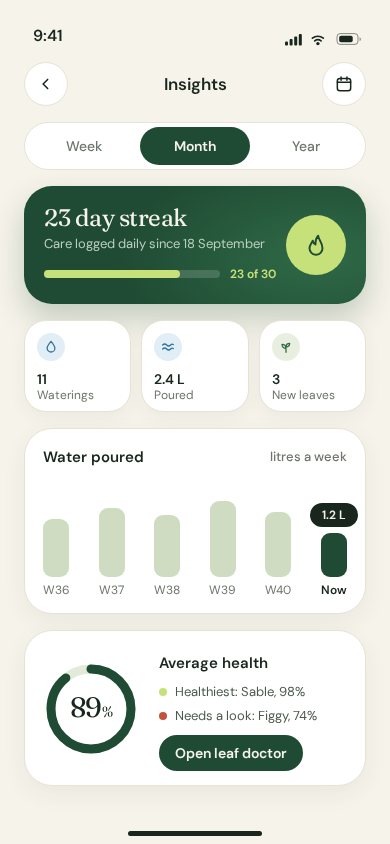 Fern Insights: Plant care, Minimal
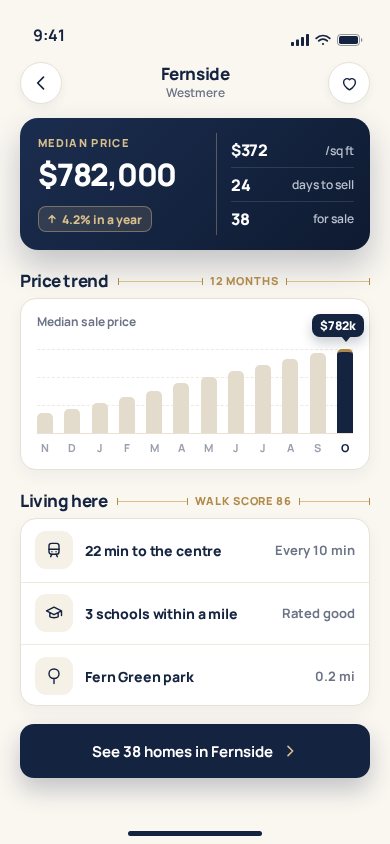 Doorstep Area: Homes for sale and rent, Enterprise
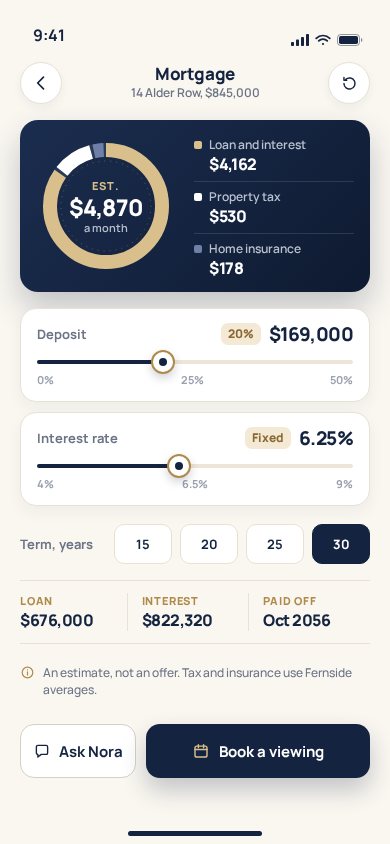 Doorstep Mortgage: Homes for sale and rent, Enterprise
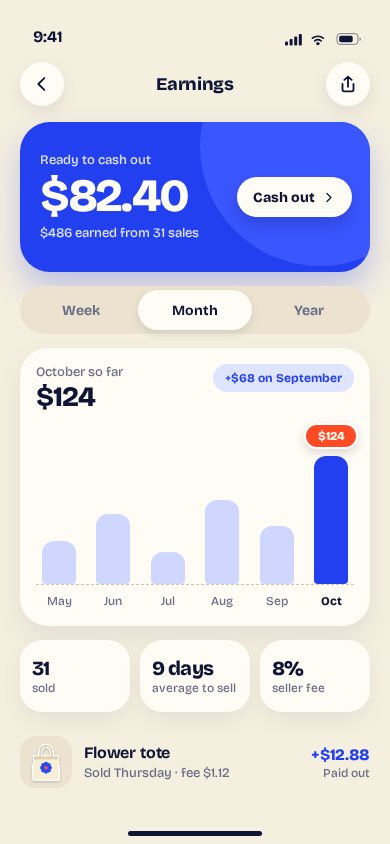 Rewear Earnings: Secondhand fashion marketplace, Gen Z
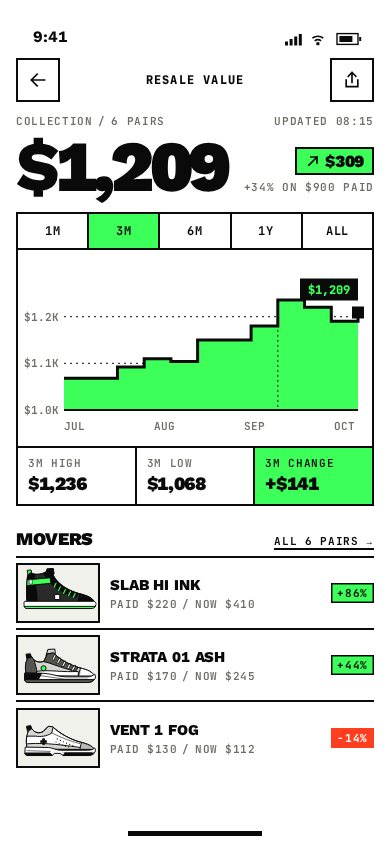 Laced Resale value: Sneaker drops and raffles, Brutalist
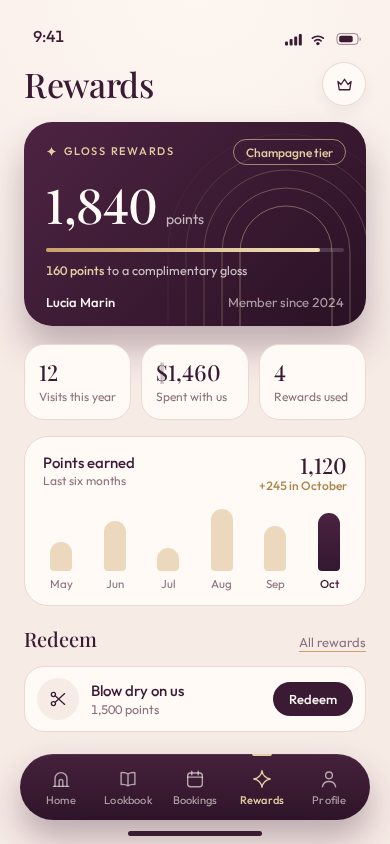 Gloss Rewards: Salon and spa booking, Luxury
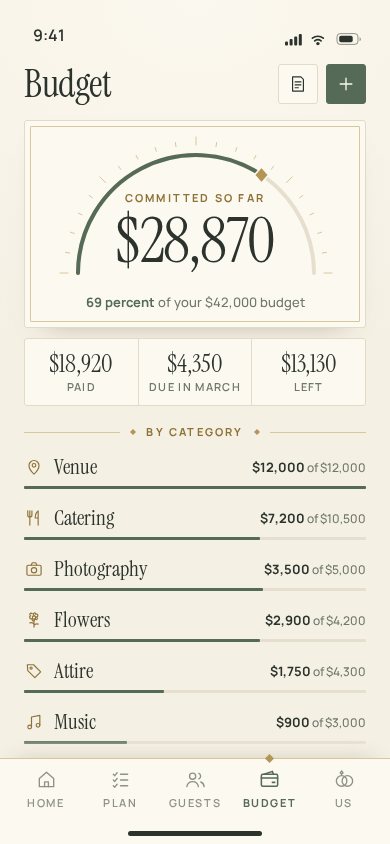 Vow Budget: Wedding planner, Luxury
- Vow RSVPs: Wedding planner, Luxury
- Drizzle Rain: Weather with living skies, Glass, dark
- Drizzle Air quality: Weather with living skies, Glass, dark
- Byline Reading stats: Daily news reader, Minimal
- Shelf Reading goal: Reading tracker and book club, Minimal
- Shelf Year in books: Reading tracker and book club, Minimal
- Marquee Year in film: Cinema tickets and watchlist, Dark-first, dark
- Handy Spending: Home services, Minimal
- Toolbox Pro spend: Hardware store and project lists, Enterprise
- Brief Poll results: News in sixty words, Minimal
- Brief Reading stats: News in sixty words, Minimal
- Kibble Pet spend: Pet supplies and autoship, Playful
- Filmlog Year in review: Film diary and reviews, Minimal
- Guardrail Activity: Parental controls and screen time, Minimal
- Collar Activity: GPS pet tracker, Glass, dark
- Collar Sleep: GPS pet tracker, Glass, dark
- Postage Activity: Send parcels and find drop-off points, Enterprise
- Specs Eye health: Glasses with virtual try-on, Luxury
- Circuit Rewards: Electronics store with trade-in and repairs, Dark-first, dark
- Provenance Earnings: Authenticated luxury resale, Luxury
- Gavel My bids: Live online auctions, Brutalist
- Gavel Payouts: Live online auctions, Brutalist
- Tidy Home stats: Book home cleaners, Playful
- Dorm Compare: Find student housing, Gen Z
- Dorm Payments: Find student housing, Gen Z
- Hem Measurements: Tailoring and alterations, collected, Minimal, dark
- Lendly Credits: Borrow things from neighbours, Playful
- Stub Selling: Fan to fan ticket resale, Dark-first, dark
- Stub Payouts: Fan to fan ticket resale, Dark-first, dark
- Trove Stats: Visual ideas and boards, Minimal
- Vidi Studio: Video platform for creators, Minimal
- Vidi Video stats: Video platform for creators, Minimal
- Roll Storage: Photo library and backups, Minimal
- Splice Cloud: Video editor for short clips, Dark-first, dark
- Blush Club: Beauty and makeup shopping, Luxury
- Flatpack Rewards: Furniture store with room previews, Minimal
- Column Studio: Newsletters and independent writers, Minimal
- Column Post stats: Newsletters and independent writers, Minimal
- Fetch Activity: Dog walkers and pet sitters, Playful
- Forecourt Price check: Buy and sell used cars, Minimal
- Forecourt Sell: Buy and sell used cars, Minimal
- Tower Usage: Mobile plan, data and bills, Playful
- Haul Rewards: Bargain fashion and finds, Gen Z
- Muse Usage: AI image studio, Dark-first, dark
- Admit Host dashboard: Events and tickets near you, Playful
- Arcade Achievements: Game store, library and friends, Dark-first, dark
- Arcade Play stats: Game store, library and friends, Dark-first, dark
- Natal Patterns: Birth charts and daily astrology, Luxury, dark
- Sillage Insights: Fragrance wardrobe, Minimal
- Hamper Gift stats: Wishlists and gift registry, Playful
- Fade Cut log: Barber booking, Neubrutalism, dark
- Inked My ink: Tattoo artists and bookings, Dark-first, dark
- Scrapbook Recap: Digital scrapbook journal, Gen Z
- Rinse Stats: Laundry pickup and delivery, Glass
What makes a good lifestyle app dashboard screen
- One headline number. The figure that matters most, like balance, steps or revenue, large at the top with its change since the last period.
- Give numbers context. Compared with last week, against a goal or as a trend line. A number alone does not say if it is good.
- Pick simple charts. Bars for comparing periods, lines for trends and rings for progress toward a goal. Avoid charts that need a legend to read.
- Let people change the period. Day, week, month and year as a segmented control above the chart.
- Turn data into insights. One sentence like "You spent 20% less on food this month" is easier to act on than a chart.
- Make every number tappable. Tapping a figure or a chart should open the detail behind it, such as the transactions in a category or the workouts in a week.
The full dashboard screen guide: layouts, mistakes and questions
Dashboard and stats screens in other kinds of app
- Productivity app dashboard and stats screens (94)
- Finance app dashboard and stats screens (72)
- Fitness app dashboard and stats screens (71)
- Social app dashboard and stats screens (52)
- Sports app dashboard and stats screens (50)
- Travel app dashboard and stats screens (49)
- Education app dashboard and stats screens (40)
- Smart home app dashboard and stats screens (34)
- Food app dashboard and stats screens (32)
- Music app dashboard and stats screens (27)
Other lifestyle app screens
- Lifestyle app onboarding screens
- Lifestyle app sign in and sign up screens
- Lifestyle app home screens
- Lifestyle app search and explore screens
- Lifestyle app list and feed screens
- Lifestyle app detail screens
- Lifestyle app booking and checkout screens
- Lifestyle app paywall screens
- Lifestyle app success and confirmation screens
- Lifestyle app profile screens
- Lifestyle app settings screens
- Lifestyle app player, camera and editor screens
- Lifestyle app live tracking screens
- Lifestyle app form and input screens