Templates · Onboarding screens
Social app onboarding screens
73 onboarding screens from 42 social app templates, each in its own design language. Social apps are about people: faces, names and conversations first, with the tools to post or reply never far away.
The examples
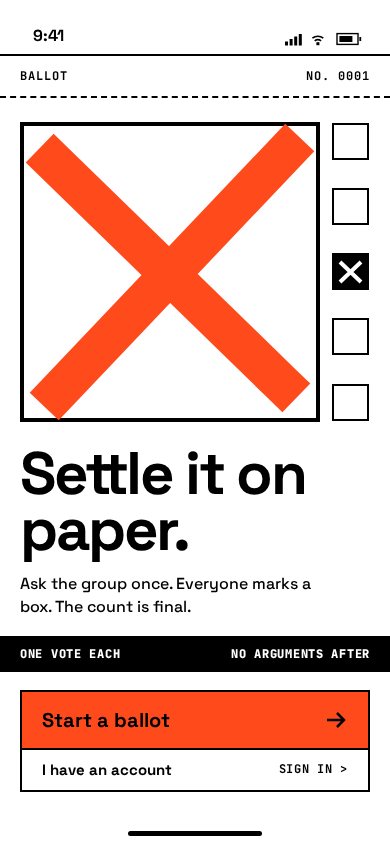 Ballot Welcome: Settle it on paper, Brutalist
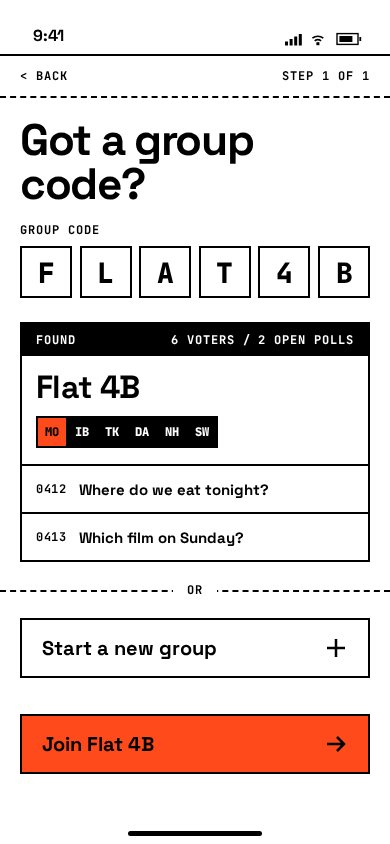 Ballot Join a group: Settle it on paper, Brutalist
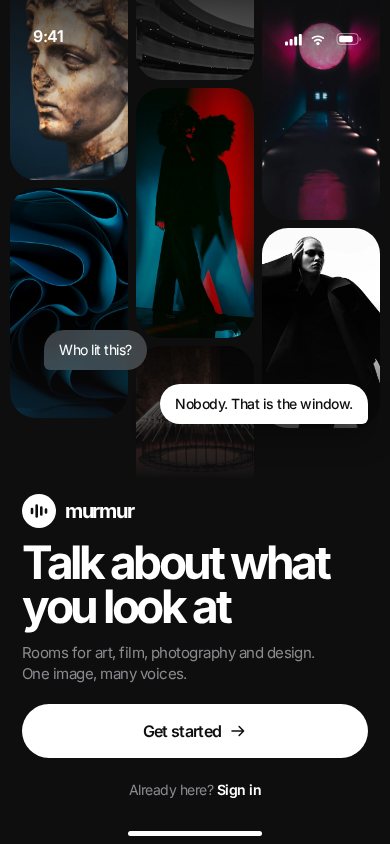 Murmur Welcome: Chat rooms for art lovers, Dark-first, dark
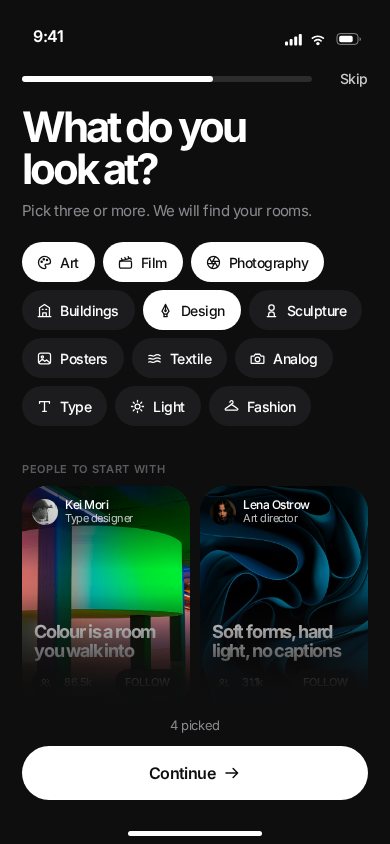 Murmur Pick interests: Chat rooms for art lovers, Dark-first, dark
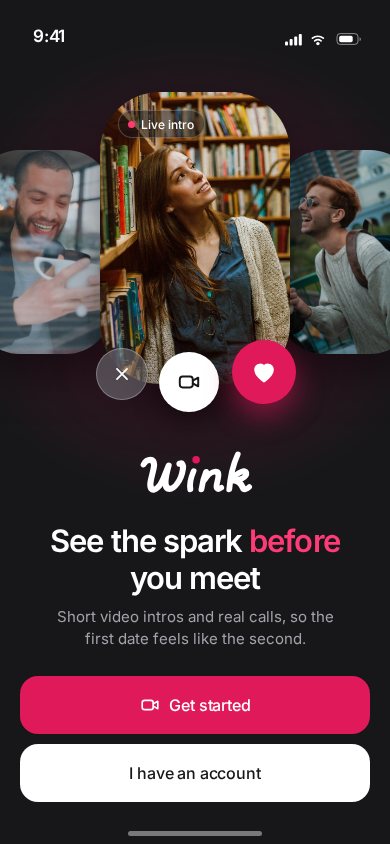 Wink Welcome: Video first dating, Dark-first, dark
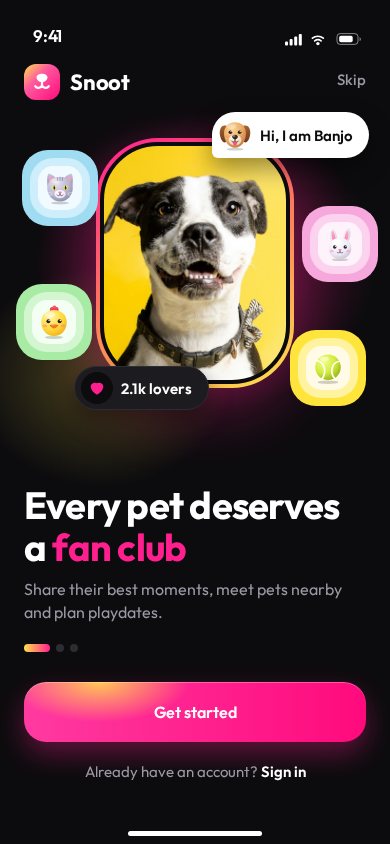 Snoot Welcome: Social app for pets, Dark-first, dark
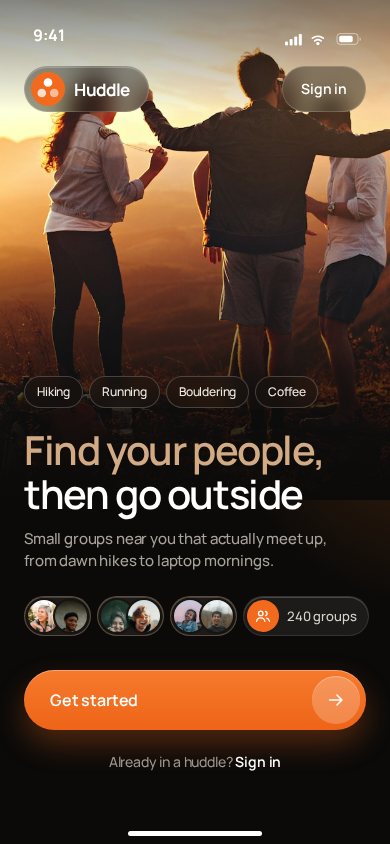 Huddle Welcome: Interest groups and meetups, Dark-first, dark
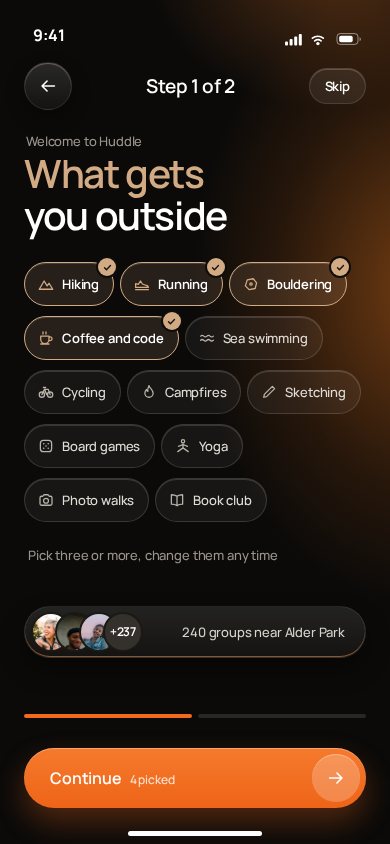 Huddle Pick interests: Interest groups and meetups, Dark-first, dark
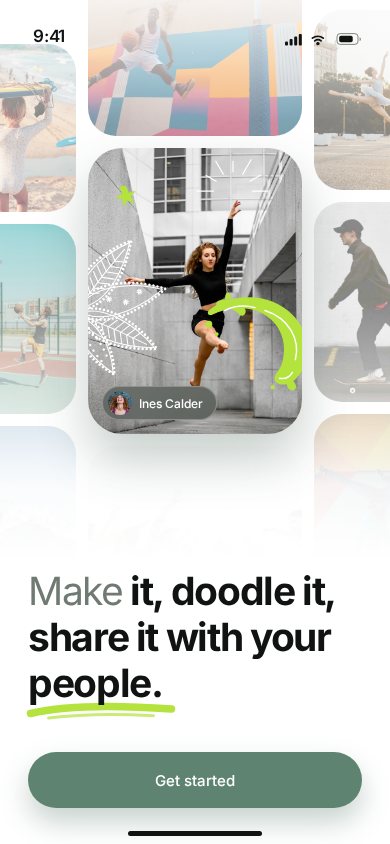 Glade Welcome: Photo and clip social network, Glass
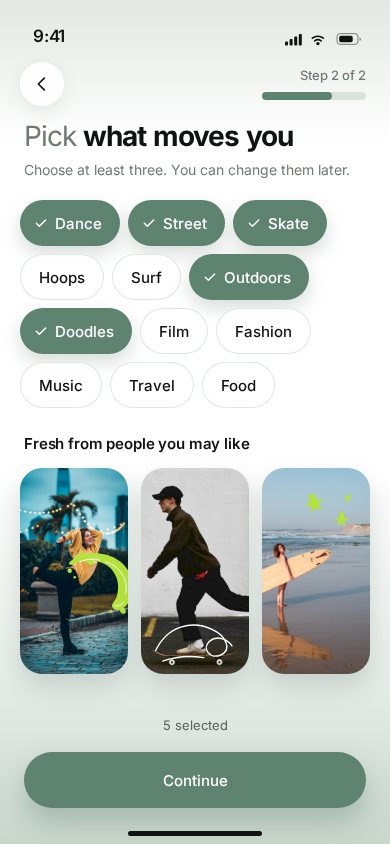 Glade Interests: Photo and clip social network, Glass
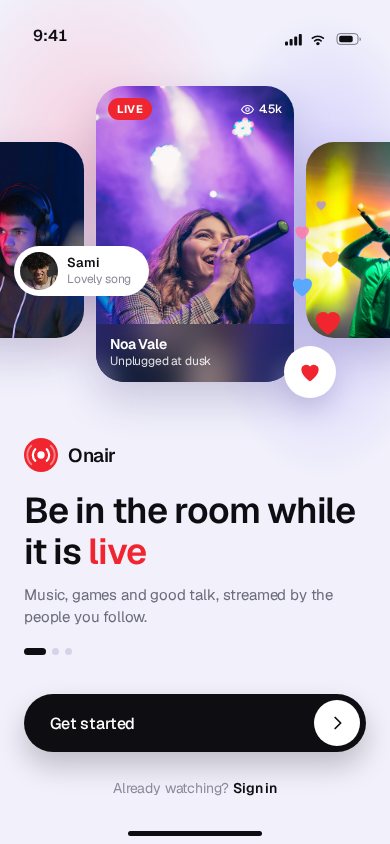 Onair Welcome: Live streaming, Glass
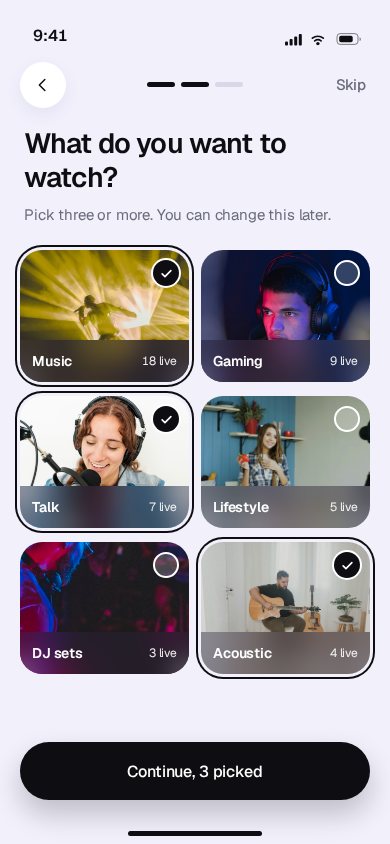 Onair Pick interests: Live streaming, Glass
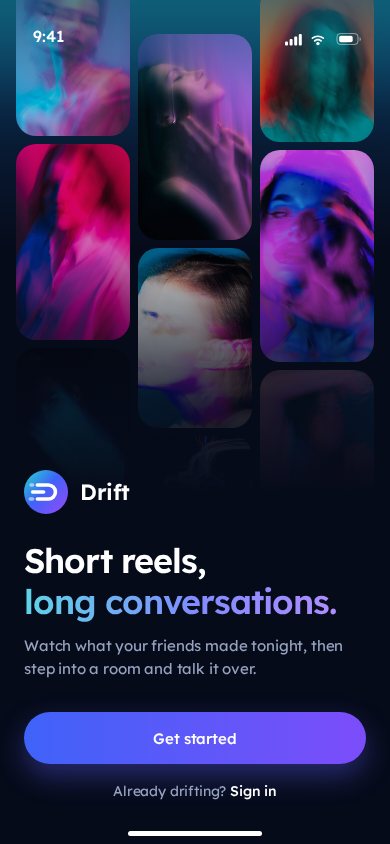 Drift Welcome: Reels and voice rooms, Dark-first, dark
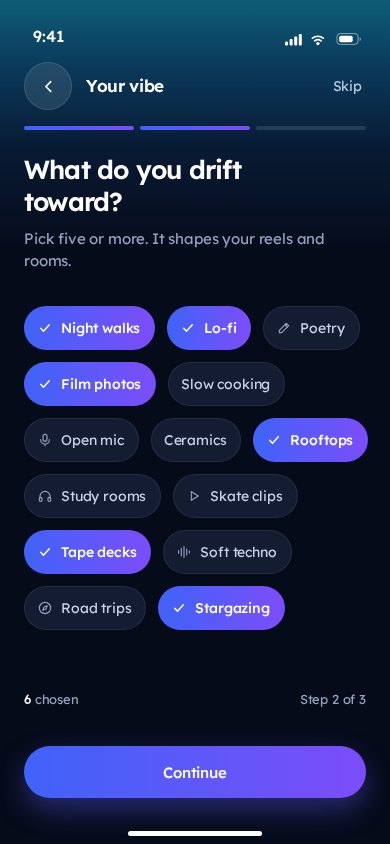 Drift Interests: Reels and voice rooms, Dark-first, dark
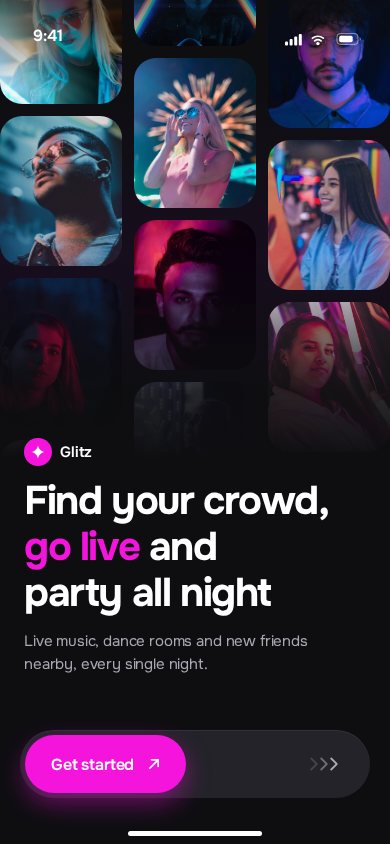 Glitz Welcome: Party live streaming, Dark-first, dark
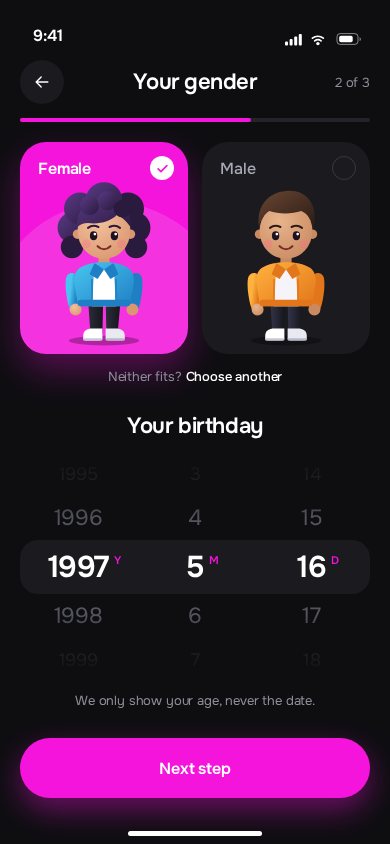 Glitz About you: Party live streaming, Dark-first, dark
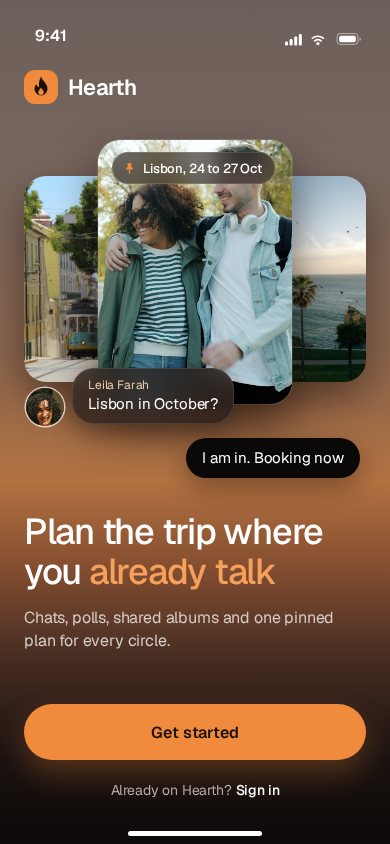 Hearth Welcome: Messenger for trips and circles, Glass, dark
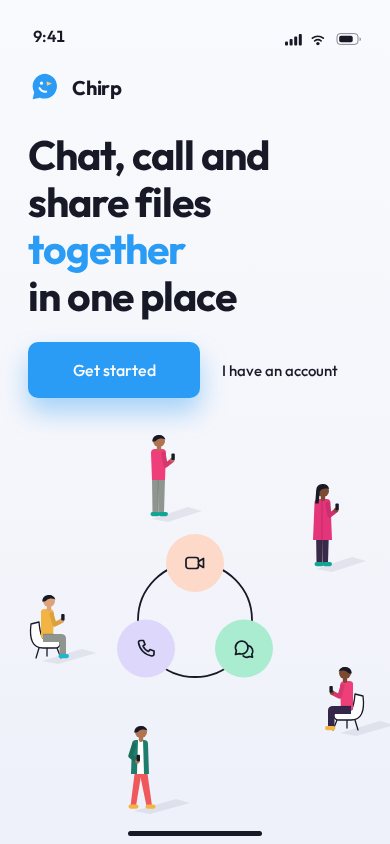 Chirp Welcome: Messenger with file sharing, Playful
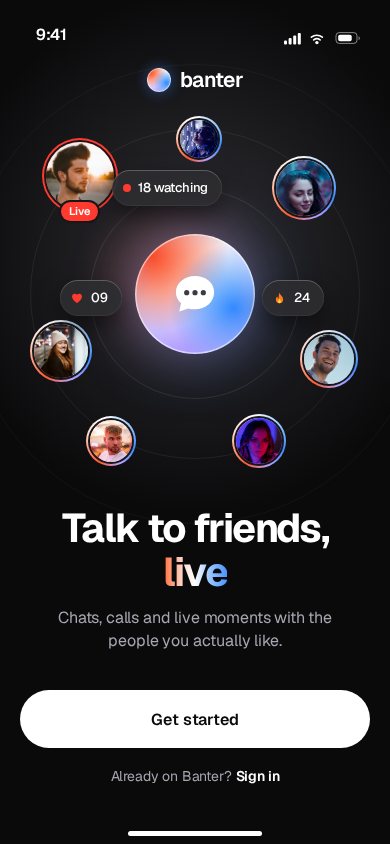 Banter Welcome: Live messenger, Dark-first, dark
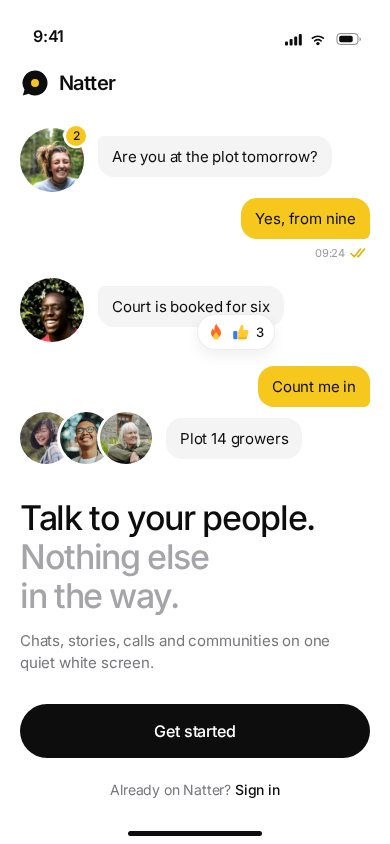 Natter Welcome: Minimal messenger, Minimal
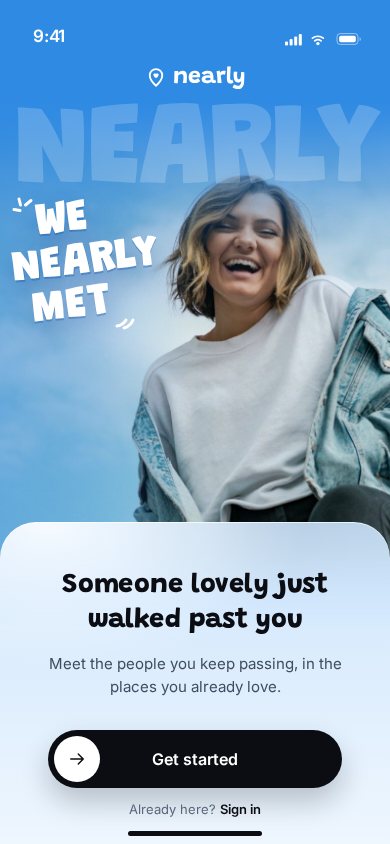 Nearly Welcome: Dating by crossed paths, Glass
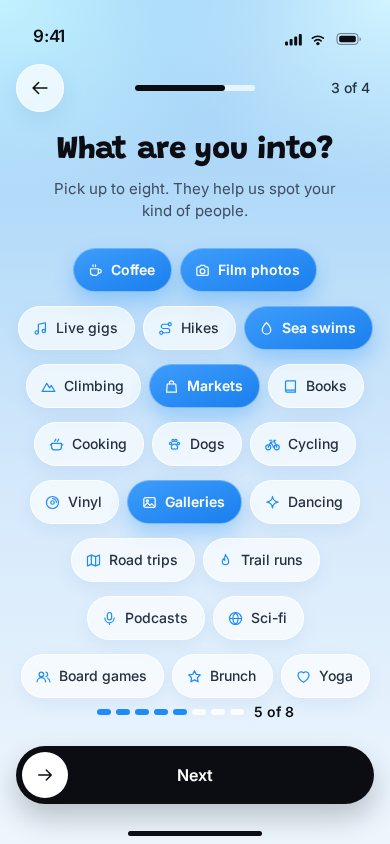 Nearly Interests: Dating by crossed paths, Glass
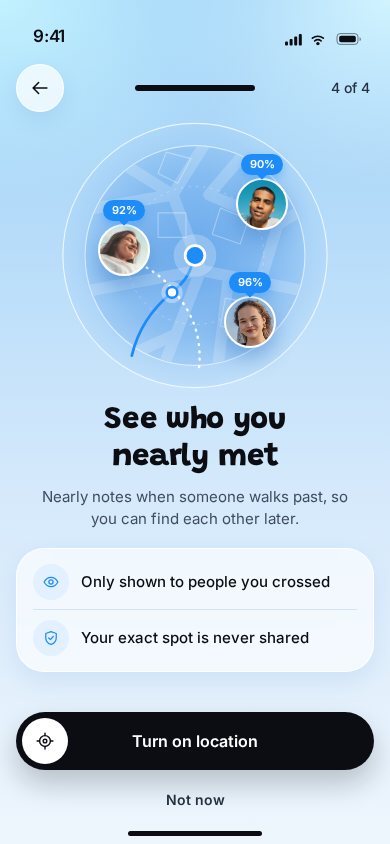 Nearly Location: Dating by crossed paths, Glass
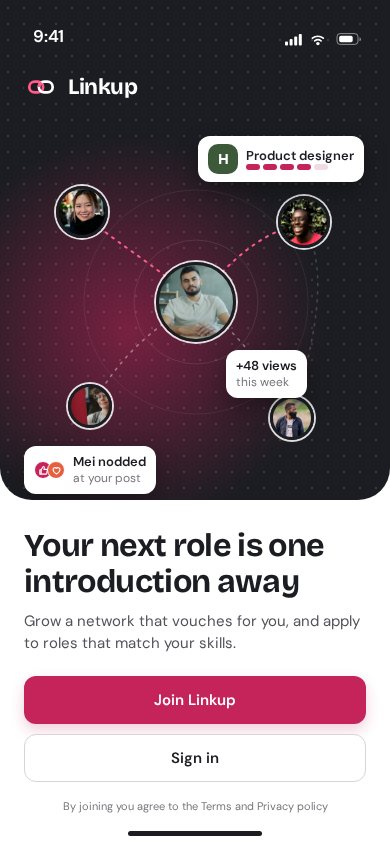 Linkup Welcome: Professional network and jobs, Enterprise
- Linkup Your goals: Professional network and jobs, Enterprise
- Quorum Welcome: Questions and expert answers, Minimal
- Quorum Pick topics: Questions and expert answers, Minimal
- Backer Welcome: Support creators with memberships, Playful
- Backer Interests: Support creators with memberships, Playful
- Pledge Welcome: Back creative projects, Minimal
- Pledge Interests: Back creative projects, Minimal
- Civic Welcome: Report issues and city services, Enterprise
- Guild Welcome: Community servers with voice and text chat, Dark-first, dark
- Guild Pick interests: Community servers with voice and text chat, Dark-first, dark
- Parrot Welcome: Private messaging, groups and calls, Minimal
- Carrier Welcome: Cloud messaging with channels, Glass
- Vista Welcome: Photos, stories and reels, Minimal
- Vista Interests: Photos, stories and reels, Minimal
- Flick Welcome: Short video feed, Dark-first, dark
- Flick Interests: Short video feed, Dark-first, dark
- Squawk Welcome: Short posts and live conversation, Minimal
- Squawk Pick topics: Short posts and live conversation, Minimal
- Agora Welcome: Communities, threads and votes, Playful
- Agora Pick topics: Communities, threads and votes, Playful
- Spark Welcome: Swipe dating, Playful
- Candid Welcome: One real photo a day, Gen Z, dark
- Candid How it works: One real photo a day, Gen Z, dark
- Candid Find friends: One real photo a day, Gen Z, dark
- Blink Welcome: Camera chat and stories, Gen Z
- Blink Username: Camera chat and stories, Gen Z
- Cipher Welcome: Encrypted private messenger, Dark-first, dark
- Commons Welcome: Friends, groups and events, Minimal
- Commons Find friends: Friends, groups and events, Minimal
- Tether Welcome: Family location and safety, Minimal
- Tether Location access: Family location and safety, Minimal
- Facet Welcome: Video calls with family and friends, Glass, dark
- Stoop Welcome: Neighbourhood noticeboard, Neubrutalism
- Stoop Your block: Neighbourhood noticeboard, Neubrutalism
- Aura Welcome: Moods with close friends, Gen Z, dark
- Aura Your circle: Moods with close friends, Gen Z, dark
- Kindly Welcome: Volunteering near you, Playful
- Kindly Pick causes: Volunteering near you, Playful
- Cohort Welcome: Alumni and mentor network, Enterprise
- Cohort Claim profile: Alumni and mentor network, Enterprise
- Kin Welcome: Private family circle, Minimal
- Kin Start a circle: Private family circle, Minimal
- Confetti Welcome: Party invites and RSVPs, Glass
- Ripple Welcome: Voice notes social, Dark-first, dark
- Ripple Pick topics: Voice notes social, Dark-first, dark
- Duo Welcome: An app for two, Luxury
- Duo Pair up: An app for two, Luxury
- Soapbox Welcome: Weekly debates and polls, Brutalist
- Soapbox Pick topics: Weekly debates and polls, Brutalist
What makes a good social app onboarding screen
- One idea per screen. Each screen should say one thing in a headline people can read in a second. If a screen needs a paragraph, it is doing too much.
- Personalise with a purpose. Ask a question only if the answer changes what people see next, like a goal, a level or an interest. Then show that the answer mattered.
- Explain permissions before asking. Show your own screen saying why you need notifications, location or the camera before the system prompt. People who understand the reason are more likely to allow it.
- Let people skip. A visible skip or "I'll do this later" respects returning users and the impatient. Make sure skipping still lands them somewhere useful.
- Show progress. Dots or a progress bar tell people how much is left. Three to five steps feel short; anything longer needs a reason.
- End on the product, not on a form. The last step should drop people into the app with something already working: their plan, their feed, their first item.
The full onboarding screen guide: layouts, mistakes and questions
Onboarding screens in other kinds of app
- Productivity app onboarding screens (113)
- Lifestyle app onboarding screens (112)
- Fitness app onboarding screens (75)
- Finance app onboarding screens (60)
- Education app onboarding screens (59)
- Travel app onboarding screens (58)
- Food app onboarding screens (49)
- Sports app onboarding screens (41)
- Music app onboarding screens (39)
- Smart home app onboarding screens (34)
Other social app screens
- Social app sign in and sign up screens
- Social app home screens
- Social app search and explore screens
- Social app list and feed screens
- Social app detail screens
- Social app booking and checkout screens
- Social app paywall screens
- Social app success and confirmation screens
- Social app profile screens
- Social app settings screens
- Social app dashboard and stats screens
- Social app player, camera and editor screens
- Social app live tracking screens
- Social app form and input screens