Templates · Onboarding screens
Fitness app onboarding screens
75 onboarding screens from 35 health and fitness app templates, each in its own design language. Health and fitness apps run on progress and motivation: rings, streaks and numbers people check daily, with goals that feel personal.
The examples
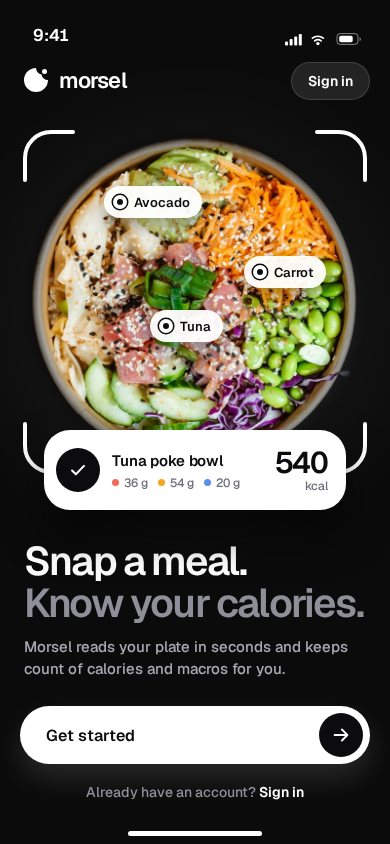 Morsel Welcome: AI calorie tracker, Minimal
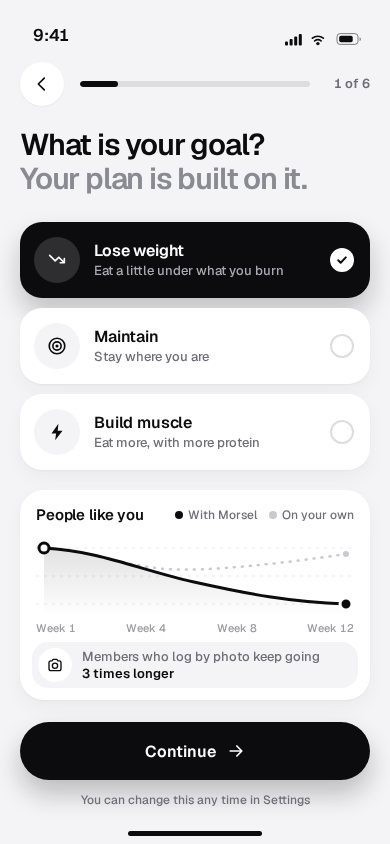 Morsel Goal: AI calorie tracker, Minimal
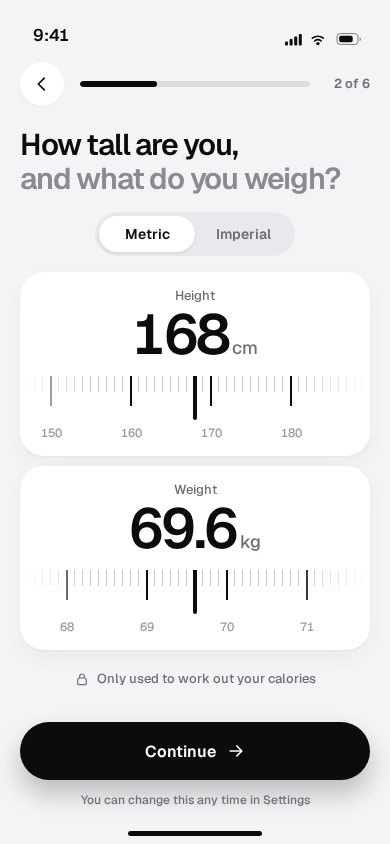 Morsel Height and weight: AI calorie tracker, Minimal
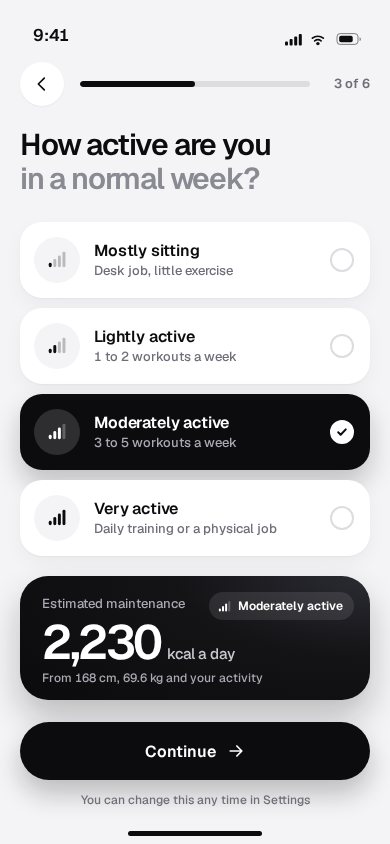 Morsel Activity: AI calorie tracker, Minimal
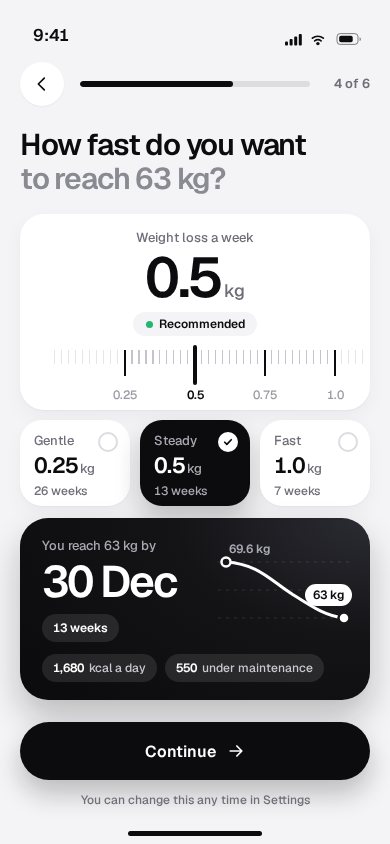 Morsel Target pace: AI calorie tracker, Minimal
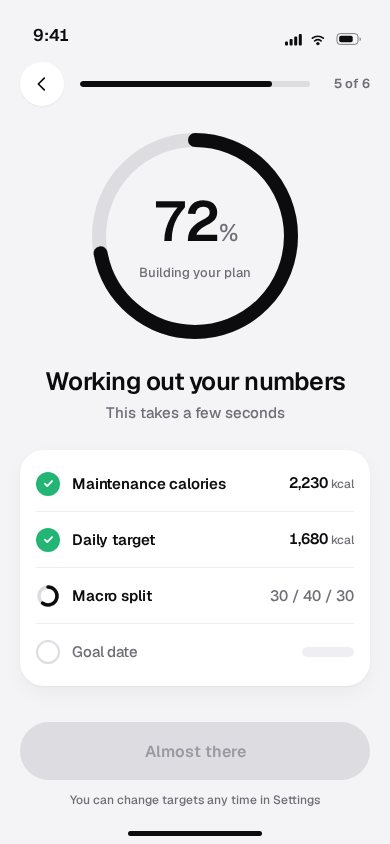 Morsel Building your plan: AI calorie tracker, Minimal
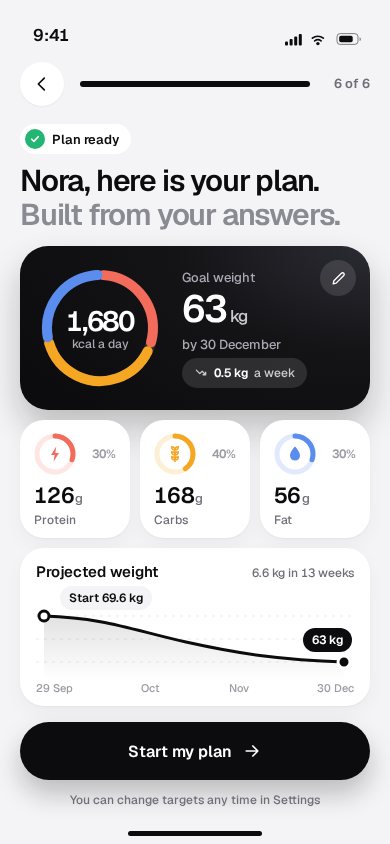 Morsel Your plan: AI calorie tracker, Minimal
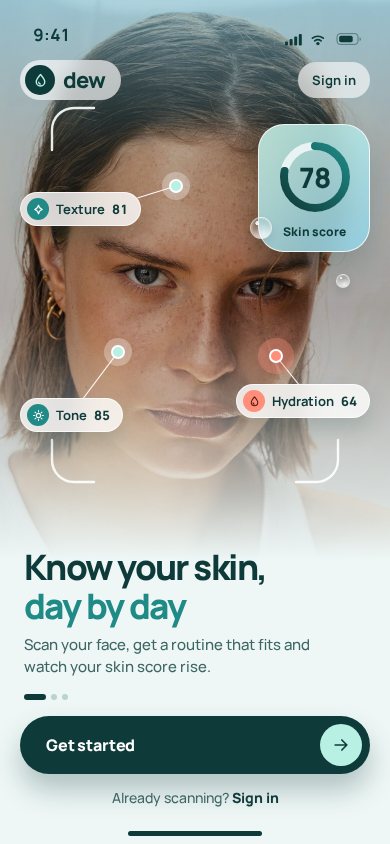 Dew Welcome: AI skin scan and routine, Clinical
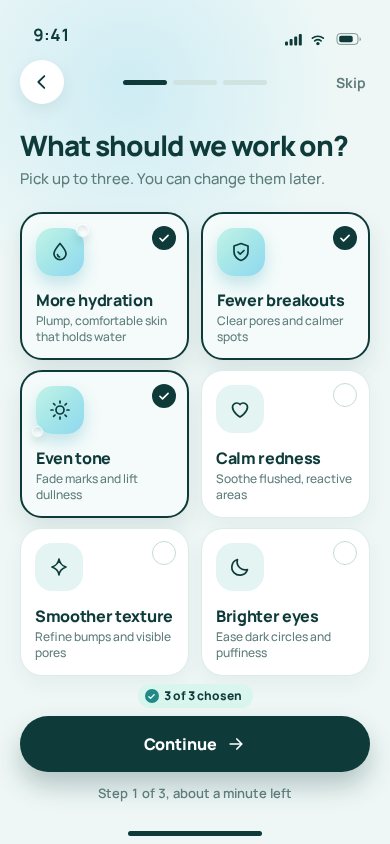 Dew Skin goals: AI skin scan and routine, Clinical
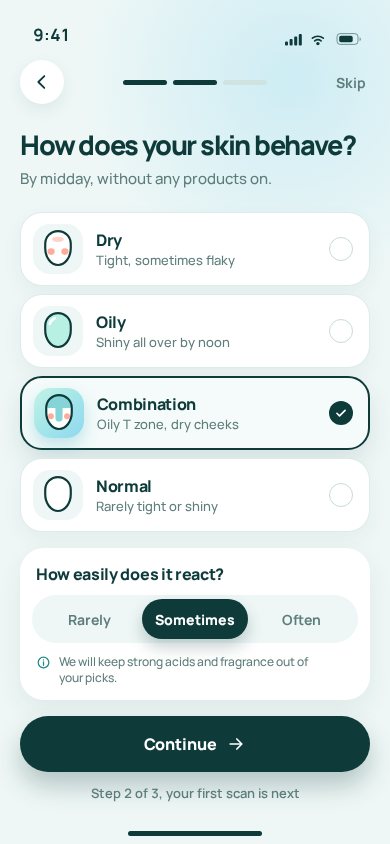 Dew Skin type: AI skin scan and routine, Clinical
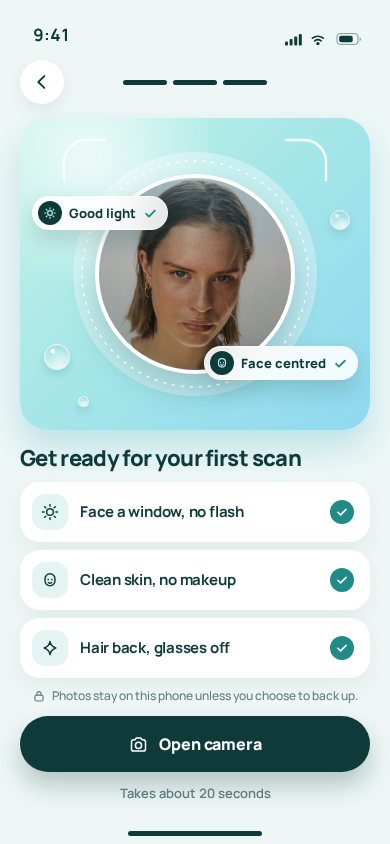 Dew Scan guide: AI skin scan and routine, Clinical
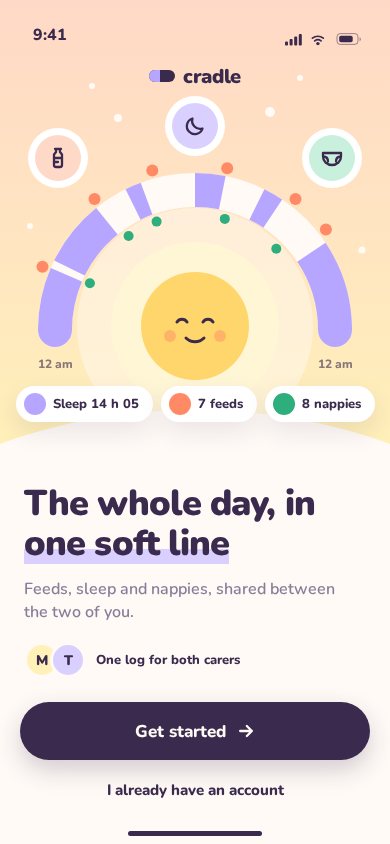 Cradle Welcome: Baby tracker, Playful
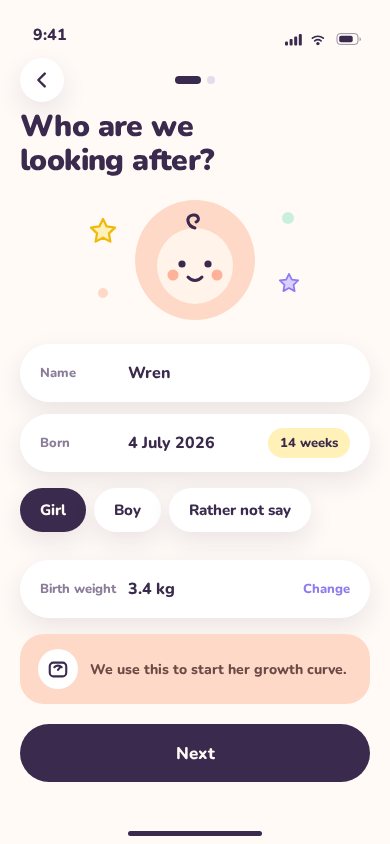 Cradle Add your baby: Baby tracker, Playful
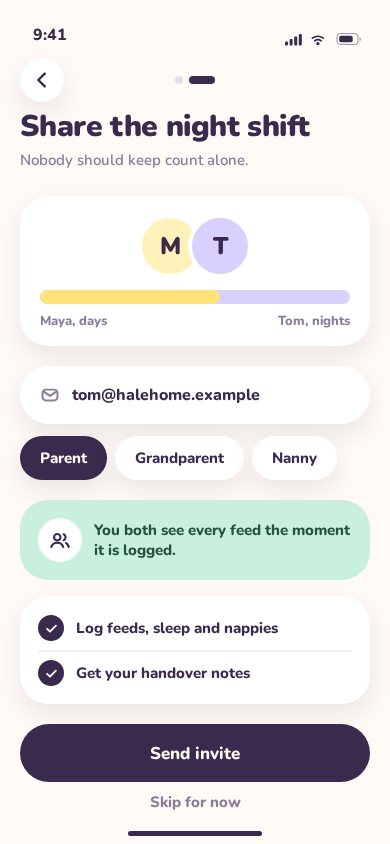 Cradle Invite a carer: Baby tracker, Playful
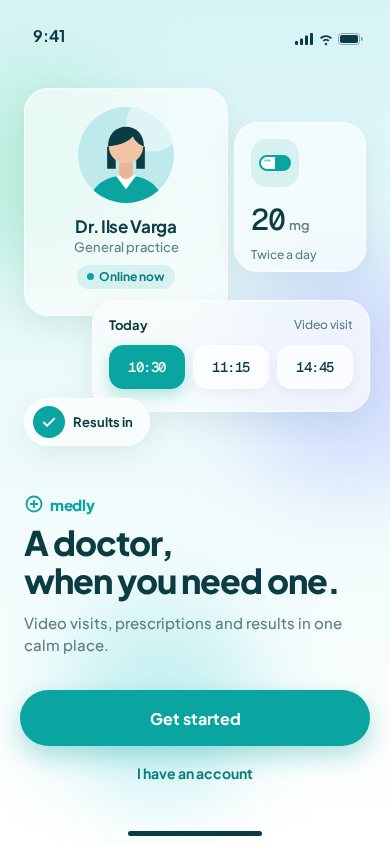 Medly Welcome: Doctor on call, Glass
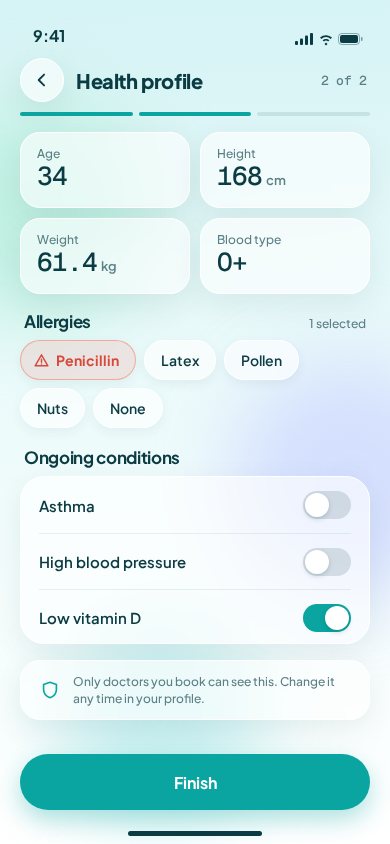 Medly Health profile: Doctor on call, Glass
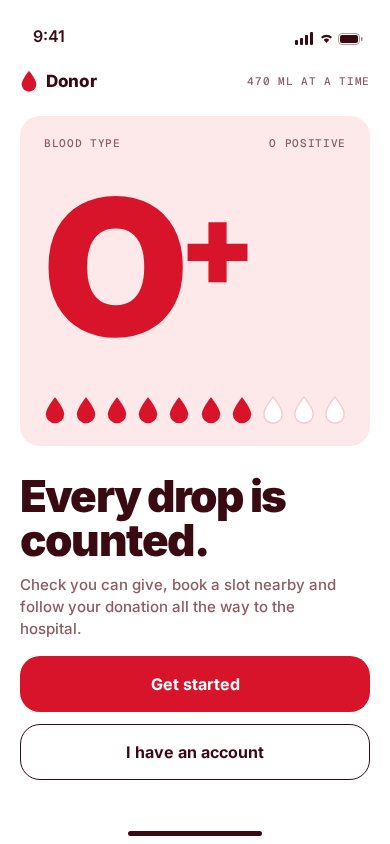 Donor Welcome: Blood donation, counted drop by drop, Clinical
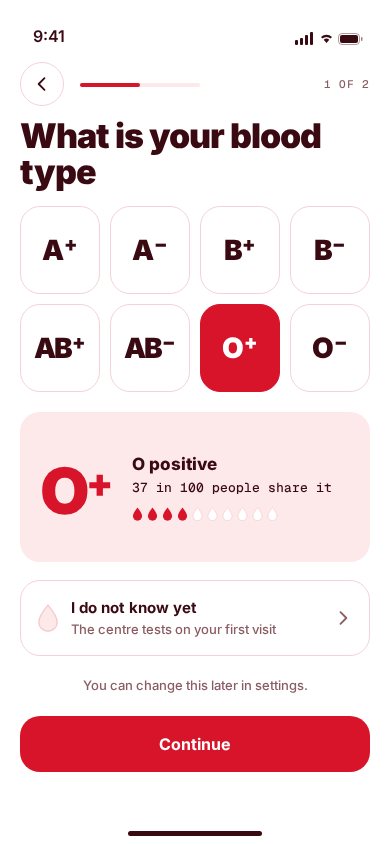 Donor Blood type: Blood donation, counted drop by drop, Clinical
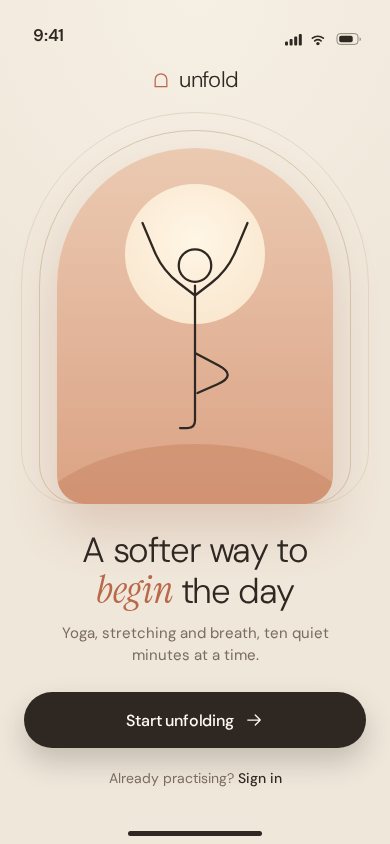 Unfold Welcome: Yoga and stretching, Minimal
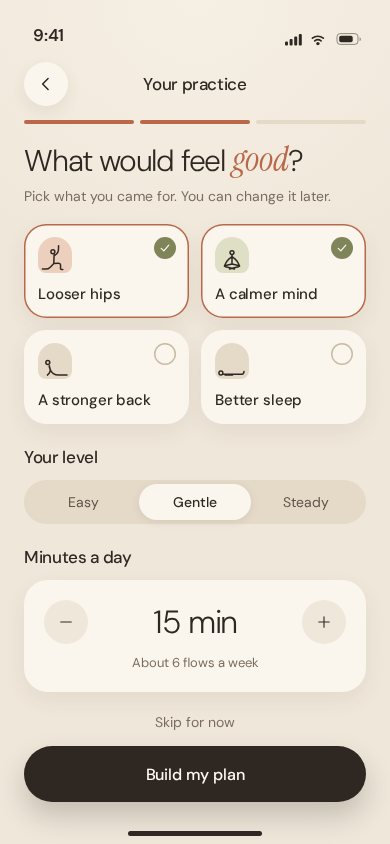 Unfold Your practice: Yoga and stretching, Minimal
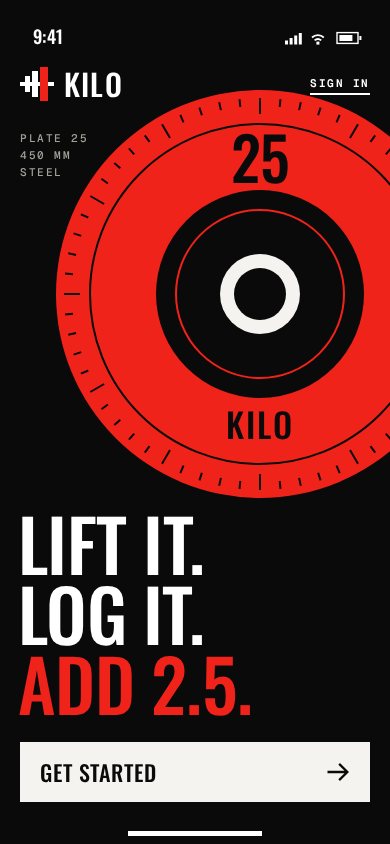 Kilo Welcome: Strength training log, Brutalist
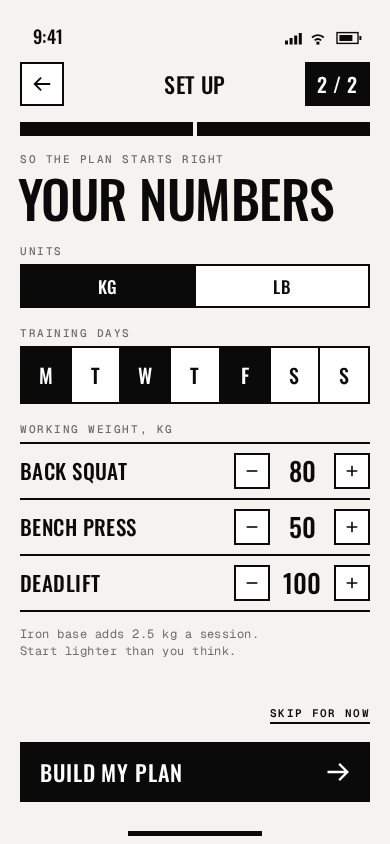 Kilo Set up: Strength training log, Brutalist
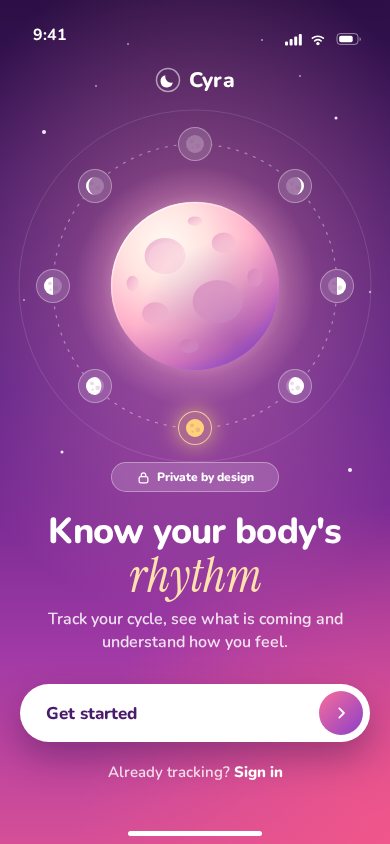 Cyra Welcome: Cycle tracker, Glass
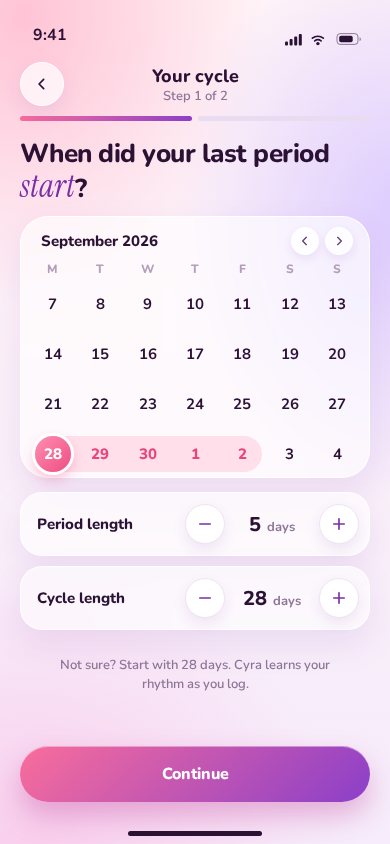 Cyra Last period: Cycle tracker, Glass
- Cyra Your goal: Cycle tracker, Glass
- Harbor Welcome: Therapy and mood, Minimal
- Harbor Your goals: Therapy and mood, Minimal
- Fasten Welcome: Intermittent fasting, Dark-first, dark
- Fasten Your goal: Intermittent fasting, Dark-first, dark
- Plate Welcome: Calorie and macro tracker, Clinical
- Plate Your goal: Calorie and macro tracker, Clinical
- Plate Daily targets: Calorie and macro tracker, Clinical
- Vita Welcome: Personal health record, Clinical
- Forge Welcome: AI fitness and nutrition, Dark-first, dark
- Forge Your goal: AI fitness and nutrition, Dark-first, dark
- Lull Welcome: Sleep sounds and meditation, Dark-first, dark
- Lull Your goals: Sleep sounds and meditation, Dark-first, dark
- Pace Welcome: Fitness tracker, Playful
- Pace Goals: Fitness tracker, Playful
- Flexpass Welcome: One membership, many studios, Glass
- Flexpass Your mix: One membership, many studios, Glass
- Clinic Welcome: Find and book doctors, Clinical
- Clinic Insurance: Find and book doctors, Clinical
- Careline Welcome: Care for an ageing parent, Clinical
- Velo Welcome: Live and on-demand indoor cycling, Dark-first, dark
- Vantage Welcome: Sports watch companion, Clinical, dark
- Vantage Pair watch: Sports watch companion, Clinical, dark
- Labwork Welcome: Book blood tests and see results, Clinical
- Labwork Goals: Book blood tests and see results, Clinical
- Segment Welcome: Runs and rides with friends, Minimal
- Segment Your sports: Runs and rides with friends, Minimal
- Nightly Welcome: Smart ring sleep and readiness, Dark-first, dark
- Nightly Pair ring: Smart ring sleep and readiness, Dark-first, dark
- Pillbox Welcome: Pharmacy refills and medicine reminders, Clinical
- Rise Welcome: Alarm clock and sleep cycles, Glass, dark
- Rise How it works: Alarm clock and sleep cycles, Glass, dark
- Ward Welcome: Patient portal for results, visits and messages, Clinical
- Level Welcome: Glucose monitor companion, Clinical
- Level Pair sensor: Glucose monitor companion, Clinical
- Reformer Welcome: Pilates studio booking, Luxury
- Reformer Your practice: Pilates studio booking, Luxury
- Sip Welcome: Water intake and hydration, Playful
- Sip Your goal: Water intake and hydration, Playful
- Mend Welcome: Physio and rehab exercises, Minimal
- Mend Your injury: Physio and rehab exercises, Minimal
- Tabata Welcome: HIIT interval timer, Neubrutalism
- Tabata Your goal: HIIT interval timer, Neubrutalism
- Jab Welcome: Boxing workouts with a smart bag, Dark-first, dark
- Jab Pair your bag: Boxing workouts with a smart bag, Dark-first, dark
- Exhale Welcome: Breathwork sessions, Glass, dark
- Exhale Your goals: Breathwork sessions, Glass, dark
- Bump Welcome: Pregnancy week by week, Glass
- Bump Due date: Pregnancy week by week, Glass
- Locker Welcome: Gym membership and class booking, Brutalist
- Locker Home club: Gym membership and class booking, Brutalist
What makes a good fitness app onboarding screen
- One idea per screen. Each screen should say one thing in a headline people can read in a second. If a screen needs a paragraph, it is doing too much.
- Personalise with a purpose. Ask a question only if the answer changes what people see next, like a goal, a level or an interest. Then show that the answer mattered.
- Explain permissions before asking. Show your own screen saying why you need notifications, location or the camera before the system prompt. People who understand the reason are more likely to allow it.
- Let people skip. A visible skip or "I'll do this later" respects returning users and the impatient. Make sure skipping still lands them somewhere useful.
- Show progress. Dots or a progress bar tell people how much is left. Three to five steps feel short; anything longer needs a reason.
- End on the product, not on a form. The last step should drop people into the app with something already working: their plan, their feed, their first item.
The full onboarding screen guide: layouts, mistakes and questions
Onboarding screens in other kinds of app
- Productivity app onboarding screens (113)
- Lifestyle app onboarding screens (112)
- Social app onboarding screens (73)
- Finance app onboarding screens (60)
- Education app onboarding screens (59)
- Travel app onboarding screens (58)
- Food app onboarding screens (49)
- Sports app onboarding screens (41)
- Music app onboarding screens (39)
- Smart home app onboarding screens (34)
Other fitness app screens
- Fitness app sign in and sign up screens
- Fitness app home screens
- Fitness app search and explore screens
- Fitness app list and feed screens
- Fitness app detail screens
- Fitness app booking and checkout screens
- Fitness app paywall screens
- Fitness app success and confirmation screens
- Fitness app profile screens
- Fitness app settings screens
- Fitness app dashboard and stats screens
- Fitness app player, camera and editor screens
- Fitness app live tracking screens
- Fitness app form and input screens