Templates · Onboarding screens · Social app · Candid
Candid Welcome screen
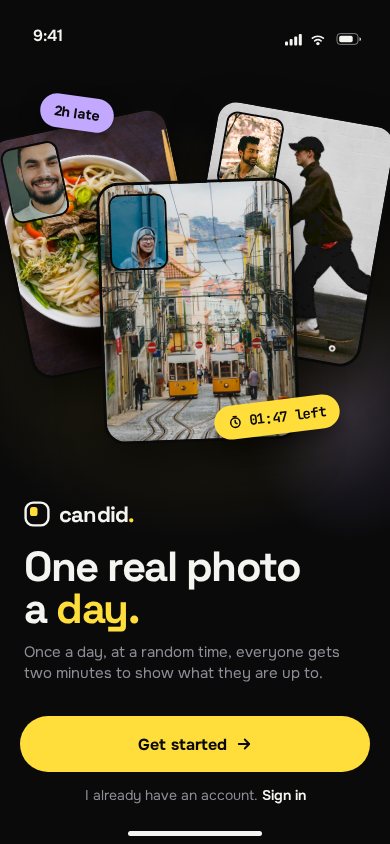
An onboarding screen from Candid, an one real photo a day app template in a Gen Z style. Screen 1 of 25.
Candid is a complete daily photo app for close friends: welcome, how it works, phone sign in and code, finding friends, a locked feed, the two minute prompt, a dual camera with review and a posted screen, the unlocked friends feed, a post with comments, selfie reactions and a reaction camera, discovery, friends and requests, a friend's profile, a memories calendar, a single memory, a monthly recap, Candid Plus, notifications, your profile and settings. Near black with flash yellow and lilac.
| Detail | Value |
|---|---|
| Screen type | Onboarding |
| App | Candid: One real photo a day |
| Category | Social |
| Design language | Gen Z, dark |
| Type | Space Grotesk for headings, Onest for text |
| Colours | #0a0a0b background, #17171a surface, #f4f4f0 text, #8d8d95 text-muted, #ffde3b accent, #0a0a0b accent-contrast, #c3a8ff secondary, #26262b border, #ff5a4e danger |
What this screen says
- 2h late
- 01:47 left
- candid.
- One real photo
- a day.
- Once a day, at a random time, everyone gets two minutes to show what they are up to.
- Get started
- I already have an account. Sign in
Around it in Candid
More onboarding screens
- Hearth Welcome: Messenger for trips and circles
- Chirp Welcome: Messenger with file sharing
- Banter Welcome: Live messenger
- Natter Welcome: Minimal messenger
- Nearly Welcome: Dating by crossed paths
- Linkup Welcome: Professional network and jobs
- Quorum Welcome: Questions and expert answers
- Backer Welcome: Support creators with memberships
- Pledge Welcome: Back creative projects
- Civic Welcome: Report issues and city services
- Guild Welcome: Community servers with voice and text chat
- Parrot Welcome: Private messaging, groups and calls
Every social app onboarding screen
What makes a good onboarding screen
- One idea per screen. Each screen should say one thing in a headline people can read in a second. If a screen needs a paragraph, it is doing too much.
- Personalise with a purpose. Ask a question only if the answer changes what people see next, like a goal, a level or an interest. Then show that the answer mattered.
- Explain permissions before asking. Show your own screen saying why you need notifications, location or the camera before the system prompt. People who understand the reason are more likely to allow it.
- Let people skip. A visible skip or "I'll do this later" respects returning users and the impatient. Make sure skipping still lands them somewhere useful.
The full onboarding screen guide and every example
Remix Candid free: describe your own app and it is drawn in this design. Or get its files from $10: Figma, React Native, SwiftUI, Flutter and HTML.