Travel app settings screens
42 settings screens from 40 travel app templates, each in its own design language. Travel apps sell a place before they sell a booking: big photography, dates and prices that never hide, and a clear way back to the trip you were planning.
The examples
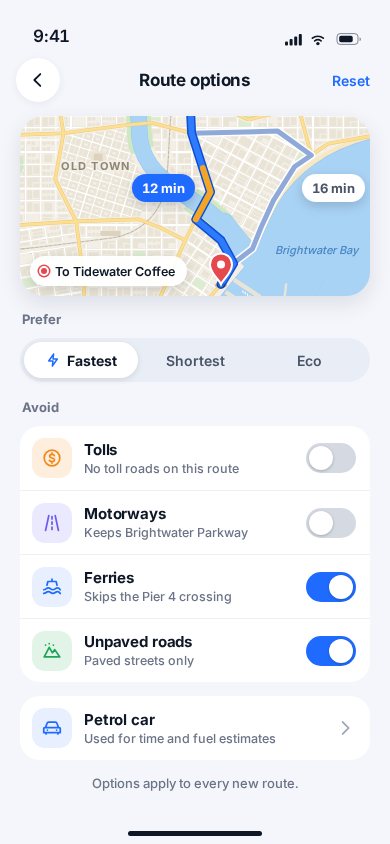 Atlas Route options: Maps and navigation, Minimal
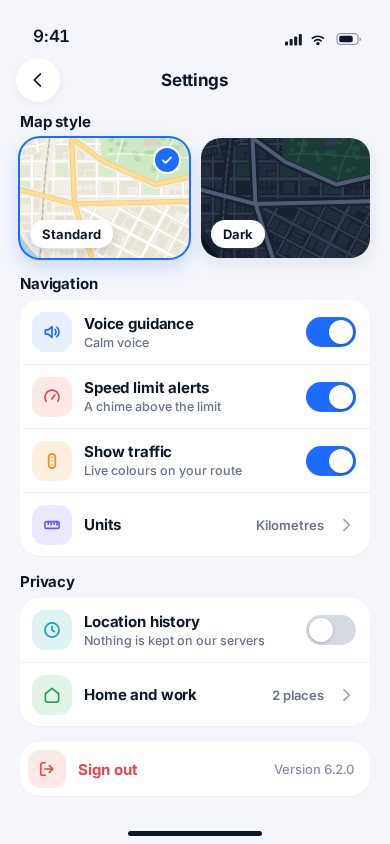 Atlas Settings: Maps and navigation, Minimal
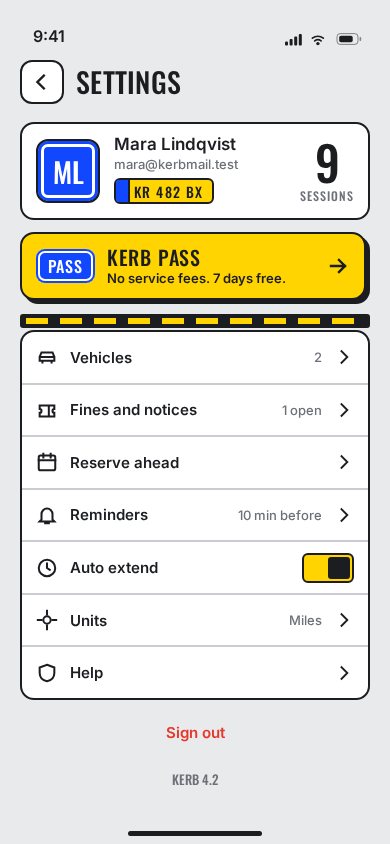 Kerb Settings: Parking that reads like a road sign, Brutalist
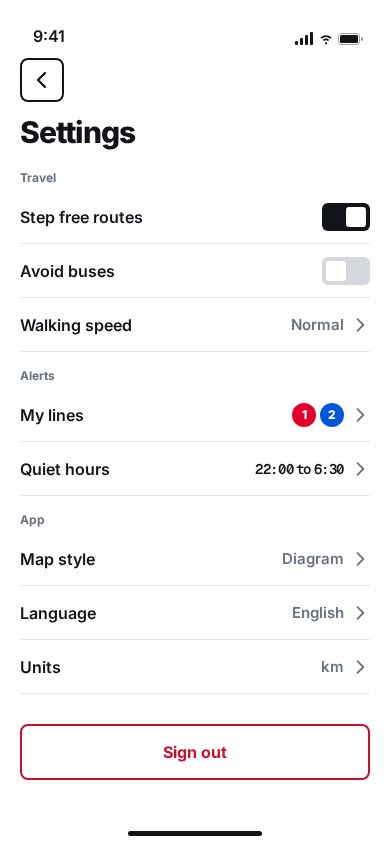 Linea Settings: City transit, Minimal
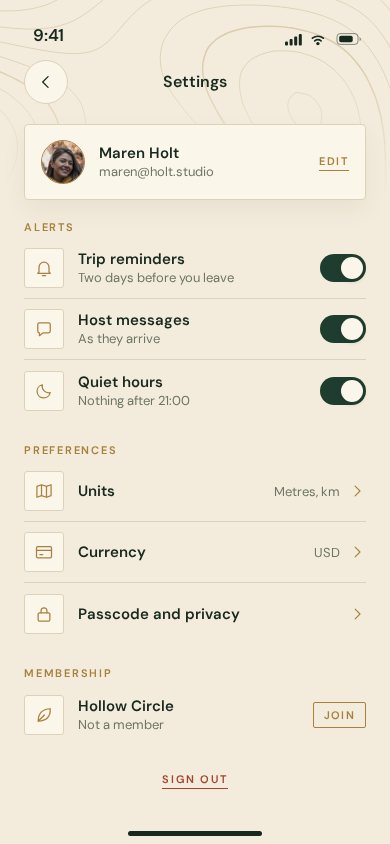 Hollow Settings: Cabin and boutique stays, Luxury
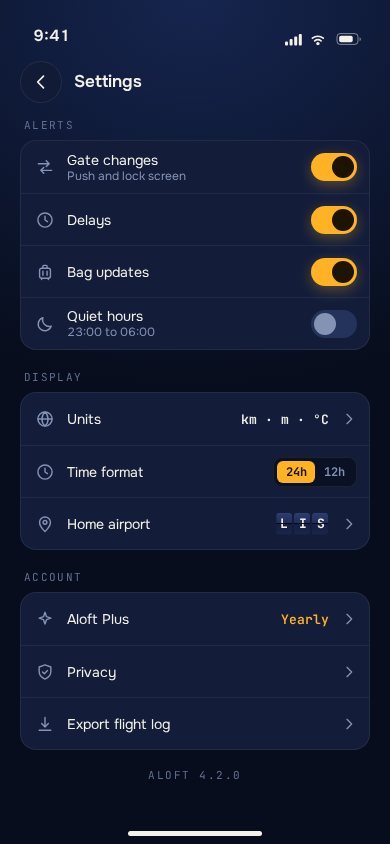 Aloft Settings: Flight tracker, Dark-first, dark
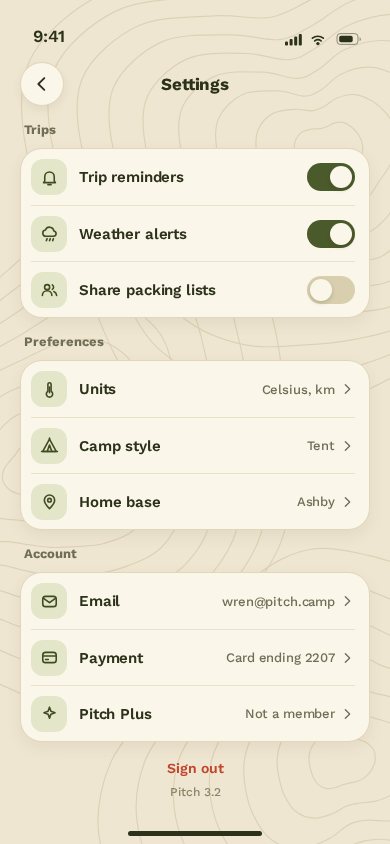 Pitch Settings: Campsite booking and trip kit, Playful
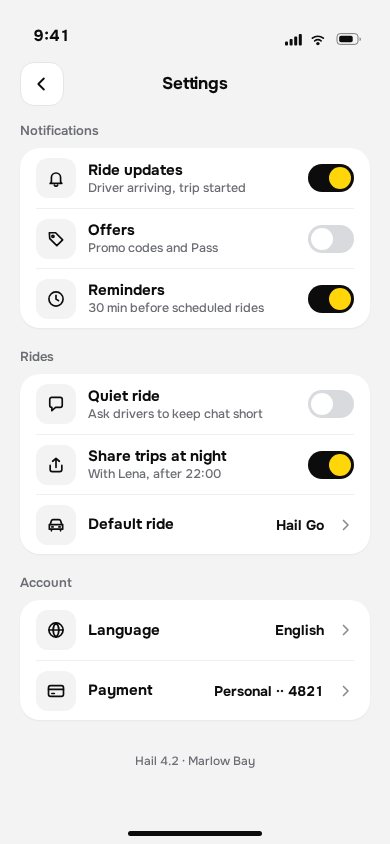 Hail Settings: Ride hailing, Minimal
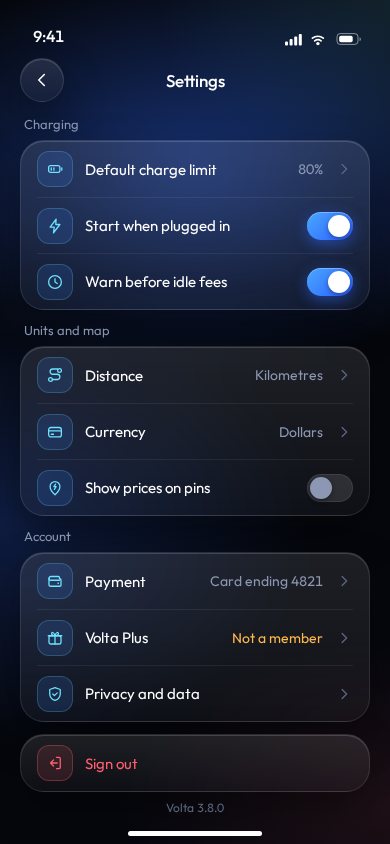 Volta Settings: EV charging, Glass, dark
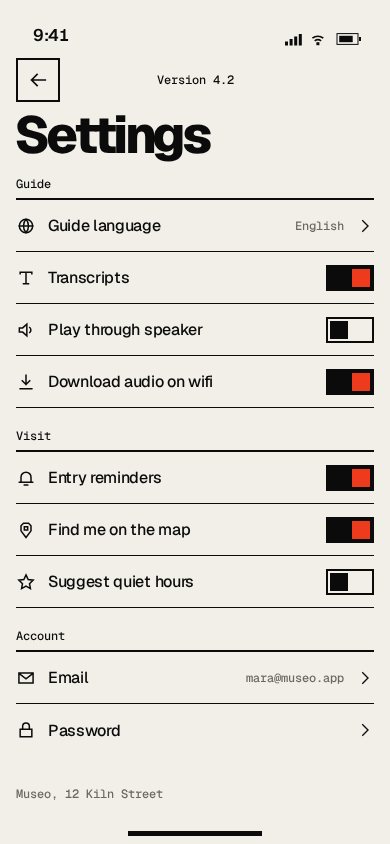 Museo Settings: Museum guide, Brutalist
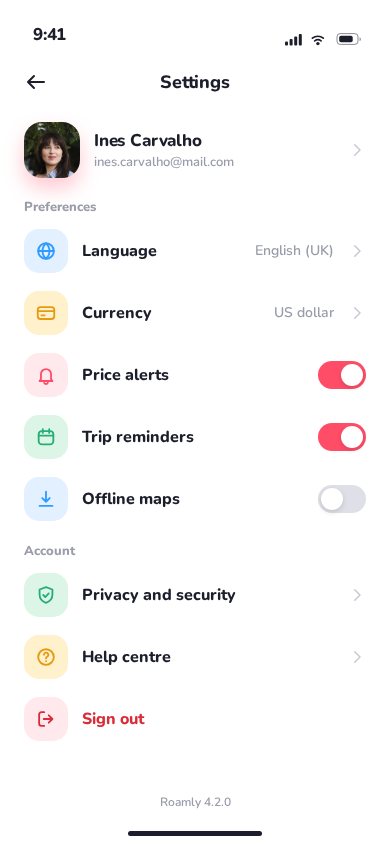 Roamly Settings: Trips, stays and experiences, Playful
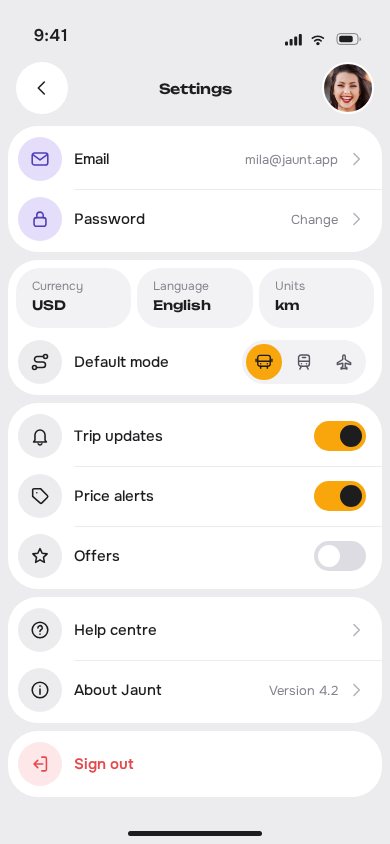 Jaunt Settings: Bus, train and flight booking, Playful
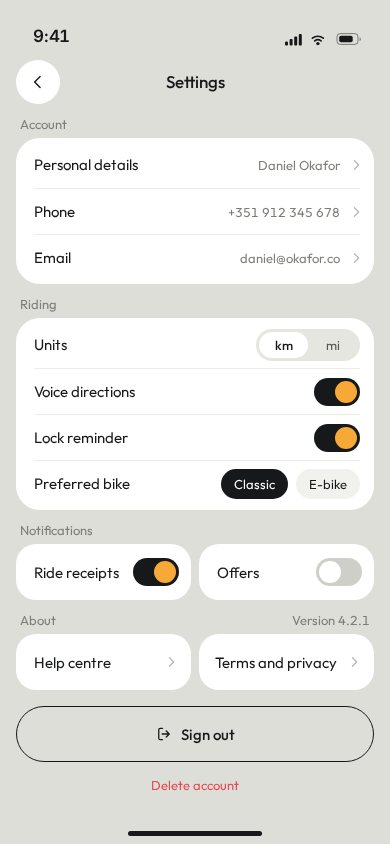 Spoke Settings: Bike sharing, Minimal
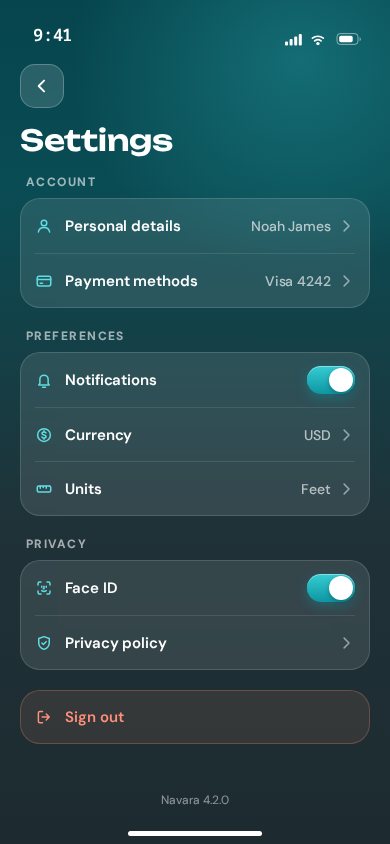 Navara Settings: Yacht charter, Luxury, dark
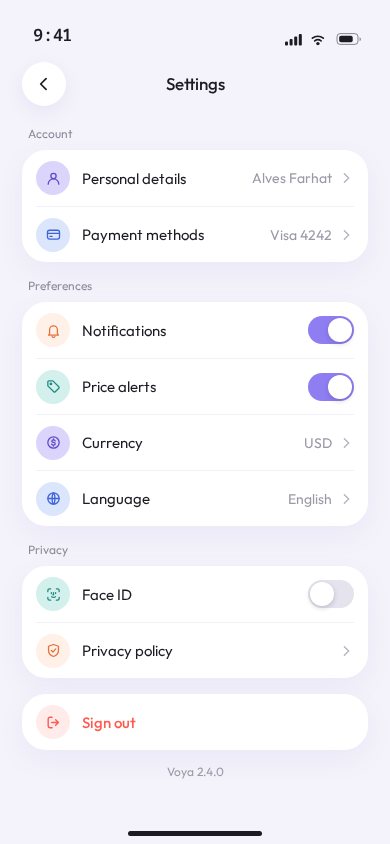 Voya Settings: Travel booking, Playful
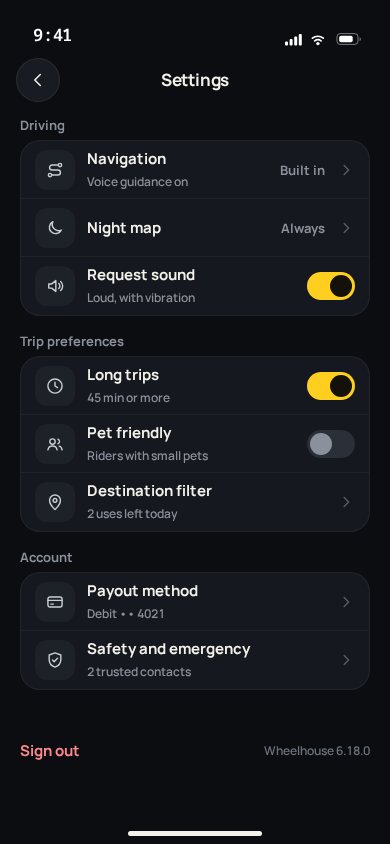 Wheelhouse Settings: Driver app for ride hailing, Dark-first, dark
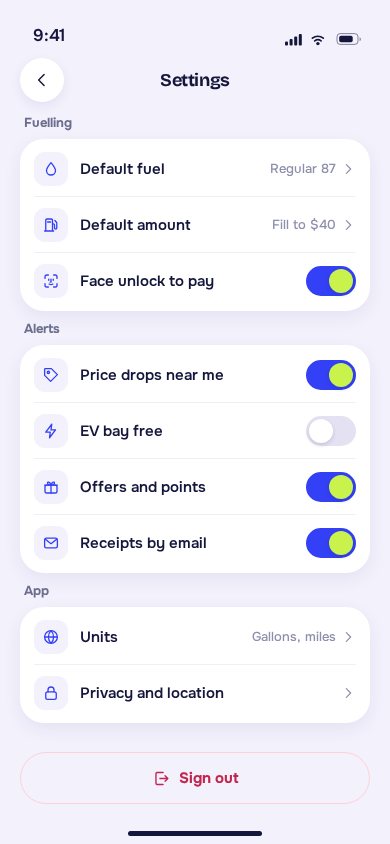 Fuelup Settings: Pay at the pump and car wash, Playful
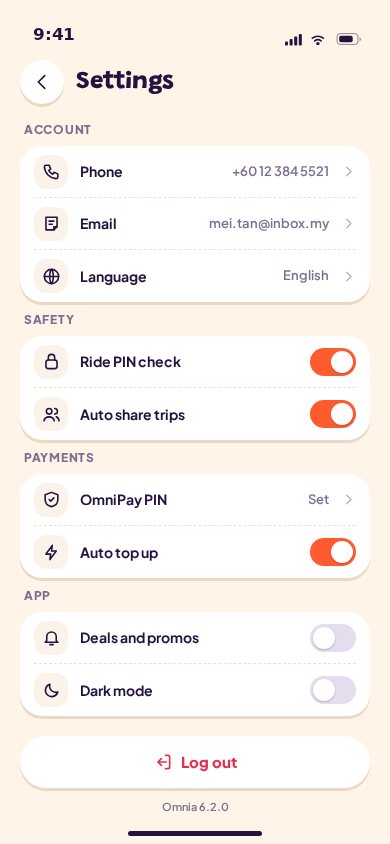 Omnia Settings: Super app for rides, food and payments, Playful
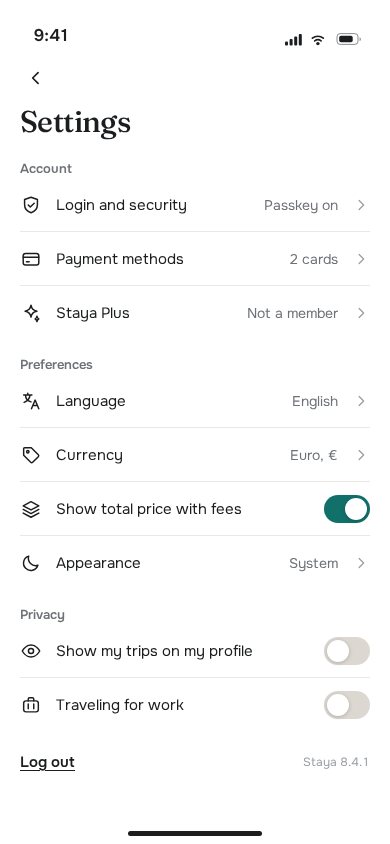 Staya Settings: Homes and stays from local hosts, Minimal
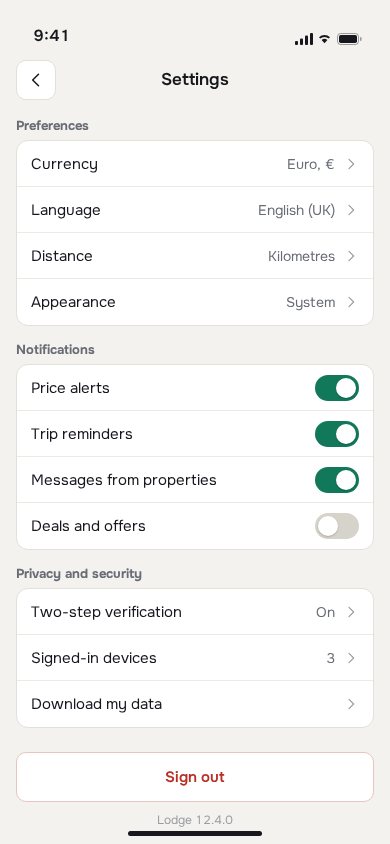 Lodge Settings: Hotels, deals and reservations, Enterprise
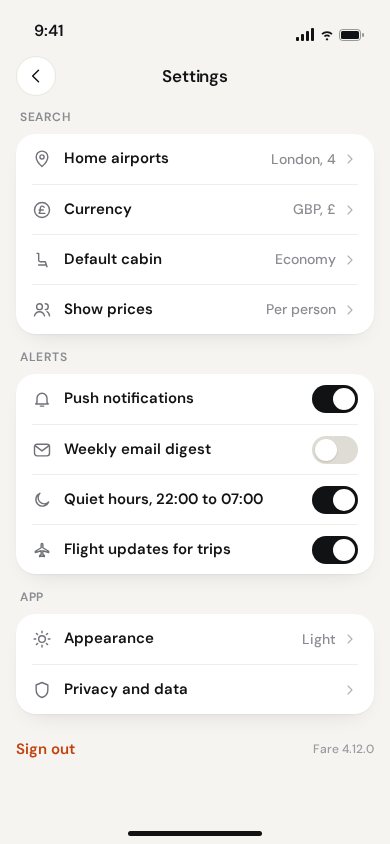 Fare Settings: Flight search and price alerts, Minimal
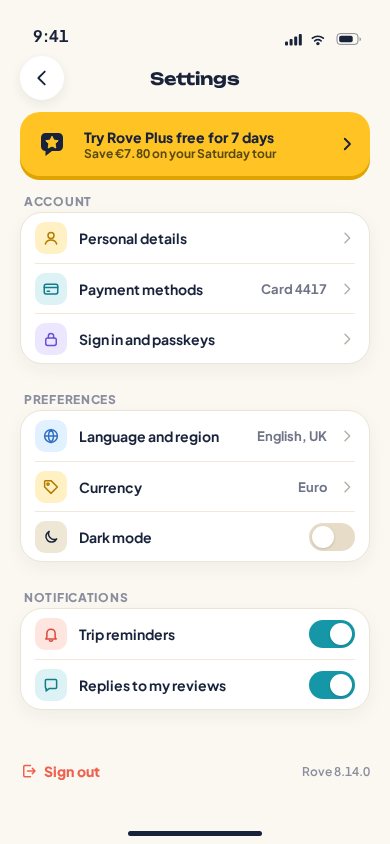 Rove Settings: Reviews and things to do, Playful
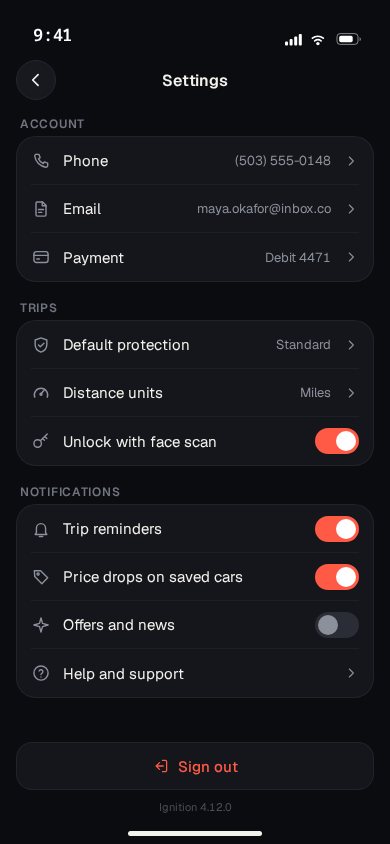 Ignition Settings: Car rental from local hosts, Dark-first, dark
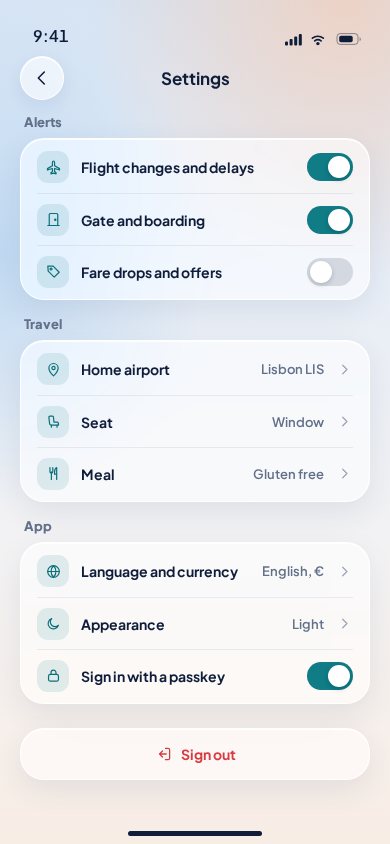 Contrail Settings: Airline booking, check-in and boarding, Glass
- Keycard Settings: Hotel stays, digital key and room service, Luxury
- Detour Car icon: Community driving navigation, Playful
- Detour Settings: Community driving navigation, Playful
- Convoy Settings: Carpooling between cities, Playful
- Manifest Settings: Trip plans from your confirmation emails, Enterprise
- Roadster Settings: Your electric car, from your phone, Dark-first, dark
- Fairground Settings: Theme park tickets, wait times and map, Playful
- Scoot Settings: E-scooter and e-bike rental, Gen Z
- Nomad Settings: Travel eSIM data plans, Glass
- Tern Settings: Ferry and island hopping, Glass
- Berth Settings: Night trains and sleeper cabins, Luxury, dark
- Caravan Settings: Campervan rental and road trips, Playful
- Layover Settings: Airport guide, gates and lounges, Enterprise
- Permit Settings: Visas and travel documents wallet, Clinical
- Backroad Settings: Road trip planner with stops, Neubrutalism
- Bunk Settings: Hostels and backpacker meetups, Gen Z
- Piazza Settings: Self-guided city walking tours, Brutalist
- Fjord Settings: Cruise companion on board, Dark-first, dark
What makes a good travel app settings screen
- Group options into clear sections. Account, notifications, privacy, appearance and help, with headings, so people scan to the right group.
- Label settings by their effect. "Daily reminder at 8:00" is clearer than "Reminders". Add a short description under options that need one.
- Use the right control. Toggles for on and off, a row that opens a list for choices, and sliders only for ranges.
- Apply changes immediately. Most mobile settings take effect when changed, with no Save button to forget.
- Make dangerous actions hard to hit by accident. Delete account and sign out at the bottom, with confirmation. Apple asks apps that let people create an account to also let them delete it from inside the app.
- Show the current value in the row. A row like "Units: Metric" or "Reminder: 8:00" shows the setting without opening it, and saves a tap for people who only want to check.
The full settings screen guide: layouts, mistakes and questions
Settings screens in other kinds of app
- Productivity app settings screens (76)
- Lifestyle app settings screens (72)
- Social app settings screens (48)
- Finance app settings screens (44)
- Fitness app settings screens (38)
- Education app settings screens (31)
- Food app settings screens (29)
- Sports app settings screens (23)
- Smart home app settings screens (23)
- Music app settings screens (20)
Other travel app screens
- Travel app onboarding screens
- Travel app sign in and sign up screens
- Travel app home screens
- Travel app search and explore screens
- Travel app list and feed screens
- Travel app detail screens
- Travel app booking and checkout screens
- Travel app paywall screens
- Travel app success and confirmation screens
- Travel app profile screens
- Travel app dashboard and stats screens
- Travel app player, camera and editor screens
- Travel app live tracking screens
- Travel app form and input screens