Templates · Settings screens · Education app · Numo
Numo Settings screen
A settings screen from Numo, a kids maths game app template in a Playful style. Screen 25 of 25.
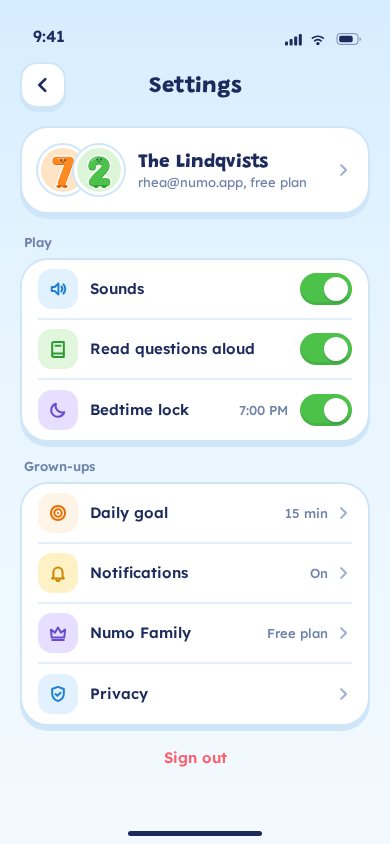
Numo is a complete maths game for ages 4 to 9: a welcome, grown-up sign in, player and buddy pickers, a home with the daily challenge, a world map of levels, three question types with hints, a level complete moment, rewards, a sticker book, practice by skill, and a grown-up area behind a gate with a weekly report, daily goal, family plan and settings. Sky blue, orange and grass green with number characters drawn for the template.
| Detail | Value |
|---|---|
| Screen type | Settings |
| App | Numo: Kids maths game |
| Category | Education |
| Design language | Playful, light |
| Type | Lexend |
| Colours | #e6f4ff background, #ffffff surface, #1d2b5c text, #6f82ab text-muted, #ff8a1f accent, #ffffff accent-contrast, #4cc24a secondary, #cfe5f8 border, #ff5d6c danger |
What this screen says
- Settings
- The Lindqvists
- rhea@numo.app, free plan
- Play
- Sounds
- Read questions aloud
- Bedtime lock
- 7:00 PM
- Grown-ups
- Daily goal
- 15 min
- Notifications
- On
- Numo Family
- Free plan
- Privacy
- Sign out
Around it in Numo
More settings screens
- Tuckin Parent controls: Bedtime stories for kids
- Zenith Settings: Night sky guide
- Chalk Settings: Design courses
- Encore Settings: Creator courses
- Classroom Settings: Class stream and assignments
- Studyhall Settings: Free lessons and practice for school
- Tutor Settings: Book online tutors for any skill
- Leaf Display: E-books and reading
- Almanac Settings: The free encyclopedia reader
- Tiles Settings: Daily word and number puzzles
- Stacks Settings: Borrow e-books and audiobooks from your library
- Penpal Settings: Language exchange chat
Every education app settings screen
What makes a good settings screen
- Group options into clear sections. Account, notifications, privacy, appearance and help, with headings, so people scan to the right group.
- Label settings by their effect. "Daily reminder at 8:00" is clearer than "Reminders". Add a short description under options that need one.
- Use the right control. Toggles for on and off, a row that opens a list for choices, and sliders only for ranges.
- Apply changes immediately. Most mobile settings take effect when changed, with no Save button to forget.
The full settings screen guide and every example
Remix Numo free: describe your own app and it is drawn in this design. Or get its files from $10: Figma, React Native, SwiftUI, Flutter and HTML.