Templates · Profile screens · Education app · Numo
Numo Profile screen
A profile screen from Numo, a kids maths game app template in a Playful style. Screen 24 of 25.
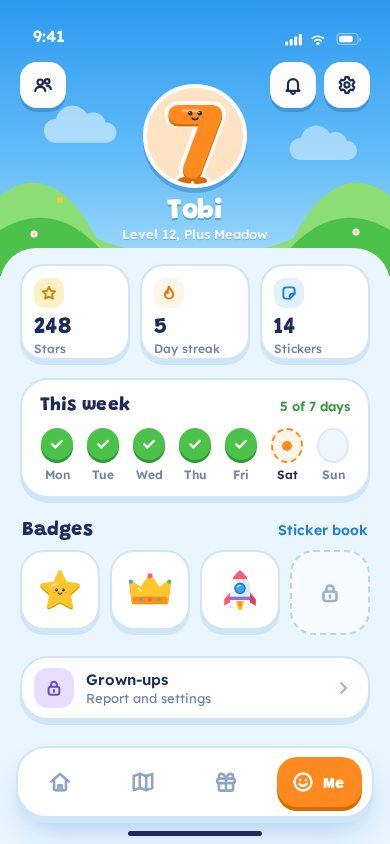
Numo is a complete maths game for ages 4 to 9: a welcome, grown-up sign in, player and buddy pickers, a home with the daily challenge, a world map of levels, three question types with hints, a level complete moment, rewards, a sticker book, practice by skill, and a grown-up area behind a gate with a weekly report, daily goal, family plan and settings. Sky blue, orange and grass green with number characters drawn for the template.
| Detail | Value |
|---|---|
| Screen type | Profile |
| App | Numo: Kids maths game |
| Category | Education |
| Design language | Playful, light |
| Type | Lexend |
| Colours | #e6f4ff background, #ffffff surface, #1d2b5c text, #6f82ab text-muted, #ff8a1f accent, #ffffff accent-contrast, #4cc24a secondary, #cfe5f8 border, #ff5d6c danger |
What this screen says
- Tobi
- Level 12, Plus Meadow
- Stars
- Day streak
- Stickers
- This week
- 5 of 7 days
- Mon
- Tue
- Wed
- Thu
- Fri
- Sat
- Sun
- Badges
- Sticker book
- Grown-ups
- Report and settings
- Me
Around it in Numo
More profile screens
- Almanac Profile: The free encyclopedia reader
- Tiles Profile: Daily word and number puzzles
- Stacks Profile: Borrow e-books and audiobooks from your library
- Penpal Partner: Language exchange chat
- Lexis Profile: A word a day
- Quanta Profile: Interactive physics lessons
- Cram Profile: Exam prep and mock tests
- Quad Profile: University campus app
- Palm Profile: Learn sign language
- Epoch Profile: History on a timeline
- Wren Reader profile: Early reading for kids
- Proof Profile: Maths tutor that shows its working
Every education app profile screen
What makes a good profile screen
- Lead with identity. Photo, name and one line about the person at the top. It confirms whose profile this is.
- Show meaningful stats. Two to four numbers that matter in this app, like workouts, followers, books read or streak.
- Make editing obvious for the owner. An Edit profile button near the top, shown only on your own profile.
- Organise content with tabs. Posts, activity, saved or achievements as tabs keep a long profile tidy.
The full profile screen guide and every example
Remix Numo free: describe your own app and it is drawn in this design. Or get its files from $10: Figma, React Native, SwiftUI, Flutter and HTML.