Templates · Settings screens · Lifestyle app · Trellis
Trellis Settings screen
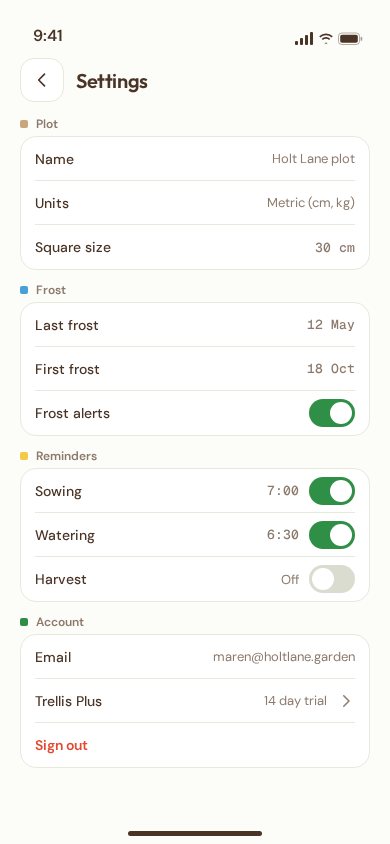
A settings screen from Trellis, a vegetable garden planner app template in a Minimal style. Screen 25 of 25.
Trellis is trellis plans a vegetable plot square by square. It covers laying out beds, what to sow this week, a sowing calendar, watering and rain, the harvest log with weights, crop rotation across four bed groups and the season between frost dates.
| Detail | Value |
|---|---|
| Screen type | Settings |
| App | Trellis: Vegetable garden planner |
| Category | Lifestyle |
| Design language | Minimal, light |
| Type | DM Sans |
| Colours | #fcfdf9 background, #ffffff surface, #4a3426 text, #8c7a6c text-muted, #2f8f46 accent, #ffffff accent-contrast, #f6c945 secondary, #e6eadc border, #e5482f danger |
What this screen says
- Settings
- Plot
- NameHolt Lane plot
- UnitsMetric (cm, kg)
- Square size30 cm
- Frost
- Last frost12 May
- First frost18 Oct
- Frost alerts
- Reminders
- Sowing7:00
- Watering6:30
- HarvestOff
- Account
- Emailmaren@holtlane.garden
- Trellis Plus14 day trial
- Sign out
Around it in Trellis
More settings screens
- Hem Settings: Tailoring and alterations, collected
- Lendly Settings: Borrow things from neighbours
- Stub Settings: Fan to fan ticket resale
- Trove Settings: Visual ideas and boards
- Vidi Settings: Video platform for creators
- Roll Settings: Photo library and backups
- Splice Settings: Video editor for short clips
- Blush Settings: Beauty and makeup shopping
- Flatpack Settings: Furniture store with room previews
- Column Settings: Newsletters and independent writers
- Fetch Settings: Dog walkers and pet sitters
- Forecourt Settings: Buy and sell used cars
Every lifestyle app settings screen
What makes a good settings screen
- Group options into clear sections. Account, notifications, privacy, appearance and help, with headings, so people scan to the right group.
- Label settings by their effect. "Daily reminder at 8:00" is clearer than "Reminders". Add a short description under options that need one.
- Use the right control. Toggles for on and off, a row that opens a list for choices, and sliders only for ranges.
- Apply changes immediately. Most mobile settings take effect when changed, with no Save button to forget.
The full settings screen guide and every example
Remix Trellis free: describe your own app and it is drawn in this design. Or get its files from $10: Figma, React Native, SwiftUI, Flutter and HTML.