Templates · Player, camera and editor screens · Sports app · Ollie
Ollie Record screen
A media screen from Ollie, a skate spots and clips app template in a Neubrutalism style. Screen 11 of 25.
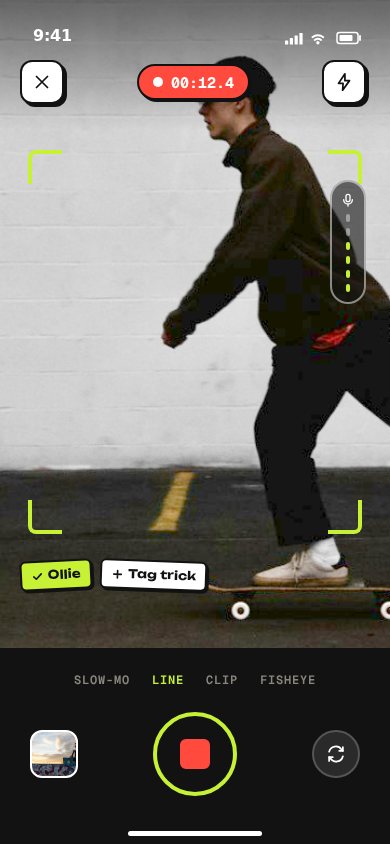
Ollie is a complete skate app: welcome and stance setup, sign in, a home with skate weather and nearby spots, a sticker pin spot map, search with bust factor, spot pages, adding a spot, a crew clip feed, a slow-mo clip player with trick tags on the timeline, a camera with line mode, posting a trimmed clip, a trick list and trick page, a live session tracker, stats, a game of S.K.A.T.E., skateparks with crowd charts, booking a park session and its pass, notifications, Ollie Pro, profile with a sticker wall and settings. Concrete, black grip tape, acid lime and violet.
| Detail | Value |
|---|---|
| Screen type | Media |
| App | Ollie: Skate spots and clips |
| Category | Sports |
| Design language | Neubrutalism, light |
| Type | Lexend |
| Colours | #eeebe3 background, #ffffff surface, #121212 text, #6b675e text-muted, #c6f135 accent, #121212 accent-contrast, #7b5cff secondary, #121212 border, #ff4a3d danger |
What this screen says
- Ollie Tag trick
- Slow-mo Line Clip Fisheye
Around it in Ollie
More player, camera and editor screens
- Canter Video review: Riding stables and lessons
- Oche Throw clinic: Darts scorer and leagues
- Crag Hangboard: Climbing gym logbook
- Swell Live cam: Surf forecast
- Pitwall Team radio: Race engineering
- Scoreboard Highlight: Scores and news for every sport
- Bib Certificate: Find and enter races
- Wicket Highlights: Live cricket scores
- Courtside Highlights: Pickup basketball games
- Frag Live match: Esports tournaments and teams
- Parla Pick the word: Language learning
- Recall Study: Flashcards and spaced repetition
What makes a good media player screen
- Content takes the space. Artwork, video or the camera view should fill most of the screen.
- Primary controls in the thumb zone. Play and pause, the shutter or the main tool, large and low on the screen.
- Show progress and position. A scrubber with elapsed and remaining time, or the step in a lesson.
- Hide secondary controls until needed. Lyrics, queue, filters and advanced tools can live behind a tap or a swipe.
The full media player screen guide and every example
Remix Ollie free: describe your own app and it is drawn in this design. Or get its files from $10: Figma, React Native, SwiftUI, Flutter and HTML.