Templates · Player, camera and editor screens · Sports app · Wicket
Wicket Highlights screen
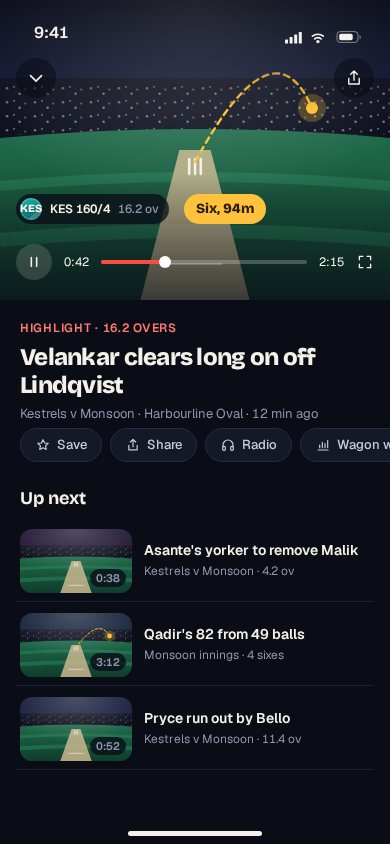
A media screen from Wicket, a live cricket scores app template in a Dark-first style. Screen 11 of 25.
Wicket is a complete live cricket app: welcome, picking teams, sign in, a matchday home, a live scoreboard with the over strip and win probability, ball by ball commentary, the full scorecard, wagon wheel and pitch map, match stats, player and team pages, a venue, highlights, fixtures, the points table, search, match predictions, alerts, tickets with a seat map, checkout and a booked ticket, notifications, a Pro plan, profile and settings. Night navy with ball leather red, aqua and gold.
| Detail | Value |
|---|---|
| Screen type | Media |
| App | Wicket: Live cricket scores |
| Category | Sports |
| Design language | Dark-first, dark |
| Type | Bricolage Grotesque for headings, Geist for text |
| Colours | #0a0c16 background, #141827 surface, #f5f1e8 text, #8f95ad text-muted, #ff4a3d accent, #ffffff accent-contrast, #36d6c3 secondary, #252b45 border, #ffc23d highlight |
What this screen says
- KES KES 160/4 16.2 ov
- Six, 94m
- Highlight · 16.2 overs
- Velankar clears long on off Lindqvist
- Kestrels v Monsoon · Harbourline Oval · 12 min ago
- Save Share Radio Wagon wheel
- Up next
- Asante's yorker to remove Malik
- Kestrels v Monsoon · 4.2 ov
- Qadir's 82 from 49 balls
- Monsoon innings · 4 sixes
- Pryce run out by Bello
- Kestrels v Monsoon · 11.4 ov
Around it in Wicket
More player, camera and editor screens
- Frag Live match: Esports tournaments and teams
- Canter Video review: Riding stables and lessons
- Ollie Clip: Skate spots and clips
- Oche Throw clinic: Darts scorer and leagues
- Crag Hangboard: Climbing gym logbook
- Swell Live cam: Surf forecast
- Pitwall Team radio: Race engineering
- Scoreboard Highlight: Scores and news for every sport
- Bib Certificate: Find and enter races
- Courtside Highlights: Pickup basketball games
- Murmur Photo: Chat rooms for art lovers
- Wink Intro video: Video first dating
What makes a good media player screen
- Content takes the space. Artwork, video or the camera view should fill most of the screen.
- Primary controls in the thumb zone. Play and pause, the shutter or the main tool, large and low on the screen.
- Show progress and position. A scrubber with elapsed and remaining time, or the step in a lesson.
- Hide secondary controls until needed. Lyrics, queue, filters and advanced tools can live behind a tap or a swipe.
The full media player screen guide and every example
Remix Wicket free: describe your own app and it is drawn in this design. Or get its files from $10: Figma, React Native, SwiftUI, Flutter and HTML.