Templates · Player, camera and editor screens · Sports app · Bib
Bib Certificate screen
A media screen from Bib, a find and enter races app template in a Neubrutalism style. Screen 21 of 25.
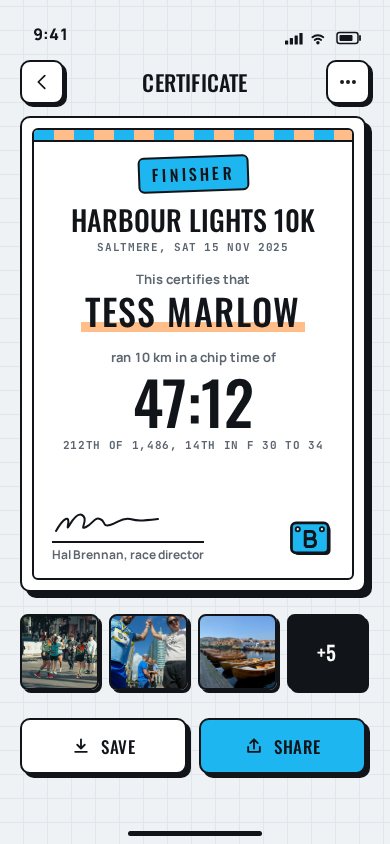
Bib is a complete race app for runners: welcome, race goals and sign in, a home with the next race bib and countdown, discover with distance and date filters, a race calendar, race pages with a drawn course map and elevation, choosing an event and corral, runner details, checkout and a confirmation, a digital bib with corral, wave and start time, my races, a training countdown, a race day plan, live athlete tracking with splits, results, a personal result, a finisher certificate, notifications, a Plus plan, profile and settings. Chalk, ink, hi-vis cyan and peach.
| Detail | Value |
|---|---|
| Screen type | Media |
| App | Bib: Find and enter races |
| Category | Sports |
| Design language | Neubrutalism, light |
| Type | Oswald for headings, Manrope for text |
| Colours | #eef2f5 background, #ffffff surface, #111418 text, #5d6670 text-muted, #1eb6f0 accent, #111418 accent-contrast, #ffbd8a secondary, #111418 border, #ff5146 danger |
What this screen says
- Certificate
- FINISHER
- Harbour Lights 10K
- Saltmere, Sat 15 Nov 2025
- This certifies that
- Tess Marlow
- ran 10 km in a chip time of
- 212th of 1,486, 14th in F 30 to 34
- Hal Brennan, race director
- Save
- Share
Around it in Bib
More player, camera and editor screens
- Wicket Highlights: Live cricket scores
- Courtside Highlights: Pickup basketball games
- Frag Live match: Esports tournaments and teams
- Canter Video review: Riding stables and lessons
- Ollie Clip: Skate spots and clips
- Oche Throw clinic: Darts scorer and leagues
- Crag Hangboard: Climbing gym logbook
- Swell Live cam: Surf forecast
- Pitwall Team radio: Race engineering
- Scoreboard Highlight: Scores and news for every sport
- Abode Smart TV: Smart home devices
- Vita Scan a report: Personal health record
What makes a good media player screen
- Content takes the space. Artwork, video or the camera view should fill most of the screen.
- Primary controls in the thumb zone. Play and pause, the shutter or the main tool, large and low on the screen.
- Show progress and position. A scrubber with elapsed and remaining time, or the step in a lesson.
- Hide secondary controls until needed. Lyrics, queue, filters and advanced tools can live behind a tap or a swipe.
The full media player screen guide and every example
Remix Bib free: describe your own app and it is drawn in this design. Or get its files from $10: Figma, React Native, SwiftUI, Flutter and HTML.