Templates · Settings screens · Lifestyle app · Inked
Inked Settings screen
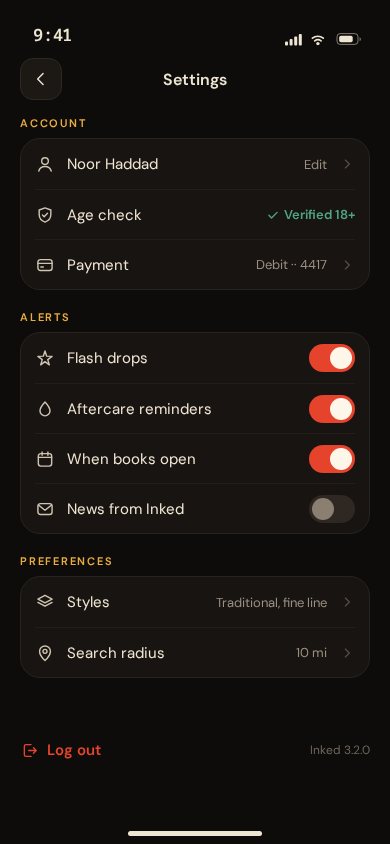
A settings screen from Inked, a tattoo artists and bookings app template in a Dark-first style. Screen 25 of 25.
Inked is a complete tattoo app: welcome and style picks, sign in, a home with your next session and today's flash drop, explore and a studio map, artist pages with a portfolio, a healed piece, a flash sheet and a flash design, a stencil try on, a custom request, booking a slot, paying the deposit and the confirmation, appointments and session prep, messages with sketch approval, an aftercare tracker, your collection, notifications, Inked Plus, profile and settings. Warm ink black and bone with flash red, mustard and jade.
| Detail | Value |
|---|---|
| Screen type | Settings |
| App | Inked: Tattoo artists and bookings |
| Category | Lifestyle |
| Design language | Dark-first, dark |
| Type | Fraunces for headings, DM Sans for text |
| Colours | #0e0c0b background, #181411 surface, #efe5d3 text, #9a8f80 text-muted, #e5432c accent, #fff6ea accent-contrast, #efe4cf secondary, #2a231d border, #e8ad3f warning, #4fa386 success |
What this screen says
- Settings
- Account
- Noor Haddad Edit
- Age check Verified 18+
- Payment Debit ·· 4417
- Alerts
- Flash drops
- Aftercare reminders
- When books open
- News from Inked
- Preferences
- Styles Traditional, fine line
- Search radius 10 mi
- Log out
- Inked 3.2.0
Around it in Inked
More settings screens
- Gloss Settings: Salon and spa booking
- Vow Settings: Wedding planner
- Drizzle Settings: Weather with living skies
- Byline Settings: Daily news reader
- Shelf Settings: Reading tracker and book club
- Marquee Settings: Cinema tickets and watchlist
- Handy Settings: Home services
- Tasker Settings: Book and do local odd jobs
- Toolbox Settings: Hardware store and project lists
- Brief Settings: News in sixty words
- Kibble Settings: Pet supplies and autoship
- Filmlog Settings: Film diary and reviews
Every lifestyle app settings screen
What makes a good settings screen
- Group options into clear sections. Account, notifications, privacy, appearance and help, with headings, so people scan to the right group.
- Label settings by their effect. "Daily reminder at 8:00" is clearer than "Reminders". Add a short description under options that need one.
- Use the right control. Toggles for on and off, a row that opens a list for choices, and sliders only for ranges.
- Apply changes immediately. Most mobile settings take effect when changed, with no Save button to forget.
The full settings screen guide and every example
Remix Inked free: describe your own app and it is drawn in this design. Or get its files from $10: Figma, React Native, SwiftUI, Flutter and HTML.