Templates · Settings screens · Lifestyle app · Vow
Vow Settings screen
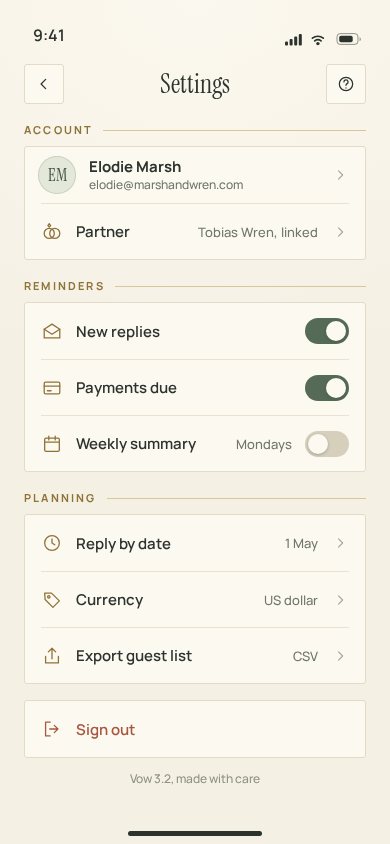
A settings screen from Vow, a wedding planner app template in a Luxury style. Screen 25 of 25.
Vow is a complete wedding planner: welcome, sign in, setting up the day, a home with the countdown inside a botanical wreath, a checklist by month, a budget with a category breakdown, the guest list, one guest, RSVPs with meal counts, a seating chart drawn as round tables named after plants, vendors, booking a visit, the day's timeline, the registry, a paid tier, profile and settings. Everything is typeset like fine stationery in ivory, sage and gold.
| Detail | Value |
|---|---|
| Screen type | Settings |
| App | Vow: Wedding planner |
| Category | Lifestyle |
| Design language | Luxury, light |
| Type | Manrope |
| Colours | #f5f0e4 background, #fcf9f1 surface, #2b332c text, #6f766a text-muted, #556b57 accent, #fcf9f1 accent-contrast, #b39558 secondary, #e3dbc8 border, #a8573f danger |
What this screen says
- Settings
- Account
- EM
- Elodie Marsh
- elodie@marshandwren.com
- Partner
- Tobias Wren, linked
- Reminders
- New replies
- Payments due
- Weekly summary
- Mondays
- Planning
- Reply by date
- 1 May
- Currency
- US dollar
- Export guest list
- CSV
- Sign out
- Vow 3.2, made with care
Around it in Vow
More settings screens
- Trove Settings: Visual ideas and boards
- Vidi Settings: Video platform for creators
- Roll Settings: Photo library and backups
- Splice Settings: Video editor for short clips
- Blush Settings: Beauty and makeup shopping
- Flatpack Settings: Furniture store with room previews
- Column Settings: Newsletters and independent writers
- Fetch Settings: Dog walkers and pet sitters
- Forecourt Settings: Buy and sell used cars
- Tower Line: Mobile plan, data and bills
- Haul Settings: Bargain fashion and finds
- Muse Settings: AI image studio
Every lifestyle app settings screen
What makes a good settings screen
- Group options into clear sections. Account, notifications, privacy, appearance and help, with headings, so people scan to the right group.
- Label settings by their effect. "Daily reminder at 8:00" is clearer than "Reminders". Add a short description under options that need one.
- Use the right control. Toggles for on and off, a row that opens a list for choices, and sliders only for ranges.
- Apply changes immediately. Most mobile settings take effect when changed, with no Save button to forget.
The full settings screen guide and every example
Remix Vow free: describe your own app and it is drawn in this design. Or get its files from $10: Figma, React Native, SwiftUI, Flutter and HTML.