Templates · Settings screens · Fitness app · Vita
Vita Settings screen
A settings screen from Vita, a personal health record app template in a Clinical style. Screen 25 of 25.
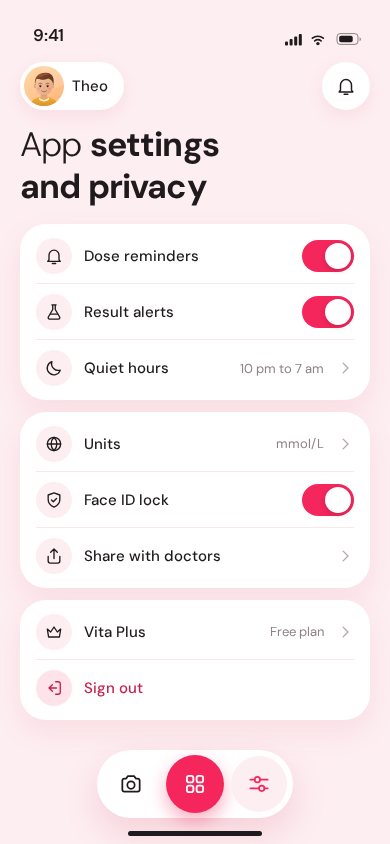
Vita is a complete personal health app: onboarding, sign in, a health status home with oxygen readings over a pair of lungs, an overview panel for blood pressure, blood count, heart rate and glucose, charts for each vital, logging a reading, lab tests and reports, scanning a paper report, medication with dose reminders, finding a doctor, booking a visit, appointments, notifications, a plan, profile and settings. Blush pink and white with one raspberry red.
| Detail | Value |
|---|---|
| Screen type | Settings |
| App | Vita: Personal health record |
| Category | Health and fitness |
| Design language | Clinical, light |
| Type | DM Sans |
| Colours | #fdeef1 background, #ffffff surface, #1f1a1d text, #8f8187 text-muted, #f4265c accent, #ffffff accent-contrast, #ffd5de secondary, #f6dfe4 border, #c81e4a danger |
What this screen says
- Theo
- App settings
- and privacy
- Dose reminders
- Result alerts
- Quiet hours
- 10 pm to 7 am
- Units
- mmol/L
- Face ID lock
- Share with doctors
- Vita Plus
- Free plan
- Sign out
Around it in Vita
More settings screens
- Mend Settings: Physio and rehab exercises
- Tabata Settings: HIIT interval timer
- Jab Settings: Boxing workouts with a smart bag
- Exhale Settings: Breathwork sessions
- Bump Settings: Pregnancy week by week
- Locker Settings: Gym membership and class booking
- Morsel Reminders: AI calorie tracker
- Dew Settings: AI skin scan and routine
- Cradle Settings: Baby tracker
- Donor Settings: Blood donation, counted drop by drop
- Unfold Settings: Yoga and stretching
- Kilo Settings: Strength training log
Every fitness app settings screen
What makes a good settings screen
- Group options into clear sections. Account, notifications, privacy, appearance and help, with headings, so people scan to the right group.
- Label settings by their effect. "Daily reminder at 8:00" is clearer than "Reminders". Add a short description under options that need one.
- Use the right control. Toggles for on and off, a row that opens a list for choices, and sliders only for ranges.
- Apply changes immediately. Most mobile settings take effect when changed, with no Save button to forget.
The full settings screen guide and every example
Remix Vita free: describe your own app and it is drawn in this design. Or get its files from $10: Figma, React Native, SwiftUI, Flutter and HTML.