Templates · Settings screens · Fitness app · Morsel
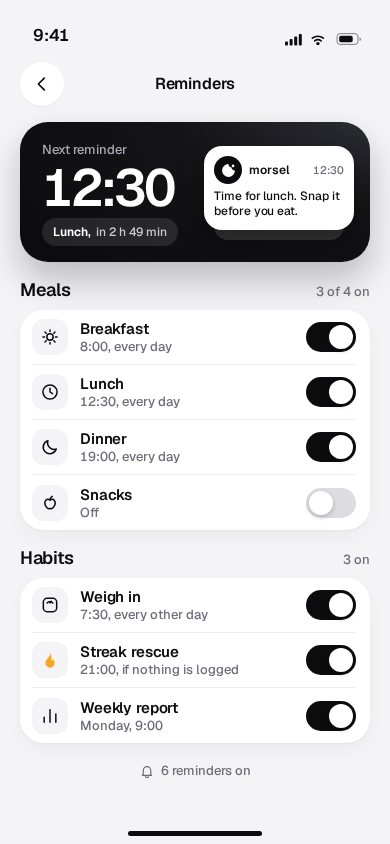
Morsel Reminders screen
A settings screen from Morsel, an AI calorie tracker app template in a Minimal style. Screen 24 of 25.
Morsel is a complete photo calorie tracker: a quiz onboarding that builds a daily plan, a paywall with a trial timeline, a home with the calories left ring and macro rings, a camera scan with detection labels on the plate, an editable result, barcode and describe a meal, saved meals, food search, progress with weight and weekly reports, streaks, reminders and settings. Soft grey and white with near black cards and coral, amber and blue macros.
| Detail | Value |
|---|---|
| Screen type | Settings |
| App | Morsel: AI calorie tracker |
| Category | Health and fitness |
| Design language | Minimal, light |
| Type | Geist |
| Colours | #f4f4f6 background, #ffffff surface, #0c0c0e text, #6e6e78 text-muted, #0c0c0e accent, #ffffff accent-contrast, #f26b5b secondary, #e6e6ea border, #e5484d danger |
What this screen says
- Reminders
- Next reminder
- Lunch, in 2 h 49 min
- morsel12:30
- Time for lunch. Snap it before you eat.
- Meals3 of 4 on
- Breakfast
- 8:00, every day
- Lunch
- 12:30, every day
- Dinner
- 19:00, every day
- Snacks
- Off
- Habits3 on
- Weigh in
- 7:30, every other day
- Streak rescue
- 21:00, if nothing is logged
- Weekly report
- Monday, 9:00
- 6 reminders on
Around it in Morsel
More settings screens
- Unfold Settings: Yoga and stretching
- Kilo Settings: Strength training log
- Cyra Reminders: Cycle tracker
- Harbor Settings: Therapy and mood
- Fasten Settings: Intermittent fasting
- Plate Settings: Calorie and macro tracker
- Vita Settings: Personal health record
- Forge Settings: AI fitness and nutrition
- Lull Settings: Sleep sounds and meditation
- Pace Settings: Fitness tracker
- Flexpass Settings: One membership, many studios
- Clinic Settings: Find and book doctors
Every fitness app settings screen
What makes a good settings screen
- Group options into clear sections. Account, notifications, privacy, appearance and help, with headings, so people scan to the right group.
- Label settings by their effect. "Daily reminder at 8:00" is clearer than "Reminders". Add a short description under options that need one.
- Use the right control. Toggles for on and off, a row that opens a list for choices, and sliders only for ranges.
- Apply changes immediately. Most mobile settings take effect when changed, with no Save button to forget.
The full settings screen guide and every example
Remix Morsel free: describe your own app and it is drawn in this design. Or get its files from $10: Figma, React Native, SwiftUI, Flutter and HTML.