Templates · Success and confirmation screens · Smart home app · Upkeep
Upkeep Booked screen
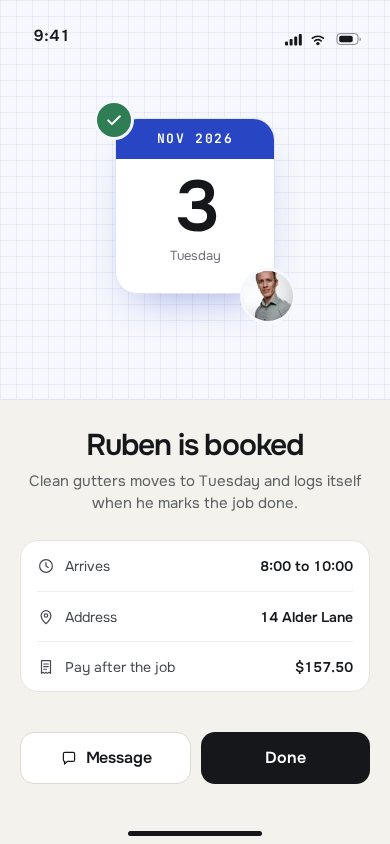
A success screen from Upkeep, a home maintenance calendar app template in a Minimal style. Screen 19 of 25.
Upkeep is a complete home maintenance app: welcome, home setup and sign in, a today screen with the overdue task and the next two weeks, a month calendar, task details with a step by step guide, logging a task and its confirmation, new recurring tasks, a blueprint floor plan with pinned tasks, rooms, equipment with lifespans, an appliance page, a rating label scanner, finding, booking and confirming a local pro, costs, a home log, notifications, Upkeep Plus, profile and settings. Stone and white with cobalt blueprint drawings, ochre for soon and brick for late.
| Detail | Value |
|---|---|
| Screen type | Success |
| App | Upkeep: Home maintenance calendar |
| Category | Smart home |
| Design language | Minimal, light |
| Type | Onest |
| Colours | #f3f2ed background, #ffffff surface, #15171a text, #6f7277 text-muted, #2846c4 accent, #ffffff accent-contrast, #c98a1b secondary, #e6e4dc border, #c9502c danger |
What this screen says
- NOV 2026
- 3Tuesday
- Ruben is booked
- Clean gutters moves to Tuesday and logs itself when he marks the job done.
- Arrives 8:00 to 10:00
- Address 14 Alder Lane
- Pay after the job $157.50
- Message
- Done
Around it in Upkeep
More success and confirmation screens
- Puddle All watered: Garden watering and sprinklers
- Kelvin Service booked: Climate and thermostat
- Glow Scene saved: Light scenes and colour
- Tagged Claim sent: Home inventory for insurance
- Lobby Pass sent: Apartment building app
- Sweep Clean complete: Robot vacuum and mop
- Dusk Scenario saved: Smart home scenarios
- Lumen Device added: Smart home energy
- Abode Device added: Smart home devices
- Boxed Booked: Book movers and plan moving day
- Meter Reading sent: Your energy supplier account
- Couch Rented: TV remote, casting and watchlist
Every smart home app success screen
What makes a good confirmation screen
- Confirm in the headline. "Payment sent", "Table booked for Friday at 8" or "Lesson complete" in plain words, with a clear success colour or icon.
- Repeat the key details. Amount, date, reference number or score, so people do not need to check elsewhere that the right thing happened.
- Say what happens next. When the order arrives, when the money lands, when the next lesson unlocks.
- Offer the next step. Track the order, add to calendar, share, or start the next lesson. One primary action and a way back home.
The full confirmation screen guide and every example
Remix Upkeep free: describe your own app and it is drawn in this design. Or get its files from $10: Figma, React Native, SwiftUI, Flutter and HTML.