Templates · Success and confirmation screens · Smart home app · Abode
Abode Device added screen
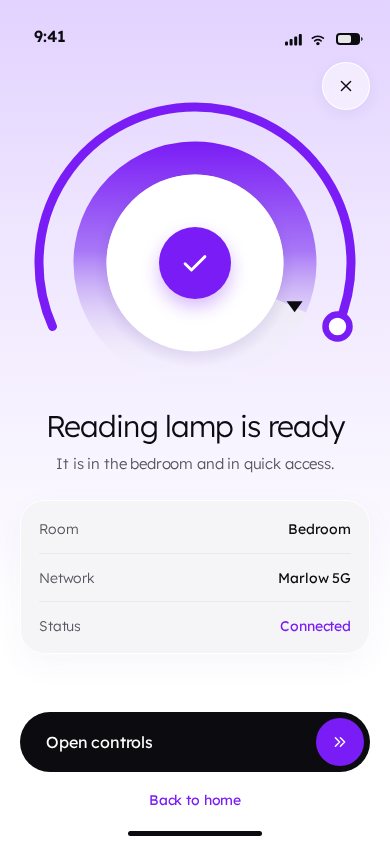
A success screen from Abode, a smart home devices app template in a Minimal style. Screen 17 of 25.
Abode is a complete smart home app centred on devices: welcome, sign in and a code, a home with the weather, what is playing, quick access and favourite scenes, every device by room, detailed controls for the air conditioner, TV, speaker, robot vacuum, lights and blinds, timers, pairing a new device, scenes you can build and run, a weekly schedule, energy use, a plan, profile and settings. White and pale grey with a lilac wash, electric violet and black.
| Detail | Value |
|---|---|
| Screen type | Success |
| App | Abode: Smart home devices |
| Category | Smart home |
| Design language | Minimal, light |
| Type | Lexend |
| Colours | #ffffff background, #f5f5f7 surface, #0c0c10 text, #74747f text-muted, #7a1cf5 accent, #ffffff accent-contrast, #ece2ff secondary, #e9e9ee border, #e5484d danger |
What this screen says
- Reading lamp is ready
- It is in the bedroom and in quick access.
- RoomBedroom
- NetworkMarlow 5G
- StatusConnected
- Open controls
- Back to home
Around it in Abode
More success and confirmation screens
- Upkeep Logged: Home maintenance calendar
- Kelvin Service booked: Climate and thermostat
- Glow Scene saved: Light scenes and colour
- Tagged Claim sent: Home inventory for insurance
- Lobby Pass sent: Apartment building app
- Sweep Clean complete: Robot vacuum and mop
- Dusk Scenario saved: Smart home scenarios
- Lumen Device added: Smart home energy
- Boxed Booked: Book movers and plan moving day
- Meter Reading sent: Your energy supplier account
- Couch Rented: TV remote, casting and watchlist
- Chime Routine saved: Voice assistant and smart speaker
Every smart home app success screen
What makes a good confirmation screen
- Confirm in the headline. "Payment sent", "Table booked for Friday at 8" or "Lesson complete" in plain words, with a clear success colour or icon.
- Repeat the key details. Amount, date, reference number or score, so people do not need to check elsewhere that the right thing happened.
- Say what happens next. When the order arrives, when the money lands, when the next lesson unlocks.
- Offer the next step. Track the order, add to calendar, share, or start the next lesson. One primary action and a way back home.
The full confirmation screen guide and every example
Remix Abode free: describe your own app and it is drawn in this design. Or get its files from $10: Figma, React Native, SwiftUI, Flutter and HTML.