Templates · Success and confirmation screens · Smart home app · Sweep
Sweep Clean complete screen
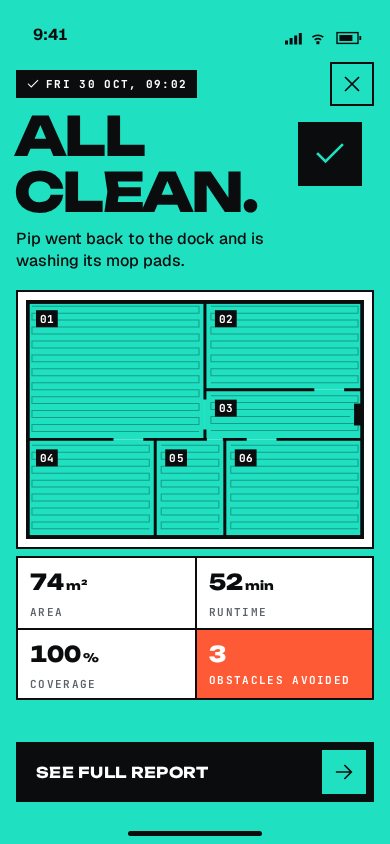
A success screen from Sweep, a robot vacuum and mop app template in a Brutalist style. Screen 12 of 25.
Sweep is a complete robot vacuum and mop app: welcome, pairing, sign in and first mapping, a home with the last clean on the floor plan, a live clean with the path filling in room by room, rooms, room settings, map editing with no-go zones and virtual walls, a custom clean, schedules, a clean report with dirt hotspots, history, stats, a live robot camera, avoided obstacles, the self-emptying dock, consumables care with a reorder cart, notifications, a Plus plan, profile and settings. Concrete grey, black and electric aqua.
| Detail | Value |
|---|---|
| Screen type | Success |
| App | Sweep: Robot vacuum and mop |
| Category | Smart home |
| Design language | Brutalist, light |
| Type | Unbounded for headings, Geist for text |
| Colours | #e3e6e8 background, #ffffff surface, #0b0c0d text, #5b6168 text-muted, #1fe0c0 accent, #0b0c0d accent-contrast, #c9ced2 secondary, #0b0c0d border, #ff5a36 danger |
What this screen says
- FRI 30 OCT, 09:02
- All
- clean.
- Pip went back to the dock and is washing its mop pads.
- 74m²
- Area
- 52min
- Runtime
- Coverage
- Obstacles avoided
- See full report
Around it in Sweep
More success and confirmation screens
- Chime Routine saved: Voice assistant and smart speaker
- Latch Key sent: Smart locks and guest access
- Mesh Node added: Home Wi-Fi network
- Decibel Tuning done: Multi-room speakers
- Nursery Invite sent: Baby monitor camera and sleep
- Porch Plan active: Home security cameras
- Sundial Booked: Solar panels and home battery
- Puddle All watered: Garden watering and sprinklers
- Upkeep Logged: Home maintenance calendar
- Kelvin Service booked: Climate and thermostat
- Glow Scene saved: Light scenes and colour
- Tagged Claim sent: Home inventory for insurance
Every smart home app success screen
What makes a good confirmation screen
- Confirm in the headline. "Payment sent", "Table booked for Friday at 8" or "Lesson complete" in plain words, with a clear success colour or icon.
- Repeat the key details. Amount, date, reference number or score, so people do not need to check elsewhere that the right thing happened.
- Say what happens next. When the order arrives, when the money lands, when the next lesson unlocks.
- Offer the next step. Track the order, add to calendar, share, or start the next lesson. One primary action and a way back home.
The full confirmation screen guide and every example
Remix Sweep free: describe your own app and it is drawn in this design. Or get its files from $10: Figma, React Native, SwiftUI, Flutter and HTML.