Templates · Success and confirmation screens · Productivity app · Streak
Streak Day complete screen
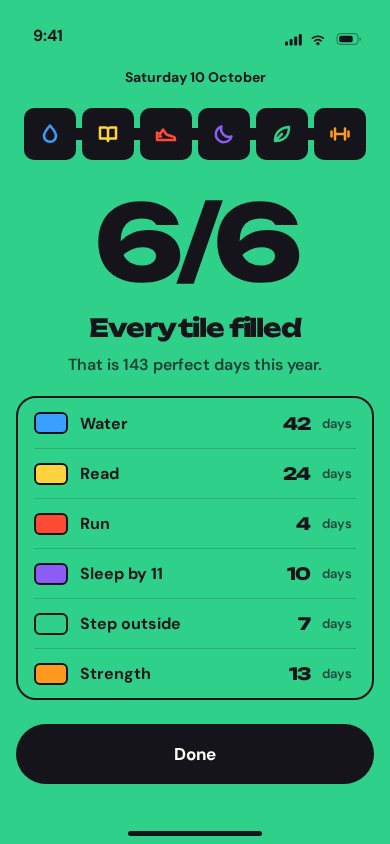
A success screen from Streak, a productivity app template in a Playful style. Screen 8 of 25.
Streak is streak covers a whole habit app: onboarding and habit picking, the daily list with chunky tick buttons, full colour habit pages, quantity check ins, week, month and year walls, streak freezes and a gentle missed day flow. It also has stats and insights, friends and a 30 day challenge, badges, a paywall, profile and settings.
| Detail | Value |
|---|---|
| Screen type | Success |
| App | Streak: Small days, long chains |
| Category | Productivity |
| Design language | Playful, light |
| Type | DM Sans |
| Colours | #f6f5f1 background, #ffffff surface, #15141a text, #6f6d78 text-muted, #ff4b33 accent, #15141a accent-contrast, #ffd23f secondary, #e4e2da border, #ff4b33 danger |
What this screen says
- Saturday 10 October
- Every tile filled
- That is 143 perfect days this year.
- Water42days
- Read24days
- Run4days
- Sleep by 1110days
- Step outside7days
- Strength13days
- Done
Around it in Streak
More success and confirmation screens
- Easel Invite sent: Collaborative whiteboard
- Token Account added: Two-factor codes and sign-in approvals
- Beam Sent: Send big files
- Parchment Invite sent: Documents, edit and share
- Lectern Exported: Slides and presenter remote
- Ringer Call ended: Phone, contacts and voicemail
- Pipeline Deal won: Sales CRM on the road
- Aim Check in saved: Goals and key results
- Scribe Shared: Voice memos to notes
- Inkline Signed: Sign and send contracts
- Dispatch Job closed: Field service jobs for technicians
- Stashed: Read-it-later and highlights
Every productivity app success screen
What makes a good confirmation screen
- Confirm in the headline. "Payment sent", "Table booked for Friday at 8" or "Lesson complete" in plain words, with a clear success colour or icon.
- Repeat the key details. Amount, date, reference number or score, so people do not need to check elsewhere that the right thing happened.
- Say what happens next. When the order arrives, when the money lands, when the next lesson unlocks.
- Offer the next step. Track the order, add to calendar, share, or start the next lesson. One primary action and a way back home.
The full confirmation screen guide and every example
Remix Streak free: describe your own app and it is drawn in this design. Or get its files from $10: Figma, React Native, SwiftUI, Flutter and HTML.