Templates · Success and confirmation screens · Productivity app · Easel
Easel Invite sent screen
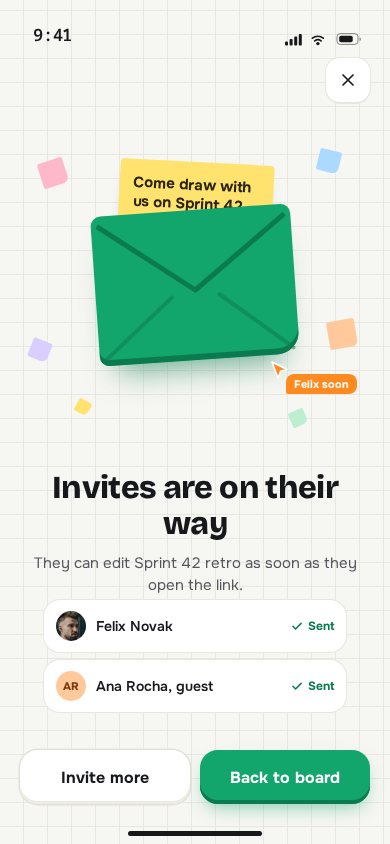
A success screen from Easel, a collaborative whiteboard app template in a Playful style. Screen 20 of 25.
Easel is a complete team whiteboard: welcome, sign in and workspace setup, a boards home with a live board, search, templates and a retro template, the board itself with frames, stickies, connectors and live cursors, sticky editing, shapes and lines, frames, a journey map in follow mode, dot voting with results, a shared timer, comments and a thread, present mode, sharing with an invite sent screen, insights, activity, the Team plan, profile and settings. Warm grid paper with leaf green, lemon and ink.
| Detail | Value |
|---|---|
| Screen type | Success |
| App | Easel: Collaborative whiteboard |
| Category | Productivity |
| Design language | Playful, light |
| Type | Bricolage Grotesque for headings, Onest for text |
| Colours | #f6f6f2 background, #ffffff surface, #17181c text, #6c6e78 text-muted, #12a56c accent, #ffffff accent-contrast, #ffe36e secondary, #e7e6df border, #f04a4a danger |
What this screen says
- Come draw with us on Sprint 42 retro
- Felix soon
- Invites are on their way
- They can edit Sprint 42 retro as soon as they open the link.
- Felix Novak Sent
- ARAna Rocha, guest Sent
- Invite more
- Back to board
Around it in Easel
More success and confirmation screens
- Streak Day complete: Small days, long chains
- Deskly Checked in: Hybrid office booking
- Pomo Session done: Focus timer
- Postbox Message sent: Email for busy teams
- Daybook Invite sent: Calendar and planner
- Scanly Exported: Document scanner
- Keyring Item saved: Password manager
- Rota Shift summary: Shift scheduling for hourly teams
- Inkwell Entry saved: Daily journal
- Shortlist Application sent: Job search and application tracker
- Parley Group created: Team messenger
- Docket Sprint done: Task and sprint planner
Every productivity app success screen
What makes a good confirmation screen
- Confirm in the headline. "Payment sent", "Table booked for Friday at 8" or "Lesson complete" in plain words, with a clear success colour or icon.
- Repeat the key details. Amount, date, reference number or score, so people do not need to check elsewhere that the right thing happened.
- Say what happens next. When the order arrives, when the money lands, when the next lesson unlocks.
- Offer the next step. Track the order, add to calendar, share, or start the next lesson. One primary action and a way back home.
The full confirmation screen guide and every example
Remix Easel free: describe your own app and it is drawn in this design. Or get its files from $10: Figma, React Native, SwiftUI, Flutter and HTML.