Templates · Success and confirmation screens · Productivity app · Parchment
Parchment Invite sent screen
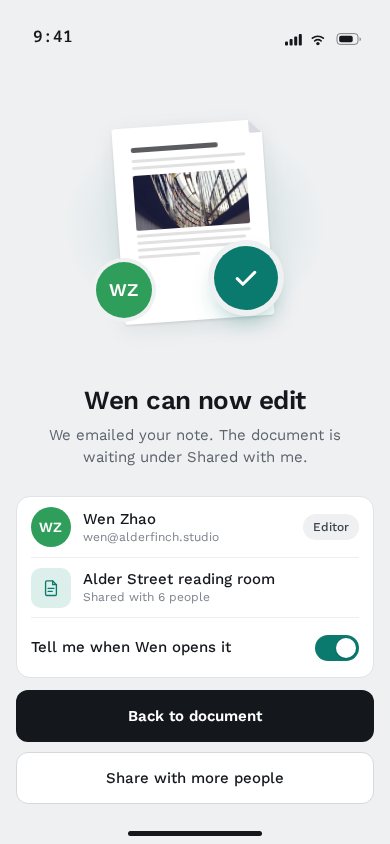
A success screen from Parchment, a productivity app template in a Minimal style. Screen 16 of 25.
Parchment is a complete documents app: welcome, sign in, a home with new document starters and a grid of recent pages, search, files and shared with me, a document page, live editing with a formatting bar and keyboard, text style, suggestion mode with tracked changes, comments and a reply thread, the outline, share with roles, link access and an invite sent screen, version history and an old version to restore, templates, document activity, offline files, notifications, a Pro plan, profile and settings. Fog grey and paper white with ink, verdigris and a highlighter yellow.
| Detail | Value |
|---|---|
| Screen type | Success |
| App | Parchment: Documents, edit and share |
| Category | Productivity |
| Design language | Minimal, light |
| Type | Iowan Old Style for headings, Work Sans for text |
| Colours | #eef0f2 background, #ffffff surface, #14171c text, #687079 text-muted, #0b7a6e accent, #ffffff accent-contrast, #ffe27a secondary, #e0e3e7 border, #c23b4a danger |
What this screen says
- WZ
- Wen can now edit
- We emailed your note. The document is waiting under Shared with me.
- Wen Zhao
- wen@alderfinch.studio
- Editor
- Alder Street reading room
- Shared with 6 people
- Tell me when Wen opens it
- Back to document
- Share with more people
Around it in Parchment
More success and confirmation screens
- Polish Upgraded: Writing assistant and keyboard
- Tapline Tip sent: Link-in-bio pages and analytics
- Quill Upgraded: Docs, wikis and databases in one workspace
- Tandem Channel created: Team chat, channels and huddles
- Shipyard Cycle closed: Issue tracking for product teams
- Canvas Upgraded: Design files and comments on mobile
- Merged: Code, pull requests and reviews
- Query Pro unlocked: AI answers with sources
- Glossa Pro unlocked: Translate text, voice and camera
- Layout Saved: Design anything from templates
- Tick Pro is on: To-do lists and reminders
- Beacon Lost mode on: Find your devices and people
Every productivity app success screen
What makes a good confirmation screen
- Confirm in the headline. "Payment sent", "Table booked for Friday at 8" or "Lesson complete" in plain words, with a clear success colour or icon.
- Repeat the key details. Amount, date, reference number or score, so people do not need to check elsewhere that the right thing happened.
- Say what happens next. When the order arrives, when the money lands, when the next lesson unlocks.
- Offer the next step. Track the order, add to calendar, share, or start the next lesson. One primary action and a way back home.
The full confirmation screen guide and every example
Remix Parchment free: describe your own app and it is drawn in this design. Or get its files from $10: Figma, React Native, SwiftUI, Flutter and HTML.