Templates · Settings screens · Productivity app · Shortlist
Shortlist Settings screen
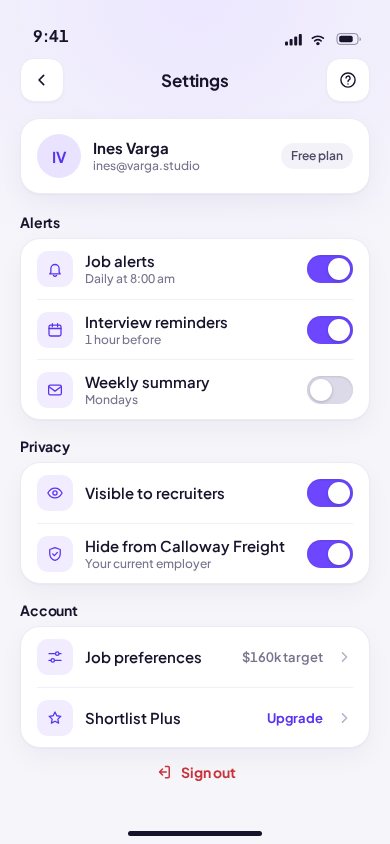
A settings screen from Shortlist, a job search and application tracker app template in an Enterprise style. Screen 25 of 25.
Shortlist is a complete job search app: welcome, sign in, a code and job preferences, a home with today's interview, the pipeline and top matches, search with filters and saved searches, a job page with a match breakdown, the company, a two step application with review and a sent confirmation, a tracker board, one application's timeline, the interview, prep questions with a practice timer, salary insights with a pay distribution, an offer breakdown, a Plus plan, notifications, profile and settings. Every company has its own drawn monogram and every role shows how well it matches.
| Detail | Value |
|---|---|
| Screen type | Settings |
| App | Shortlist: Job search and application tracker |
| Category | Productivity |
| Design language | Enterprise, light |
| Type | Plus Jakarta Sans |
| Colours | #f6f5fa background, #ffffff surface, #17132b text, #77738c text-muted, #6c47ff accent, #ffffff accent-contrast, #12a56b secondary, #eceaf4 border, #e5484d danger |
What this screen says
- Settings
- IV
- Ines Varga
- ines@varga.studio
- Free plan
- Alerts
- Job alerts
- Daily at 8:00 am
- Interview reminders
- 1 hour before
- Weekly summary
- Mondays
- Privacy
- Visible to recruiters
- Hide from Calloway Freight
- Your current employer
- Account
- Job preferences
- $160k target
- Shortlist Plus
- Upgrade
- Sign out
Around it in Shortlist
More settings screens
- Parley Settings: Team messenger
- Docket Settings: Task and sprint planner
- Kanso Settings: Tasks, calendar and chat
- Margin Settings: AI note taking
- Aide Settings: Executive AI assistant
- Juno Settings: AI chat assistant
- Opal Settings: Studio dashboard
- Jot Settings: Quick notes and checklists
- Chrono Settings: World clock, timers and stopwatch
- Frontdesk Settings: Customer support inbox
- Campaign Settings: Email marketing campaigns
- Outpost Settings: Schedule social posts
Every productivity app settings screen
What makes a good settings screen
- Group options into clear sections. Account, notifications, privacy, appearance and help, with headings, so people scan to the right group.
- Label settings by their effect. "Daily reminder at 8:00" is clearer than "Reminders". Add a short description under options that need one.
- Use the right control. Toggles for on and off, a row that opens a list for choices, and sliders only for ranges.
- Apply changes immediately. Most mobile settings take effect when changed, with no Save button to forget.
The full settings screen guide and every example
Remix Shortlist free: describe your own app and it is drawn in this design. Or get its files from $10: Figma, React Native, SwiftUI, Flutter and HTML.