Templates · Settings screens · Lifestyle app · Postage
Postage Settings screen
A settings screen from Postage, a lifestyle app template in an Enterprise style. Screen 25 of 25.
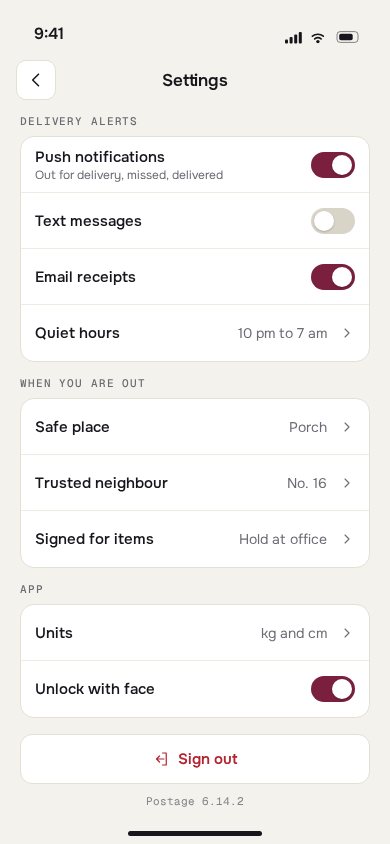
Postage is a complete postal service app: welcome, sign in, address check, a home with today's delivery, a track list, an item timeline, a live van map, redelivery, hold mail and a barcode scanner, then a four step send flow (size and weight, destination, speed and price compare, pay) ending in a QR label. Offices and lockers on a map, a branch with hours, a locker drop code, stamps, a PO box, sending stats, alerts, a frequent sender plan, account and settings. Warm paper and white with claret, brass and a calm green for delivered.
| Detail | Value |
|---|---|
| Screen type | Settings |
| App | Postage: Send parcels and find drop-off points |
| Category | Lifestyle |
| Design language | Enterprise, light |
| Type | Fraunces for headings, Onest for text |
| Colours | #f4f2ec background, #ffffff surface, #17161c text, #6d6a73 text-muted, #7a1f3d accent, #ffffff accent-contrast, #c8962e secondary, #e4e0d6 border, #1f7a52 success, #b4232f danger |
What this screen says
- Settings
- Delivery alerts
- Push notificationsOut for delivery, missed, delivered
- Text messages
- Email receipts
- Quiet hours
- 10 pm to 7 am
- When you are out
- Safe place
- Porch
- Trusted neighbour
- No. 16
- Signed for items
- Hold at office
- App
- Units
- kg and cm
- Unlock with face
- Sign out
- Postage 6.14.2
Around it in Postage
More settings screens
- Handy Settings: Home services
- Tasker Settings: Book and do local odd jobs
- Toolbox Settings: Hardware store and project lists
- Brief Settings: News in sixty words
- Kibble Settings: Pet supplies and autoship
- Filmlog Settings: Film diary and reviews
- Guardrail Content filters: Parental controls and screen time
- Collar Settings: GPS pet tracker
- Specs Settings: Glasses with virtual try-on
- Circuit Settings: Electronics store with trade-in and repairs
- Provenance Settings: Authenticated luxury resale
- Gavel Settings: Live online auctions
Every lifestyle app settings screen
What makes a good settings screen
- Group options into clear sections. Account, notifications, privacy, appearance and help, with headings, so people scan to the right group.
- Label settings by their effect. "Daily reminder at 8:00" is clearer than "Reminders". Add a short description under options that need one.
- Use the right control. Toggles for on and off, a row that opens a list for choices, and sliders only for ranges.
- Apply changes immediately. Most mobile settings take effect when changed, with no Save button to forget.
The full settings screen guide and every example
Remix Postage free: describe your own app and it is drawn in this design. Or get its files from $10: Figma, React Native, SwiftUI, Flutter and HTML.