Templates · Player, camera and editor screens · Travel app · Permit
Permit Scan passport screen
A media screen from Permit, a visas and travel documents wallet app template in a Clinical style. Screen 3 of 25.
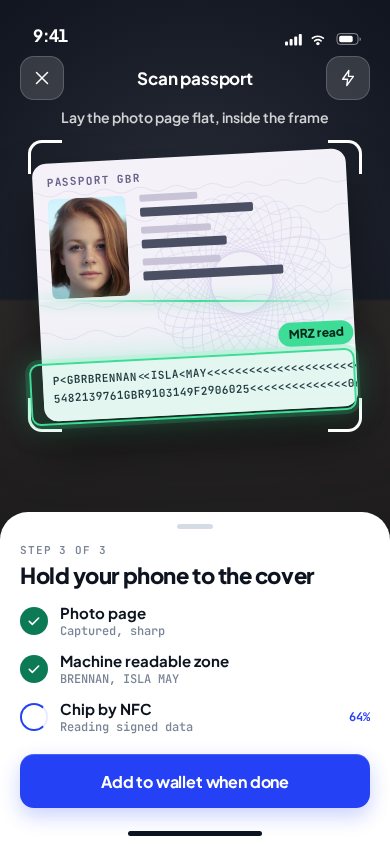
Permit is a complete travel documents wallet: welcome, sign in, a passport scan, a wallet of passports, visas and cards, the passport data page, every document, a trip with entry readiness per country, an entry requirements check and the rules for one country, a travel authorisation, an e-visa application with a compliant photo, review and pay and a submitted screen, live application status, a 90 in 180 day stay counter, a validity timeline, add a document, a secure share link, border mode, family passports, alerts, a Plus plan, profile and settings. Paper grey and white with cobalt, navy and quiet status colours.
| Detail | Value |
|---|---|
| Screen type | Media |
| App | Permit: Visas and travel documents wallet |
| Category | Travel |
| Design language | Clinical, light |
| Type | JetBrains Mono for headings, Plus Jakarta Sans for text |
| Colours | #eef1f5 background, #ffffff surface, #0d1420 text, #5d6778 text-muted, #2541f5 accent, #ffffff accent-contrast, #14213d secondary, #e1e6ee border, #c42a30 danger, #0b7a55 success, #9a5a00 warning |
What this screen says
- PASSPORT GBR
- P<GBRBRENNAN<<ISLA<MAY<<<<<<<<<<<<<<<<<<<<<<
- 5482139761GBR9103149F2906025<<<<<<<<<<<<<<06
- MRZ read
- Scan passport
- Lay the photo page flat, inside the frame
- Step 3 of 3
- Hold your phone to the cover
- Photo page
- Captured, sharp
- Machine readable zone
- BRENNAN, ISLA MAY
- Chip by NFC
- Reading signed data
- Add to wallet when done
Around it in Permit
More player, camera and editor screens
- Roadster Move: Your electric car, from your phone
- Fairground Photos: Theme park tickets, wait times and map
- Scoot Scan: E-scooter and e-bike rental
- Nomad QR code: Travel eSIM data plans
- Berth Night stories: Night trains and sleeper cabins
- Caravan Van guide: Campervan rental and road trips
- Backroad Postcard: Road trip planner with stops
- Piazza Audio guide: Self-guided city walking tours
- Fjord Bow camera: Cruise companion on board
- Museo Audio guide: Museum guide
- Spoke Scan: Bike sharing
- Omnia Scan to pay: Super app for rides, food and payments
What makes a good media player screen
- Content takes the space. Artwork, video or the camera view should fill most of the screen.
- Primary controls in the thumb zone. Play and pause, the shutter or the main tool, large and low on the screen.
- Show progress and position. A scrubber with elapsed and remaining time, or the step in a lesson.
- Hide secondary controls until needed. Lyrics, queue, filters and advanced tools can live behind a tap or a swipe.
The full media player screen guide and every example
Remix Permit free: describe your own app and it is drawn in this design. Or get its files from $10: Figma, React Native, SwiftUI, Flutter and HTML.