Templates · Onboarding screens · Food app · Pantry
Pantry Welcome screen
An onboarding screen from Pantry, a grocery delivery app template in a Playful style. Screen 1 of 25.
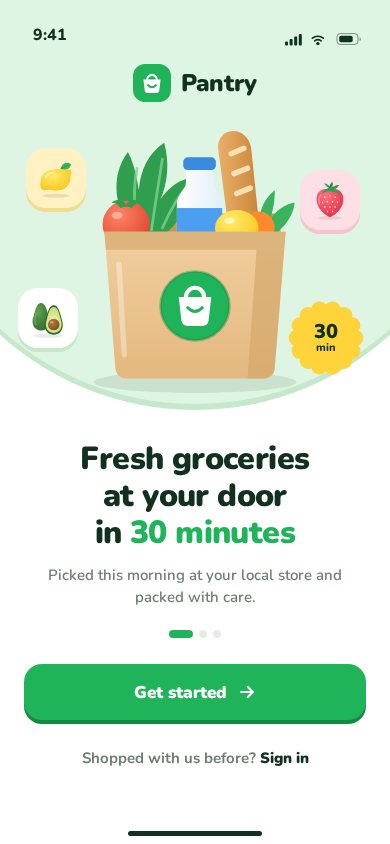
Pantry is a complete grocery delivery app: welcome, sign in and a code check, a delivery address, a home with offers, aisles and buy it again, aisle browsing and search, a product page, the cart, delivery slots, substitutions and checkout, an order placed screen, live tracking on a drawn map, orders and a receipt, shopping lists, offers, a wallet with a spend dashboard, a membership plan, notifications, profile and settings. White with fresh green and sunny yellow, and every product is a drawn illustration on a pastel tile.
| Detail | Value |
|---|---|
| Screen type | Onboarding |
| App | Pantry: Grocery delivery |
| Category | Food |
| Design language | Playful, light |
| Type | Nunito |
| Colours | #ffffff background, #f4f9f2 surface, #12301f text, #6c7f72 text-muted, #1fb35a accent, #ffffff accent-contrast, #ffd43b secondary, #e4ede2 border, #f0553f danger |
What this screen says
- Pantry
- 30min
- Fresh groceries
- at your door
- in 30 minutes
- Picked this morning at your local store and packed with care.
- Get started
- Shopped with us before? Sign in
Around it in Pantry
More onboarding screens
- Ember Welcome: Smoker and grill thermometer
- Steep Welcome: Tea brewing and tasting notes
- Brigade Welcome: Restaurant kitchen and line ops
- Nibs Welcome: Food allergy and label scanner
- Ladle Welcome: Recipes and meal planning
- Brewly Welcome: Coffee ordering and loyalty
- Tabla Welcome: Tables worth dressing for
- Corked Welcome: Wine journal and cellar
- Crumb Welcome: Neighbourhood bakery
- Tiffin Welcome: Food delivery
- Courier Welcome: Food delivery driver app
- Picker Welcome: Grocery shopper app
Every food app onboarding screen
What makes a good onboarding screen
- One idea per screen. Each screen should say one thing in a headline people can read in a second. If a screen needs a paragraph, it is doing too much.
- Personalise with a purpose. Ask a question only if the answer changes what people see next, like a goal, a level or an interest. Then show that the answer mattered.
- Explain permissions before asking. Show your own screen saying why you need notifications, location or the camera before the system prompt. People who understand the reason are more likely to allow it.
- Let people skip. A visible skip or "I'll do this later" respects returning users and the impatient. Make sure skipping still lands them somewhere useful.
The full onboarding screen guide and every example
Remix Pantry free: describe your own app and it is drawn in this design. Or get its files from $10: Figma, React Native, SwiftUI, Flutter and HTML.