Templates · Onboarding screens · Food app · Courier
Courier Welcome screen
An onboarding screen from Courier, a food delivery driver app template in a Playful style. Screen 1 of 25.
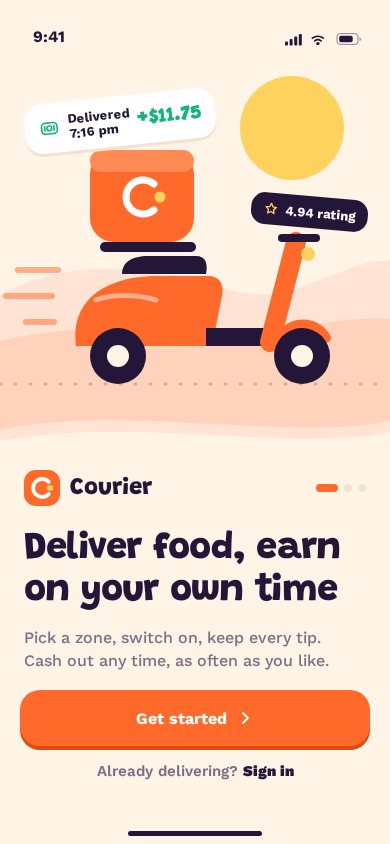
Courier is a complete delivery driver app: welcome, vehicle, sign in and a code, a home map with today's pay and a start button, zones, waiting online, an incoming offer with a countdown, driving to the restaurant, a pickup checklist, driving to the customer, chat, a drop-off photo and a delivered screen, earnings with a weekly chart, past deliveries, cash out, schedule, hotspots, ratings, a Plus plan, notifications, profile and settings. Cream and white with tangerine, plum ink and mint.
| Detail | Value |
|---|---|
| Screen type | Onboarding |
| App | Courier: Food delivery driver app |
| Category | Food |
| Design language | Playful, light |
| Type | Grandstander for headings, Work Sans for text |
| Colours | #fff4e6 background, #ffffff surface, #241638 text, #7b6f86 text-muted, #ff6a2b accent, #ffffff accent-contrast, #16b37c secondary, #f1e3d0 border, #e8384f danger |
What this screen says
- Delivered
- 7:16 pm +$11.75
- 4.94 rating
- Courier
- Deliver food, earn on your own time
- Pick a zone, switch on, keep every tip. Cash out any time, as often as you like.
- Get started
- Already delivering? Sign in
Around it in Courier
More onboarding screens
- Dash Welcome: Ten minute grocery delivery
- Aisle Welcome: Shared grocery lists
- Menu Welcome: Scan, order and pay at the table
- Mart Welcome: Supermarket app with loyalty and scan and go
- Rescue Welcome: Surprise bags of surplus food
- Omakase Welcome: Chef's counter reservations
- Lunchbox Welcome: School lunch planner for parents
- Agave Welcome: Cocktails and home bar
- Crock Welcome: Fermentation and sourdough starter log
- Curbside Welcome: Street food and food truck finder
- Forage Welcome: Farmers market and veg box
- Ember Welcome: Smoker and grill thermometer
Every food app onboarding screen
What makes a good onboarding screen
- One idea per screen. Each screen should say one thing in a headline people can read in a second. If a screen needs a paragraph, it is doing too much.
- Personalise with a purpose. Ask a question only if the answer changes what people see next, like a goal, a level or an interest. Then show that the answer mattered.
- Explain permissions before asking. Show your own screen saying why you need notifications, location or the camera before the system prompt. People who understand the reason are more likely to allow it.
- Let people skip. A visible skip or "I'll do this later" respects returning users and the impatient. Make sure skipping still lands them somewhere useful.
The full onboarding screen guide and every example
Remix Courier free: describe your own app and it is drawn in this design. Or get its files from $10: Figma, React Native, SwiftUI, Flutter and HTML.