Templates · Success and confirmation screens · Smart home app · Mesh
Mesh Shield active screen
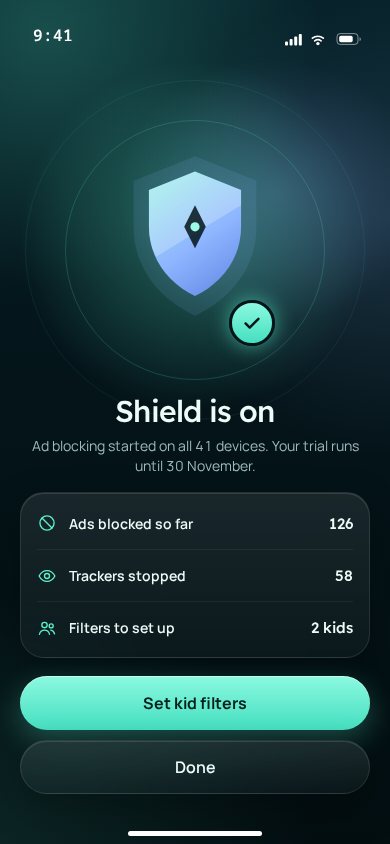
A success screen from Mesh, a home Wi-Fi network app template in a Glass style. Screen 23 of 25.
Mesh is a complete home Wi-Fi app: welcome, sign in and a code, a home with network health, a live topology map, node details, every connected device with usage, search, family profiles with pause and bedtime schedules, a guest network to share, a live speed test with history, security and ad blocking, adding a node with placement guidance, notifications, a Shield plan with checkout, account and settings. Deep petrol glass with aqua and ice blue.
| Detail | Value |
|---|---|
| Screen type | Success |
| App | Mesh: Home Wi-Fi network |
| Category | Smart home |
| Design language | Glass, dark |
| Type | Lexend for headings, Manrope for text |
| Colours | #041419 background, #12282e surface, #eefcf9 text, #86a3a6 text-muted, #5cf2cf accent, #03211c accent-contrast, #8fb6ff secondary, #22393e border, #ff7a85 danger |
What this screen says
- Shield is on
- Ad blocking started on all 41 devices. Your trial runs until 30 November.
- Ads blocked so far126
- Trackers stopped58
- Filters to set up2 kids
- Set kid filters
- Done
Around it in Mesh
More success and confirmation screens
- Puddle All watered: Garden watering and sprinklers
- Upkeep Logged: Home maintenance calendar
- Kelvin Service booked: Climate and thermostat
- Glow Scene saved: Light scenes and colour
- Tagged Claim sent: Home inventory for insurance
- Lobby Pass sent: Apartment building app
- Sweep Clean complete: Robot vacuum and mop
- Dusk Scenario saved: Smart home scenarios
- Lumen Device added: Smart home energy
- Abode Device added: Smart home devices
- Boxed Booked: Book movers and plan moving day
- Meter Reading sent: Your energy supplier account
Every smart home app success screen
What makes a good confirmation screen
- Confirm in the headline. "Payment sent", "Table booked for Friday at 8" or "Lesson complete" in plain words, with a clear success colour or icon.
- Repeat the key details. Amount, date, reference number or score, so people do not need to check elsewhere that the right thing happened.
- Say what happens next. When the order arrives, when the money lands, when the next lesson unlocks.
- Offer the next step. Track the order, add to calendar, share, or start the next lesson. One primary action and a way back home.
The full confirmation screen guide and every example
Remix Mesh free: describe your own app and it is drawn in this design. Or get its files from $10: Figma, React Native, SwiftUI, Flutter and HTML.