Templates · Paywall screens · Education app · Leaf
Leaf Unlimited screen
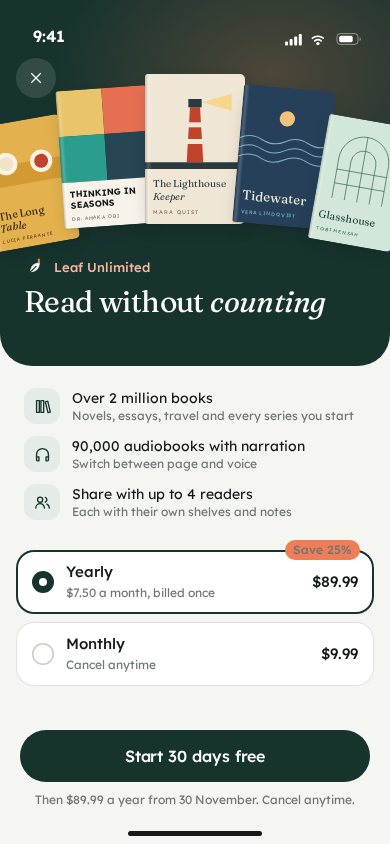
A paywall screen from Leaf, an e-books and reading app template in a Minimal style. Screen 22 of 25.
Leaf is a complete e-book and reading app: welcome, taste picker and sign in, a home that picks up where you left off, a library of covers with progress, a serif reader with its menu, display sheet, contents, highlights, dictionary, notebook and notes, narration with a synced page, the store, search, a book page with checkout and a purchased screen, an author page, reading stats, a membership plan, notifications, profile and settings. Paper white and pine green with an apricot ribbon.
| Detail | Value |
|---|---|
| Screen type | Paywall |
| App | Leaf: E-books and reading |
| Category | Education |
| Design language | Minimal, light |
| Type | Fraunces for headings, Lexend for text |
| Colours | #f5f5f1 background, #ffffff surface, #151a19 text, #6f7674 text-muted, #ef7d57 accent, #151a19 accent-contrast, #17332e secondary, #e5e6e1 border, #d6452f danger |
What this screen says
- Leaf Unlimited
- Read without counting
- Over 2 million booksNovels, essays, travel and every series you start
- 90,000 audiobooks with narrationSwitch between page and voice
- Share with up to 4 readersEach with their own shelves and notes
- Yearly
- $7.50 a month, billed once
- $89.99Save 25%
- Monthly
- Cancel anytime
- Start 30 days free
- Then $89.99 a year from 30 November. Cancel anytime.
Around it in Leaf
More paywall screens
- Classroom Plus: Class stream and assignments
- Studyhall Support: Free lessons and practice for school
- Tutor Lesson plans: Book online tutors for any skill
- Almanac Support: The free encyclopedia reader
- Tiles Plus: Daily word and number puzzles
- Stacks Friends: Borrow e-books and audiobooks from your library
- Penpal Plus: Language exchange chat
- Lexis Patron: A word a day
- Quanta Plus: Interactive physics lessons
- Cram Plus: Exam prep and mock tests
- Quad Meal plans: University campus app
- Palm Plus: Learn sign language
Every education app paywall screen
What makes a good paywall screen
- Lead with the outcome, not the feature list. The headline should say what changes for the person: "Train smarter every week" beats "Unlock Premium". Three to five benefits underneath are enough; more turns into a wall of ticks nobody reads.
- Show the real price, period and trial terms. State the price, how often it renews and when a free trial turns into a charge, near the button. Apple's App Store guideline 3.1.2 asks subscription apps to make this clear before purchase, and Google Play has similar rules.
- One primary button. The main call to action should be impossible to miss and say what happens: "Start 7-day free trial" or "Subscribe for $4.99/month". A second plan choice is fine; a second competing button is not.
- Make the plans easy to compare. When you offer monthly and yearly, show both prices in the same unit (per month or per week) and mark the saving on the yearly plan in plain numbers, not just a badge.
The full paywall screen guide and every example
Remix Leaf free: describe your own app and it is drawn in this design. Or get its files from $10: Figma, React Native, SwiftUI, Flutter and HTML.