Templates · Paywall screens · Productivity app · Keyring
Keyring Plus screen
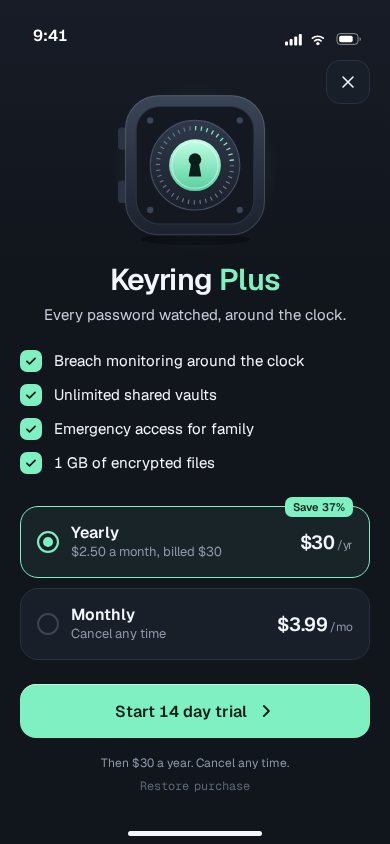
A paywall screen from Keyring, a password manager app template in a Dark-first style. Screen 23 of 25.
Keyring is a complete password manager: welcome, sign in, a master password with a strength meter, a recovery kit, passcode unlock, the vault home, search, every login, a login with its one-time code and history, new items, a password generator, cards, secure notes, a security score with weak, reused and breached passwords, a breach alert, autofill setup, shared vaults and sharing an item, alerts, a Plus plan, profile and settings. Mint means safe, apricot means weak and coral means breached.
| Detail | Value |
|---|---|
| Screen type | Paywall |
| App | Keyring: Password manager |
| Category | Productivity |
| Design language | Dark-first, dark |
| Type | Geist |
| Colours | #11151c background, #191f29 surface, #f3f6fa text, #8c97a8 text-muted, #7ef0c1 accent, #0a1f18 accent-contrast, #a7b4ff secondary, #283140 border, #ff7d7d danger |
What this screen says
- Keyring Plus
- Every password watched, around the clock.
- Breach monitoring around the clock
- Unlimited shared vaults
- Emergency access for family
- 1 GB of encrypted files
- Yearly
- $2.50 a month, billed $30
- $30 /yrSave 37%
- Monthly
- Cancel any time
- $3.99 /mo
- Start 14 day trial
- Then $30 a year. Cancel any time.
- Restore purchase
Around it in Keyring
More paywall screens
- Juno Plus: AI chat assistant
- Opal Pro: Studio dashboard
- Jot Plus: Quick notes and checklists
- Chrono Pro: World clock, timers and stopwatch
- Frontdesk Pro: Customer support inbox
- Campaign Plans: Email marketing campaigns
- Outpost Pro: Schedule social posts
- Pageview Pro: Website analytics
- Polish Pro: Writing assistant and keyboard
- Tapline Pro: Link-in-bio pages and analytics
- Quill Plus: Docs, wikis and databases in one workspace
- Tandem Pro: Team chat, channels and huddles
Every productivity app paywall screen
What makes a good paywall screen
- Lead with the outcome, not the feature list. The headline should say what changes for the person: "Train smarter every week" beats "Unlock Premium". Three to five benefits underneath are enough; more turns into a wall of ticks nobody reads.
- Show the real price, period and trial terms. State the price, how often it renews and when a free trial turns into a charge, near the button. Apple's App Store guideline 3.1.2 asks subscription apps to make this clear before purchase, and Google Play has similar rules.
- One primary button. The main call to action should be impossible to miss and say what happens: "Start 7-day free trial" or "Subscribe for $4.99/month". A second plan choice is fine; a second competing button is not.
- Make the plans easy to compare. When you offer monthly and yearly, show both prices in the same unit (per month or per week) and mark the saving on the yearly plan in plain numbers, not just a badge.
The full paywall screen guide and every example
Remix Keyring free: describe your own app and it is drawn in this design. Or get its files from $10: Figma, React Native, SwiftUI, Flutter and HTML.