Templates · Paywall screens · Productivity app · Pageview
Pageview Pro screen
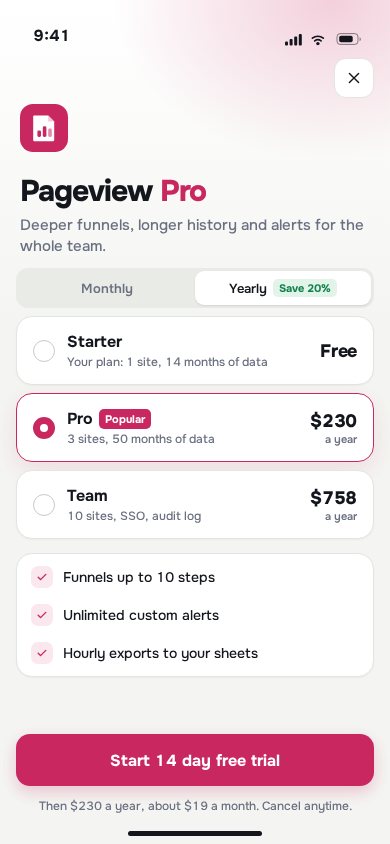
A paywall screen from Pageview, a website analytics app template in an Enterprise style. Screen 23 of 25.
Pageview is a complete website analytics app for an online plant shop: welcome, sign in and connecting the site with a tracking snippet, a home overview with metric cards and a period comparison chart, realtime visitors with minute bars and a live event stream, a report library, acquisition by channel and a channel's sources, pages and a page in depth, events and key events, audience by country and device, weekly retention cohorts, a checkout funnel, segment comparison, a custom date range, search, alerts with a new alert form and its confirmation, notifications, a Pro plan, account and settings. Pale stone and white with berry, ocean, saffron and sage series colours.
| Detail | Value |
|---|---|
| Screen type | Paywall |
| App | Pageview: Website analytics |
| Category | Productivity |
| Design language | Enterprise, light |
| Type | JetBrains Mono for headings, Onest for text |
| Colours | #f4f5f2 background, #ffffff surface, #13161c text, #6a7080 text-muted, #c8285f accent, #fbe7ee accent-tint, #16181f secondary, #e3e5df border, #2f6fb0 chart-2, #e09a2b chart-3, #4f9a74 chart-4, #11804a success, #c2410c danger |
What this screen says
- Pageview Pro
- Deeper funnels, longer history and alerts for the whole team.
- Monthly Yearly Save 20%
- StarterYour plan: 1 site, 14 months of data
- Free
- Pro Popular3 sites, 50 months of data
- $230a year
- Team10 sites, SSO, audit log
- $758a year
- Funnels up to 10 steps
- Unlimited custom alerts
- Hourly exports to your sheets
- Start 14 day free trial
- Then $230 a year, about $19 a month. Cancel anytime.
Around it in Pageview
More paywall screens
- Polish Pro: Writing assistant and keyboard
- Tapline Pro: Link-in-bio pages and analytics
- Quill Plus: Docs, wikis and databases in one workspace
- Tandem Pro: Team chat, channels and huddles
- Shipyard Plans: Issue tracking for product teams
- Canvas Plans: Design files and comments on mobile
- Merge Pro: Code, pull requests and reviews
- Query Pro: AI answers with sources
- Glossa Pro: Translate text, voice and camera
- Layout Pro: Design anything from templates
- Tick Pro: To-do lists and reminders
- Beacon Plus: Find your devices and people
Every productivity app paywall screen
What makes a good paywall screen
- Lead with the outcome, not the feature list. The headline should say what changes for the person: "Train smarter every week" beats "Unlock Premium". Three to five benefits underneath are enough; more turns into a wall of ticks nobody reads.
- Show the real price, period and trial terms. State the price, how often it renews and when a free trial turns into a charge, near the button. Apple's App Store guideline 3.1.2 asks subscription apps to make this clear before purchase, and Google Play has similar rules.
- One primary button. The main call to action should be impossible to miss and say what happens: "Start 7-day free trial" or "Subscribe for $4.99/month". A second plan choice is fine; a second competing button is not.
- Make the plans easy to compare. When you offer monthly and yearly, show both prices in the same unit (per month or per week) and mark the saving on the yearly plan in plain numbers, not just a badge.
The full paywall screen guide and every example
Remix Pageview free: describe your own app and it is drawn in this design. Or get its files from $10: Figma, React Native, SwiftUI, Flutter and HTML.