Templates · Paywall screens · Productivity app · Polish
Polish Pro screen
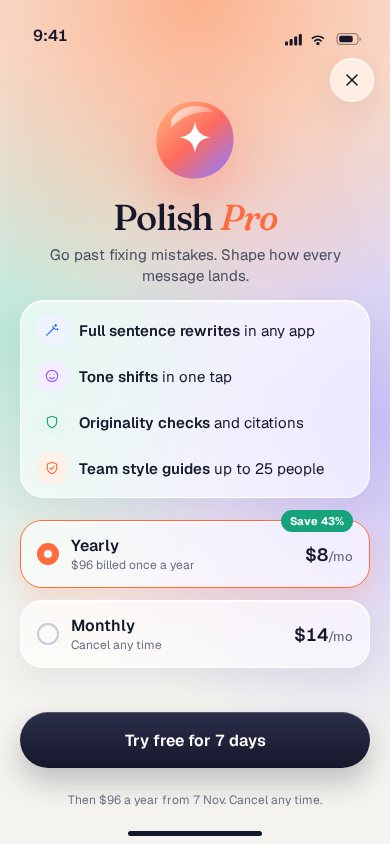
A paywall screen from Polish, a writing assistant and keyboard app template in a Glass style. Screen 20 of 25.
Polish is a complete writing assistant: welcome, writing goals, sign in and keyboard setup, a home with the weekly writing score, documents, an editor with colour coded underlines, suggestion cards, a full suggestion list, a tone detector, sentence rewrites, a score breakdown, the keyboard inside a chat with inline fixes and a rewrite panel, drafting a new document, an originality check, weekly insights, a personal dictionary, a team style guide, Polish Pro with checkout and a success screen, notifications, profile and settings. Pearl glass with apricot, mint and lilac light, ink buttons and four suggestion colours.
| Detail | Value |
|---|---|
| Screen type | Paywall |
| App | Polish: Writing assistant and keyboard |
| Category | Productivity |
| Design language | Glass, light |
| Type | Fraunces for headings, Geist for text |
| Colours | #f5f3ef background, #ffffff surface, #15172a text, #6c6f82 text-muted, #ff6b3d accent, #ffffff accent-contrast, #9b5cf0 secondary, #e8e5ee border, #e5484d danger |
What this screen says
- Polish Pro
- Go past fixing mistakes. Shape how every message lands.
- Full sentence rewrites in any app
- Tone shifts in one tap
- Originality checks and citations
- Team style guides up to 25 people
- Yearly
- $96 billed once a year
- $8/moSave 43%
- Monthly
- Cancel any time
- $14/mo
- Try free for 7 days
- Then $96 a year from 7 Nov. Cancel any time.
Around it in Polish
More paywall screens
- Frontdesk Pro: Customer support inbox
- Campaign Plans: Email marketing campaigns
- Outpost Pro: Schedule social posts
- Pageview Pro: Website analytics
- Tapline Pro: Link-in-bio pages and analytics
- Quill Plus: Docs, wikis and databases in one workspace
- Tandem Pro: Team chat, channels and huddles
- Shipyard Plans: Issue tracking for product teams
- Canvas Plans: Design files and comments on mobile
- Merge Pro: Code, pull requests and reviews
- Query Pro: AI answers with sources
- Glossa Pro: Translate text, voice and camera
Every productivity app paywall screen
What makes a good paywall screen
- Lead with the outcome, not the feature list. The headline should say what changes for the person: "Train smarter every week" beats "Unlock Premium". Three to five benefits underneath are enough; more turns into a wall of ticks nobody reads.
- Show the real price, period and trial terms. State the price, how often it renews and when a free trial turns into a charge, near the button. Apple's App Store guideline 3.1.2 asks subscription apps to make this clear before purchase, and Google Play has similar rules.
- One primary button. The main call to action should be impossible to miss and say what happens: "Start 7-day free trial" or "Subscribe for $4.99/month". A second plan choice is fine; a second competing button is not.
- Make the plans easy to compare. When you offer monthly and yearly, show both prices in the same unit (per month or per week) and mark the saving on the yearly plan in plain numbers, not just a badge.
The full paywall screen guide and every example
Remix Polish free: describe your own app and it is drawn in this design. Or get its files from $10: Figma, React Native, SwiftUI, Flutter and HTML.