Templates · Settings screens · Productivity app · Glossa
Glossa Settings screen
A settings screen from Glossa, a productivity app template in a Minimal style. Screen 25 of 25.
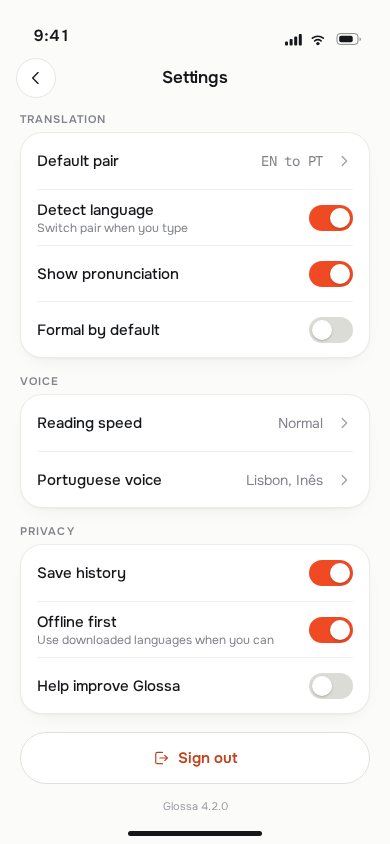
Glossa is a complete translation app: welcome, language setup, sign in, a translator home, a full result with alternatives and examples, a language picker, voice and face to face conversation, live camera translation and a scanned menu, history, saved phrases and a phrasebook, a dictionary word page, documents, offline languages, practice cards, monthly insights, a Pro plan with checkout and confirmation, notifications, profile and settings. Off white and ink with one vermilion accent.
| Detail | Value |
|---|---|
| Screen type | Settings |
| App | Glossa: Translate text, voice and camera |
| Category | Productivity |
| Design language | Minimal, light |
| Type | Fraunces for headings, Onest for text |
| Colours | #fbfbfa background, #ffffff surface, #f1f1ee surface-muted, #15171a text, #80838a text-muted, #ef4a23 accent, #fde8e1 accent-soft, #15171a secondary, #ebebe7 border, #1f9d6b success |
What this screen says
- Settings
- Translation
- Default pair
- EN to PT
- Detect languageSwitch pair when you type
- Show pronunciation
- Formal by default
- Voice
- Reading speed
- Normal
- Portuguese voice
- Lisbon, Inês
- Privacy
- Save history
- Offline firstUse downloaded languages when you can
- Help improve Glossa
- Sign out
- Glossa 4.2.0
Around it in Glossa
More settings screens
- Aide Settings: Executive AI assistant
- Juno Settings: AI chat assistant
- Opal Settings: Studio dashboard
- Jot Settings: Quick notes and checklists
- Chrono Settings: World clock, timers and stopwatch
- Frontdesk Settings: Customer support inbox
- Campaign Settings: Email marketing campaigns
- Outpost Settings: Schedule social posts
- Pageview Settings: Website analytics
- Polish Settings: Writing assistant and keyboard
- Tapline Settings: Link-in-bio pages and analytics
- Quill Settings: Docs, wikis and databases in one workspace
Every productivity app settings screen
What makes a good settings screen
- Group options into clear sections. Account, notifications, privacy, appearance and help, with headings, so people scan to the right group.
- Label settings by their effect. "Daily reminder at 8:00" is clearer than "Reminders". Add a short description under options that need one.
- Use the right control. Toggles for on and off, a row that opens a list for choices, and sliders only for ranges.
- Apply changes immediately. Most mobile settings take effect when changed, with no Save button to forget.
The full settings screen guide and every example
Remix Glossa free: describe your own app and it is drawn in this design. Or get its files from $10: Figma, React Native, SwiftUI, Flutter and HTML.