Templates · Settings screens · Social app · Glade
Glade Settings screen
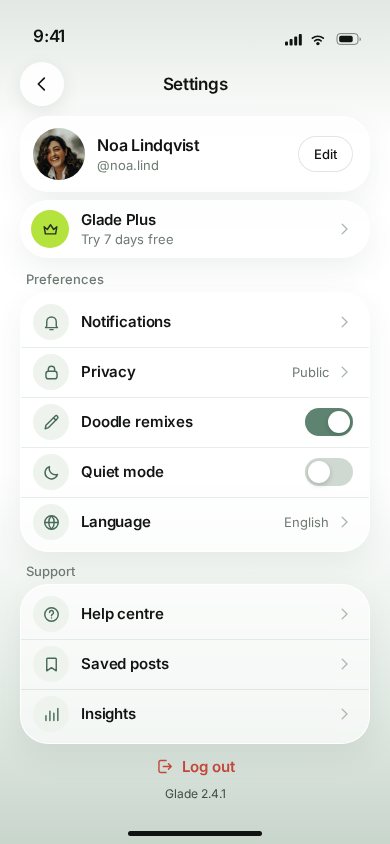
A settings screen from Glade, a photo and clip social network app template in a Glass style. Screen 25 of 25.
Glade is a complete photo and clip social app: a welcome photo grid, sign in, interests, a home with a story row and a photo feed, stories, posts and comments, a full-screen clip viewer with a frosted action rail, sounds, explore and search, creating a post with drawn-on doodles, activity, messages and chat, profiles, insights, saved collections, a Plus plan and settings. White into sage green with frosted glass, forest green buttons and lime doodle splashes.
| Detail | Value |
|---|---|
| Screen type | Settings |
| App | Glade: Photo and clip social network |
| Category | Social |
| Design language | Glass, light |
| Type | Inter |
| Colours | #ffffff background, #eef3ee surface, #101311 text, #6f7a73 text-muted, #5e8370 accent, #ffffff accent-contrast, #b4e33d secondary, #dfe7e1 border, #d9584a danger |
What this screen says
- Settings
- Noa Lindqvist
- @noa.lind
- Edit
- Glade Plus
- Try 7 days free
- Preferences
- Notifications
- Privacy
- Public
- Doodle remixes
- Quiet mode
- Language
- English
- Support
- Help centre
- Saved posts
- Insights
- Log out
- Glade 2.4.1
Around it in Glade
More settings screens
- Cipher Privacy: Encrypted private messenger
- Commons Settings: Friends, groups and events
- Tether Settings: Family location and safety
- Facet Settings: Video calls with family and friends
- Stoop Settings: Neighbourhood noticeboard
- Aura Settings: Moods with close friends
- Kindly Settings: Volunteering near you
- Cohort Settings: Alumni and mentor network
- Kin Settings: Private family circle
- Confetti Settings: Party invites and RSVPs
- Ripple Settings: Voice notes social
- Duo Settings: An app for two
Every social app settings screen
What makes a good settings screen
- Group options into clear sections. Account, notifications, privacy, appearance and help, with headings, so people scan to the right group.
- Label settings by their effect. "Daily reminder at 8:00" is clearer than "Reminders". Add a short description under options that need one.
- Use the right control. Toggles for on and off, a row that opens a list for choices, and sliders only for ranges.
- Apply changes immediately. Most mobile settings take effect when changed, with no Save button to forget.
The full settings screen guide and every example
Remix Glade free: describe your own app and it is drawn in this design. Or get its files from $10: Figma, React Native, SwiftUI, Flutter and HTML.