Templates · Settings screens · Social app · Duo
Duo Settings screen
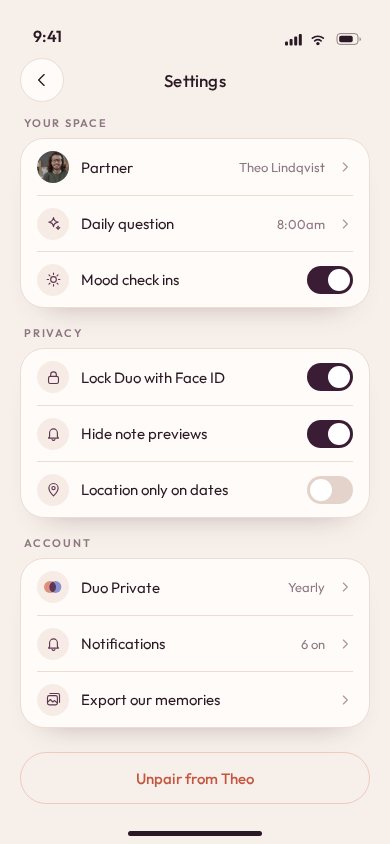
A settings screen from Duo, a social app template in a Luxury style. Screen 25 of 25.
Duo is a complete app for two: welcome, pairing with an invite code and sign in, a home with your days together, today's question and both moods, the question and both answers, a shared calendar that finds when you are both free, date ideas you both matched, an idea, planning a date, booking a table and the confirmation, live meet up tracking, memories and a single memory, an animated year recap, a love note, insights, milestones, a bucket list, a shared date fund, a membership plan, notifications, your couple profile and settings. Porcelain, aubergine, rosé and dusk.
| Detail | Value |
|---|---|
| Screen type | Settings |
| App | Duo: An app for two |
| Category | Social |
| Design language | Luxury, light |
| Type | Fraunces for headings, Outfit for text |
| Colours | #f7f0ea background, #fffbf8 surface, #2a1825 text, #8c7682 text-muted, #3a1c34 accent, #ffffff accent-contrast, #e08f7b secondary, #ecdcd2 border, #c4553f danger |
What this screen says
- Settings
- Your space
- Partner
- Theo Lindqvist
- Daily question
- 8:00am
- Mood check ins
- Privacy
- Lock Duo with Face ID
- Hide note previews
- Location only on dates
- Account
- Duo Private
- Yearly
- Notifications
- 6 on
- Export our memories
- Unpair from Theo
Around it in Duo
More settings screens
- Wink Settings: Video first dating
- Snoot Settings: Social app for pets
- Huddle Settings: Interest groups and meetups
- Glade Settings: Photo and clip social network
- Onair Settings: Live streaming
- Drift Settings: Reels and voice rooms
- Glitz Settings: Party live streaming
- Hearth Privacy: Messenger for trips and circles
- Chirp Settings: Messenger with file sharing
- Banter Privacy: Live messenger
- Natter Settings: Minimal messenger
- Nearly Settings: Dating by crossed paths
Every social app settings screen
What makes a good settings screen
- Group options into clear sections. Account, notifications, privacy, appearance and help, with headings, so people scan to the right group.
- Label settings by their effect. "Daily reminder at 8:00" is clearer than "Reminders". Add a short description under options that need one.
- Use the right control. Toggles for on and off, a row that opens a list for choices, and sliders only for ranges.
- Apply changes immediately. Most mobile settings take effect when changed, with no Save button to forget.
The full settings screen guide and every example
Remix Duo free: describe your own app and it is drawn in this design. Or get its files from $10: Figma, React Native, SwiftUI, Flutter and HTML.