Templates · Settings screens · Social app · Facet
Facet Settings screen
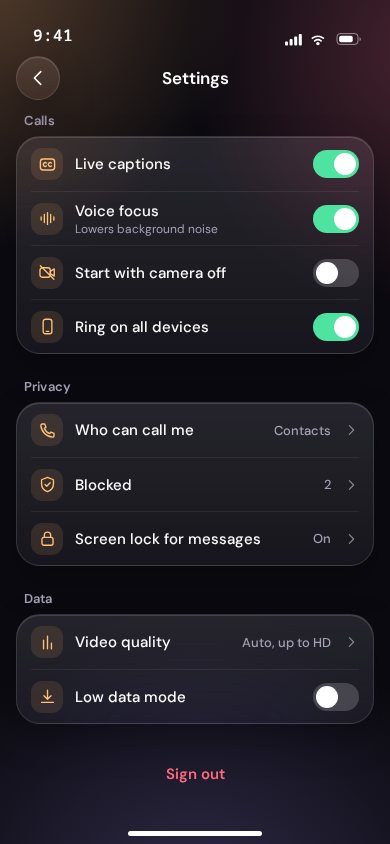
A settings screen from Facet, a social app template in a Glass style. Screen 25 of 25.
Facet is a complete video calling app for the people you love: welcome, phone sign in and a code, a calls home with favourites and an upcoming family call, new call, a contact with local time and shared history, ringing, an incoming call, a one to one call with live captions, a group call that spotlights the speaker, effects and backgrounds, share screen, watch together, circles, call links, video messages with recording and playback, a call summary, weekly call time, a Plus plan, your profile and settings. Plum black glass with an apricot to lilac prism.
| Detail | Value |
|---|---|
| Screen type | Settings |
| App | Facet: Video calls with family and friends |
| Category | Social |
| Design language | Glass, dark |
| Type | Bricolage Grotesque for headings, DM Sans for text |
| Colours | #0b0a10 background, #1a1622 surface, #ffffff text, #a59fb4 text-muted, #ff7f8f accent, #1c0c16 accent-contrast, #ffc27a secondary, #2a2433 border, #4fe3a1 success, #ff3b4f danger |
What this screen says
- Settings
- Calls
- Live captions
- Voice focusLowers background noise
- Start with camera off
- Ring on all devices
- Privacy
- Who can call me Contacts
- Blocked 2
- Screen lock for messages On
- Data
- Video quality Auto, up to HD
- Low data mode
- Sign out
Around it in Facet
More settings screens
- Kindly Settings: Volunteering near you
- Cohort Settings: Alumni and mentor network
- Kin Settings: Private family circle
- Confetti Settings: Party invites and RSVPs
- Ripple Settings: Voice notes social
- Duo Settings: An app for two
- Soapbox Settings: Weekly debates and polls
- Ballot Settings: Settle it on paper
- Murmur Settings: Chat rooms for art lovers
- Wink Settings: Video first dating
- Snoot Settings: Social app for pets
- Huddle Settings: Interest groups and meetups
Every social app settings screen
What makes a good settings screen
- Group options into clear sections. Account, notifications, privacy, appearance and help, with headings, so people scan to the right group.
- Label settings by their effect. "Daily reminder at 8:00" is clearer than "Reminders". Add a short description under options that need one.
- Use the right control. Toggles for on and off, a row that opens a list for choices, and sliders only for ranges.
- Apply changes immediately. Most mobile settings take effect when changed, with no Save button to forget.
The full settings screen guide and every example
Remix Facet free: describe your own app and it is drawn in this design. Or get its files from $10: Figma, React Native, SwiftUI, Flutter and HTML.