Templates · Settings screens · Productivity app · Easel
Easel Settings screen
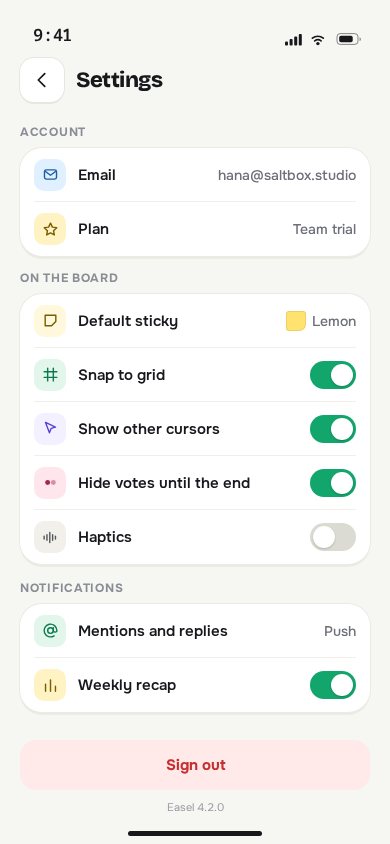
A settings screen from Easel, a collaborative whiteboard app template in a Playful style. Screen 25 of 25.
Easel is a complete team whiteboard: welcome, sign in and workspace setup, a boards home with a live board, search, templates and a retro template, the board itself with frames, stickies, connectors and live cursors, sticky editing, shapes and lines, frames, a journey map in follow mode, dot voting with results, a shared timer, comments and a thread, present mode, sharing with an invite sent screen, insights, activity, the Team plan, profile and settings. Warm grid paper with leaf green, lemon and ink.
| Detail | Value |
|---|---|
| Screen type | Settings |
| App | Easel: Collaborative whiteboard |
| Category | Productivity |
| Design language | Playful, light |
| Type | Bricolage Grotesque for headings, Onest for text |
| Colours | #f6f6f2 background, #ffffff surface, #17181c text, #6c6e78 text-muted, #12a56c accent, #ffffff accent-contrast, #ffe36e secondary, #e7e6df border, #f04a4a danger |
What this screen says
- Settings
- Account
- Emailhana@saltbox.studio
- PlanTeam trial
- On the board
- Default sticky Lemon
- Snap to grid
- Show other cursors
- Hide votes until the end
- Haptics
- Notifications
- Mentions and repliesPush
- Weekly recap
- Sign out
- Easel 4.2.0
Around it in Easel
More settings screens
- Outpost Settings: Schedule social posts
- Pageview Settings: Website analytics
- Polish Settings: Writing assistant and keyboard
- Tapline Settings: Link-in-bio pages and analytics
- Quill Settings: Docs, wikis and databases in one workspace
- Tandem Settings: Team chat, channels and huddles
- Shipyard Settings: Issue tracking for product teams
- Canvas Settings: Design files and comments on mobile
- Merge Settings: Code, pull requests and reviews
- Query Settings: AI answers with sources
- Glossa Settings: Translate text, voice and camera
- Layout Settings: Design anything from templates
Every productivity app settings screen
What makes a good settings screen
- Group options into clear sections. Account, notifications, privacy, appearance and help, with headings, so people scan to the right group.
- Label settings by their effect. "Daily reminder at 8:00" is clearer than "Reminders". Add a short description under options that need one.
- Use the right control. Toggles for on and off, a row that opens a list for choices, and sliders only for ranges.
- Apply changes immediately. Most mobile settings take effect when changed, with no Save button to forget.
The full settings screen guide and every example
Remix Easel free: describe your own app and it is drawn in this design. Or get its files from $10: Figma, React Native, SwiftUI, Flutter and HTML.