Templates · Settings screens · Productivity app · Query
Query Settings screen
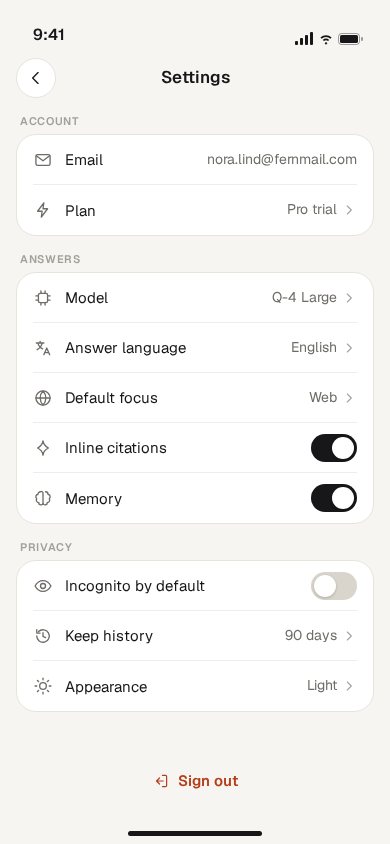
A settings screen from Query, an AI answers with sources app template in a Minimal style. Screen 25 of 25.
Query is a complete answer engine: welcome, topics, sign in, a home with the ask bar, a search composer, live searching, a cited answer, all sources, a source preview, a follow-up thread, images, deep research and its report, Discover stories, a library, spaces, a market page, voice mode, a Pro plan with checkout and confirmation, notifications, profile and settings. Paper white and ink with one vermilion accent for citations.
| Detail | Value |
|---|---|
| Screen type | Settings |
| App | Query: AI answers with sources |
| Category | Productivity |
| Design language | Minimal, light |
| Type | Instrument Serif for headings, Geist for text |
| Colours | #f6f5f1 background, #ffffff surface, #17171a text, #6e6c66 text-muted, #e4572e accent, #fcebe4 accent-tint, #b53f1b accent-dark, #e7e4dc border, #2f8a57 success |
What this screen says
- Settings
- Account
- Emailnora.lind@fernmail.com
- PlanPro trial
- Answers
- ModelQ-4 Large
- Answer languageEnglish
- Default focusWeb
- Inline citations
- Memory
- Privacy
- Incognito by default
- Keep history90 days
- AppearanceLight
- Sign out
Around it in Query
More settings screens
- Meridian Site settings: Mobile web browser
- Swarm Schedule: Torrent client
- Bench Settings: Freelance marketplace
- Convene Settings: Video meetings
- Unplug Settings: Screen time blocker
- Streak Reminders: Small days, long chains
- Deskly Settings: Hybrid office booking
- Pomo Settings: Focus timer
- Postbox Settings: Email for busy teams
- Daybook Settings: Calendar and planner
- Scanly Settings: Document scanner
- Keyring Autofill: Password manager
Every productivity app settings screen
What makes a good settings screen
- Group options into clear sections. Account, notifications, privacy, appearance and help, with headings, so people scan to the right group.
- Label settings by their effect. "Daily reminder at 8:00" is clearer than "Reminders". Add a short description under options that need one.
- Use the right control. Toggles for on and off, a row that opens a list for choices, and sliders only for ranges.
- Apply changes immediately. Most mobile settings take effect when changed, with no Save button to forget.
The full settings screen guide and every example
Remix Query free: describe your own app and it is drawn in this design. Or get its files from $10: Figma, React Native, SwiftUI, Flutter and HTML.