Templates · Settings screens · Productivity app · Dispatch
Dispatch Settings screen
A settings screen from Dispatch, a field service jobs for technicians app template in an Enterprise style. Screen 25 of 25.
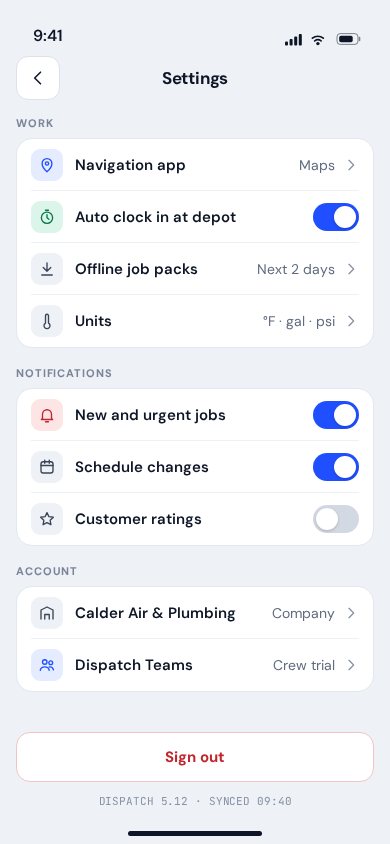
Dispatch is a complete field service app for technicians: welcome and company sign in, a today screen with the day's route spine, jobs, search, a work order ticket, the customer and their equipment, live navigation to the next stop, an on site job clock, a checklist, photo capture with markup, van stock, an invoice, customer sign off and a closed job. Then the week schedule, dispatch messages, performance, a timesheet, follow up jobs, notifications, a team plan, profile and settings. Cool grey, white tickets, deep ink and cobalt.
| Detail | Value |
|---|---|
| Screen type | Settings |
| App | Dispatch: Field service jobs for technicians |
| Category | Productivity |
| Design language | Enterprise, light |
| Type | DM Sans |
| Colours | #eef1f6 background, #ffffff surface, #0d1526 text, #5f6b7f text-muted, #1f4fff accent, #ffffff accent-contrast, #12a46b secondary, #dde2ea border, #e5484d danger |
What this screen says
- Settings
- Work
- Navigation app
- Maps
- Auto clock in at depot
- Offline job packs
- Next 2 days
- Units
- °F · gal · psi
- Notifications
- New and urgent jobs
- Schedule changes
- Customer ratings
- Account
- Calder Air & Plumbing
- Company
- Dispatch Teams
- Crew trial
- Sign out
- DISPATCH 5.12 · SYNCED 09:40
Around it in Dispatch
More settings screens
- Shipyard Settings: Issue tracking for product teams
- Canvas Settings: Design files and comments on mobile
- Merge Settings: Code, pull requests and reviews
- Query Settings: AI answers with sources
- Glossa Settings: Translate text, voice and camera
- Layout Settings: Design anything from templates
- Tick Settings: To-do lists and reminders
- Beacon Left behind: Find your devices and people
- Staffroom Settings: HR, payslips and time off
- Slot Settings: Booking links and meeting scheduling
- Sheet Settings: Spreadsheets and databases
- Tunnel Protocol: VPN and online privacy
Every productivity app settings screen
What makes a good settings screen
- Group options into clear sections. Account, notifications, privacy, appearance and help, with headings, so people scan to the right group.
- Label settings by their effect. "Daily reminder at 8:00" is clearer than "Reminders". Add a short description under options that need one.
- Use the right control. Toggles for on and off, a row that opens a list for choices, and sliders only for ranges.
- Apply changes immediately. Most mobile settings take effect when changed, with no Save button to forget.
The full settings screen guide and every example
Remix Dispatch free: describe your own app and it is drawn in this design. Or get its files from $10: Figma, React Native, SwiftUI, Flutter and HTML.