Templates · Settings screens · Productivity app · Bench
Bench Settings screen
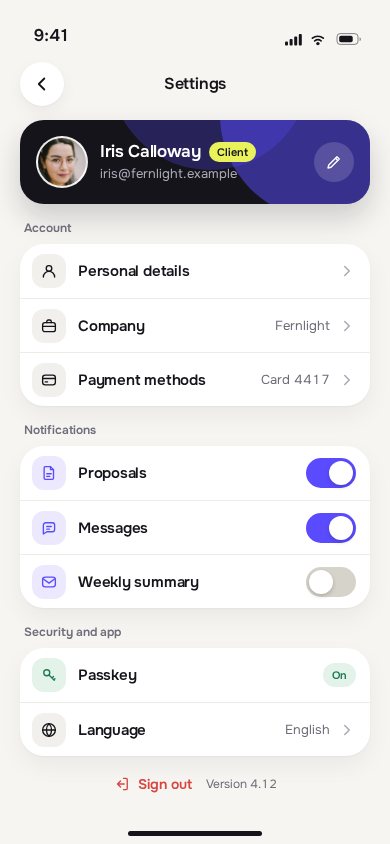
A settings screen from Bench, a freelance marketplace app template in an Enterprise style. Screen 25 of 25.
Bench is a complete freelance marketplace for clients: onboarding, role choice and sign in, a home with the contract that needs attention and top rated talent, categories, search with filters, a freelancer profile with portfolio, packages and reviews, posting a job with budget and timeline, proposals ranked by match score, messages and chat, sending an offer, a contract with a milestone timeline and escrow, milestone review, funding escrow, payments, leaving a review, profile and settings. Off white and white with ink, violet and lemon.
| Detail | Value |
|---|---|
| Screen type | Settings |
| App | Bench: Freelance marketplace |
| Category | Productivity |
| Design language | Enterprise, light |
| Type | Onest |
| Colours | #f6f5f2 background, #ffffff surface, #14141a text, #6e6e7a text-muted, #5b4bff accent, #ffffff accent-contrast, #e9f25b secondary, #e8e6e0 border, #d9453d danger |
What this screen says
- Settings
- Iris CallowayClientiris@fernlight.example
- Account
- Personal details
- CompanyFernlight
- Payment methodsCard 4417
- Notifications
- Proposals
- Messages
- Weekly summary
- Security and app
- PasskeyOn
- LanguageEnglish
- Sign outVersion 4.12
Around it in Bench
More settings screens
- Slot Settings: Booking links and meeting scheduling
- Sheet Settings: Spreadsheets and databases
- Tunnel Protocol: VPN and online privacy
- Ping Settings: Internet speed test
- Glance Settings: Visual search with the camera
- Replay Settings: Record and share screen videos
- Easel Settings: Collaborative whiteboard
- Token Backups: Two-factor codes and sign-in approvals
- Beam Brand page: Send big files
- Parchment Settings: Documents, edit and share
- Lectern Settings: Slides and presenter remote
- Ringer Settings: Phone, contacts and voicemail
Every productivity app settings screen
What makes a good settings screen
- Group options into clear sections. Account, notifications, privacy, appearance and help, with headings, so people scan to the right group.
- Label settings by their effect. "Daily reminder at 8:00" is clearer than "Reminders". Add a short description under options that need one.
- Use the right control. Toggles for on and off, a row that opens a list for choices, and sliders only for ranges.
- Apply changes immediately. Most mobile settings take effect when changed, with no Save button to forget.
The full settings screen guide and every example
Remix Bench free: describe your own app and it is drawn in this design. Or get its files from $10: Figma, React Native, SwiftUI, Flutter and HTML.