Templates · Player, camera and editor screens · Education app · Almanac
Almanac Picture of the day screen
A media screen from Almanac, an education app template in a Minimal style. Screen 11 of 25.
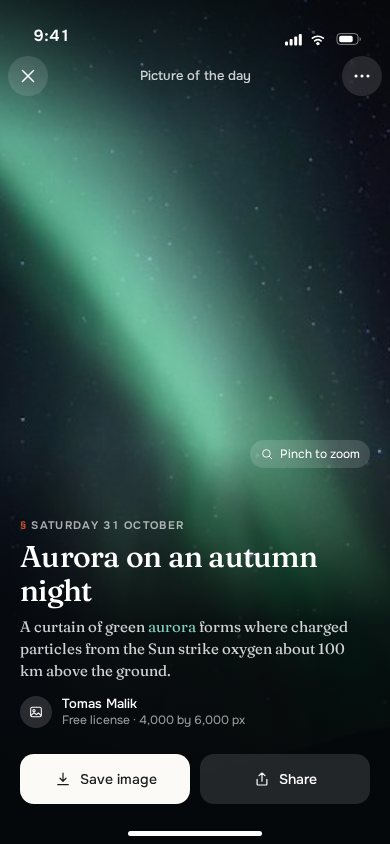
Almanac is a complete encyclopedia reader: welcome, sign in, an explore feed with the featured article, trending reads, on this day and the picture of the day, a full article with contents, quick facts and link previews, search with suggestions and results, saved reading lists, a map of articles nearby, page history, talk threads, section editing, the same article in 74 languages, reading stats, and a supporter plan with a donation, receipt, notifications, profile and settings. Paper white and ink, with viridian links and one vermilion accent.
| Detail | Value |
|---|---|
| Screen type | Media |
| App | Almanac: The free encyclopedia reader |
| Category | Education |
| Design language | Minimal, light |
| Type | Fraunces for headings, Onest for text |
| Colours | #fbfaf6 background, #ffffff surface, #1a1c1f text, #6c6e72 text-muted, #1d6b58 accent, #e3efe9 accent-tint, #c8502f secondary, #f3efe5 parchment, #e8e6df border |
What this screen says
- Picture of the day
- Pinch to zoom
- §Saturday 31 October
- Aurora on an autumn night
- A curtain of green
- aurora
- forms where charged particles from the Sun strike oxygen about 100 km above the ground.
- Tomas MalikFree license · 4,000 by 6,000 px
- Save image
- Share
Around it in Almanac
More player, camera and editor screens
- Quanta Simulation: Interactive physics lessons
- Cram Flashcards: Exam prep and mock tests
- Quad Lecture: University campus app
- Palm Lesson: Learn sign language
- Epoch Lesson: History on a timeline
- Wren Read along: Early reading for kids
- Proof Scan: Maths tutor that shows its working
- Skim Reader: Speed reading trainer
- Terra Flag quiz: Geography and flags quiz
- Parla Pick the word: Language learning
- Recall Study: Flashcards and spaced repetition
- Numo Question: Kids maths game
Every education app media screen
What makes a good media player screen
- Content takes the space. Artwork, video or the camera view should fill most of the screen.
- Primary controls in the thumb zone. Play and pause, the shutter or the main tool, large and low on the screen.
- Show progress and position. A scrubber with elapsed and remaining time, or the step in a lesson.
- Hide secondary controls until needed. Lyrics, queue, filters and advanced tools can live behind a tap or a swipe.
The full media player screen guide and every example
Remix Almanac free: describe your own app and it is drawn in this design. Or get its files from $10: Figma, React Native, SwiftUI, Flutter and HTML.