Templates · Onboarding screens · Education app · Zenith
Zenith Set location screen
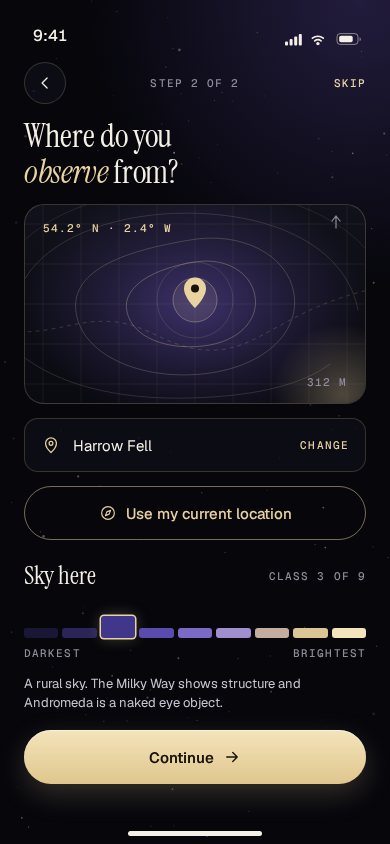
An onboarding screen from Zenith, a night sky guide app template in a Dark-first style. Screen 3 of 25.
Zenith is a complete stargazing app: welcome, sign in, choosing an observing site, tonight's sky at a glance, a round sky map with a time ruler, search, planets and a planet page with an altitude curve, constellations and a constellation plate, a deep sky object, the moon, an events calendar and a meteor shower, the seeing forecast, a light pollution map, an observing log with a new entry and its confirmation, telescope tips with a step by step lesson, a Plus plan, notifications, profile and settings. Everything reads like an engraved star atlas lit in pale gold.
| Detail | Value |
|---|---|
| Screen type | Onboarding |
| App | Zenith: Night sky guide |
| Category | Education |
| Design language | Dark-first, dark |
| Type | Geist |
| Colours | #06060b background, #101018 surface, #f5f0e6 text, #8f8b9c text-muted, #e9d3a0 accent, #17130a accent-contrast, #9d8cf0 secondary, #2a2620 border, #f0766a danger |
What this screen says
- Step 2 of 2 Skip
- Where do you
- observe from?
- 54.2° N · 2.4° W 312 m
- Harrow Fell
- Change
- Use my current location
- Sky here
- Class 3 of 9
- Darkest Brightest
- A rural sky. The Milky Way shows structure and Andromeda is a naked eye object.
- Continue
Around it in Zenith
More onboarding screens
- Quanta Welcome: Interactive physics lessons
- Cram Welcome: Exam prep and mock tests
- Quad Welcome: University campus app
- Palm Welcome: Learn sign language
- Epoch Welcome: History on a timeline
- Wren Welcome: Early reading for kids
- Proof Welcome: Maths tutor that shows its working
- Skim Welcome: Speed reading trainer
- Terra Welcome: Geography and flags quiz
- Gambit Welcome: Chess training
- Buzzer Welcome: Live trivia
- Homeroom Welcome: School, all on one page
Every education app onboarding screen
What makes a good onboarding screen
- One idea per screen. Each screen should say one thing in a headline people can read in a second. If a screen needs a paragraph, it is doing too much.
- Personalise with a purpose. Ask a question only if the answer changes what people see next, like a goal, a level or an interest. Then show that the answer mattered.
- Explain permissions before asking. Show your own screen saying why you need notifications, location or the camera before the system prompt. People who understand the reason are more likely to allow it.
- Let people skip. A visible skip or "I'll do this later" respects returning users and the impatient. Make sure skipping still lands them somewhere useful.
The full onboarding screen guide and every example
Remix Zenith free: describe your own app and it is drawn in this design. Or get its files from $10: Figma, React Native, SwiftUI, Flutter and HTML.