Templates · Onboarding screens · Education app · Palm
Palm Welcome screen
An onboarding screen from Palm, a learn sign language app template in a Playful style. Screen 1 of 25.
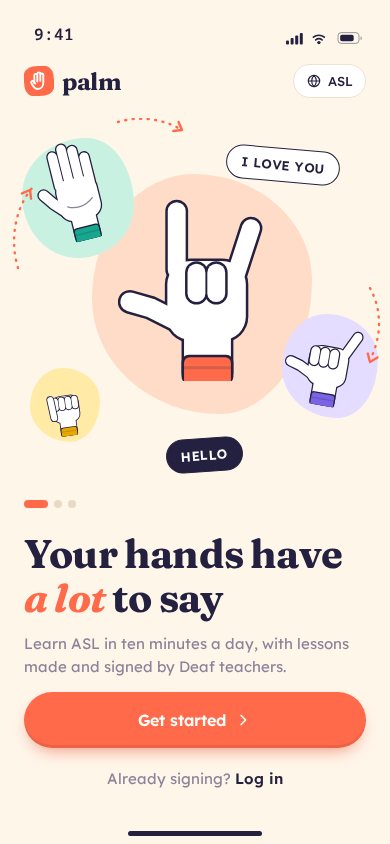
Palm is a complete sign language course: welcome, a learning goal, sign up, a home with today's lesson and the sign of the day, the course and a unit, a slow motion video lesson, a sign broken into handshape, location and movement, camera practice with live hand feedback, a quiz, fingerspelling and the alphabet, a lesson done screen, the sign dictionary, saved signs, progress, live classes with Deaf tutors, booking and a confirmation, a culture read, a Plus plan, notifications, profile and settings. Cream and white with coral, sunflower and pastel pebbles.
| Detail | Value |
|---|---|
| Screen type | Onboarding |
| App | Palm: Learn sign language |
| Category | Education |
| Design language | Playful, light |
| Type | Fraunces for headings, Lexend for text |
| Colours | #fff6ea background, #ffffff surface, #24203f text, #8a8399 text-muted, #ff6b4a accent, #ffffff accent-contrast, #ffc94a secondary, #f0e2cf border, #e2502f danger |
What this screen says
- palm
- ASL
- I LOVE YOU
- HELLO
- Your hands have a lot to say
- Learn ASL in ten minutes a day, with lessons made and signed by Deaf teachers.
- Get started
- Already signing? Log in
Around it in Palm
More onboarding screens
- Gambit Welcome: Chess training
- Buzzer Welcome: Live trivia
- Homeroom Welcome: School, all on one page
- Parla Welcome: Language learning
- Recall Welcome: Flashcards and spaced repetition
- Numo Welcome: Kids maths game
- Syntax Welcome: Learn to code
- Tuckin Welcome: Bedtime stories for kids
- Zenith Welcome: Night sky guide
- Chalk Welcome: Design courses
- Encore Welcome: Creator courses
- Classroom Welcome: Class stream and assignments
Every education app onboarding screen
What makes a good onboarding screen
- One idea per screen. Each screen should say one thing in a headline people can read in a second. If a screen needs a paragraph, it is doing too much.
- Personalise with a purpose. Ask a question only if the answer changes what people see next, like a goal, a level or an interest. Then show that the answer mattered.
- Explain permissions before asking. Show your own screen saying why you need notifications, location or the camera before the system prompt. People who understand the reason are more likely to allow it.
- Let people skip. A visible skip or "I'll do this later" respects returning users and the impatient. Make sure skipping still lands them somewhere useful.
The full onboarding screen guide and every example
Remix Palm free: describe your own app and it is drawn in this design. Or get its files from $10: Figma, React Native, SwiftUI, Flutter and HTML.