Templates · Detail screens · Productivity app · Unplug
Unplug Streak screen
A detail screen from Unplug, a screen time blocker app template in a Glass style. Screen 21 of 25.
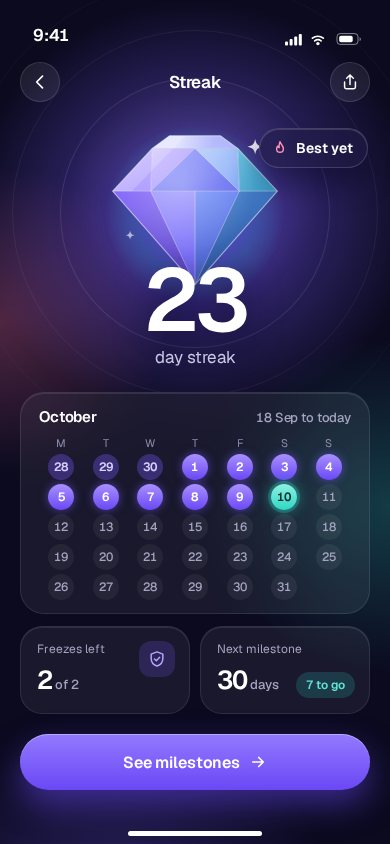
Unplug is a complete screen time app: an onboarding that projects your year on the phone, screen time access, choosing apps to block, a paywall, a home with the focus score, today's screen time by hour and the live session, a ring timer, the calm blocked screen, breaks, schedules, app limits, daily and weekly reports, insights, streaks, milestones and friends. Midnight indigo with aurora glows, frosted glass and a faceted gem that changes colour as the score climbs.
| Detail | Value |
|---|---|
| Screen type | Detail |
| App | Unplug: Screen time blocker |
| Category | Productivity |
| Design language | Glass, dark |
| Type | Geist |
| Colours | #0b0a1f background, #1a1836 surface, #ffffff text, #a5a3c2 text-muted, #7a5cff accent, #ffffff accent-contrast, #2fd6c3 secondary, #2b2850 border, #ff6f9c danger |
What this screen says
- Streak
- Best yet
- day streak
- October18 Sep to today
- M T W T F S S
- Freezes left
- 2 of 2
- Next milestone
- 30 days
- 7 to go
- See milestones
Around it in Unplug
More detail screens
- Parley Chat: Team messenger
- Docket Task: Task and sprint planner
- Kanso Project: Tasks, calendar and chat
- Margin Notebook: AI note taking
- Aide Meeting brief: Executive AI assistant
- Juno Chat: AI chat assistant
- Opal Project: Studio dashboard
- Jot Note: Quick notes and checklists
- Chrono City: World clock, timers and stopwatch
- Frontdesk Ticket: Customer support inbox
- Campaign: Email marketing campaigns
- Outpost Previews: Schedule social posts
Every productivity app detail screen
What makes a good detail screen
- Lead with what identifies the item. A large image or title, the price or status, and the key facts at the top. People should know they are in the right place at a glance.
- Keep the main action visible. A sticky bottom button for Add to cart, Book or Play stays reachable while people scroll through details.
- Order information by importance. The facts that decide the choice come first; reviews, specifications and fine print further down.
- Use progressive disclosure. Long descriptions, specifications and policies can expand on tap rather than filling the screen.
The full detail screen guide and every example
Remix Unplug free: describe your own app and it is drawn in this design. Or get its files from $10: Figma, React Native, SwiftUI, Flutter and HTML.