Templates · Player, camera and editor screens · Education app · Tiles
Tiles Fiver screen
A media screen from Tiles, a daily word and number puzzles app template in a Playful style. Screen 5 of 25.
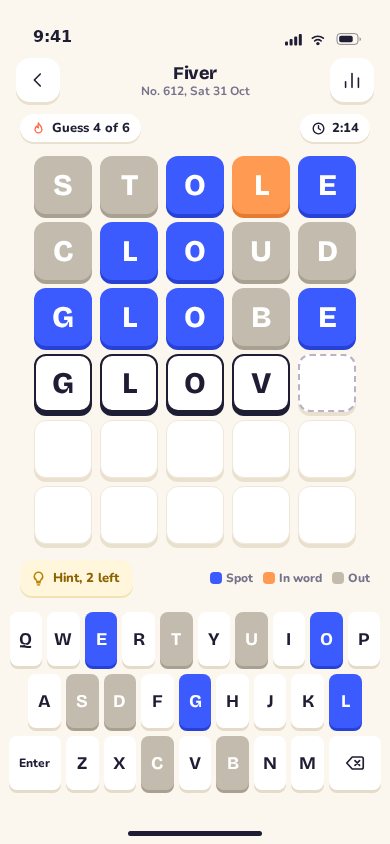
Tiles is a complete daily puzzle app: welcome, picking your daily mix, sign in, a Today hub with four puzzles and your streak, Fiver (a five letter word in six tries) with its keyboard, a solved screen, guess stats and a shareable result card, Huddle (sort sixteen words into four sets) and its solved board, Crossbit (a five by five mini crossword), Bullseye (hit a target number with six tiles) and its how to play, the archive calendar, themed puzzle packs, overall stats, leagues with a daily leaderboard and a new league form, a Plus plan with checkout, notifications, profile and settings.
| Detail | Value |
|---|---|
| Screen type | Media |
| App | Tiles: Daily word and number puzzles |
| Category | Education |
| Design language | Playful, light |
| Type | Bricolage Grotesque for headings, Nunito for text |
| Colours | #fbf7ef background, #ffffff surface, #1f1d33 text, #77738a text-muted, #3b5bff accent, #ffffff accent-contrast, #ff6a4d secondary, #ece4d4 border, #e04f33 danger |
What this screen says
- FiverNo. 612, Sat 31 Oct
- Guess 4 of 6
- Hint, 2 left
- Spot In word Out
- Enter
Around it in Tiles
More player, camera and editor screens
- Chalk Lesson: Design courses
- Encore Lesson: Creator courses
- Classroom Scan pages: Class stream and assignments
- Studyhall Video lesson: Free lessons and practice for school
- Tutor Lesson room: Book online tutors for any skill
- Leaf Reader: E-books and reading
- Almanac Picture of the day: The free encyclopedia reader
- Stacks Reader: Borrow e-books and audiobooks from your library
- Penpal Voice message: Language exchange chat
- Lexis Pronounce: A word a day
- Quanta Simulation: Interactive physics lessons
- Cram Flashcards: Exam prep and mock tests
Every education app media screen
What makes a good media player screen
- Content takes the space. Artwork, video or the camera view should fill most of the screen.
- Primary controls in the thumb zone. Play and pause, the shutter or the main tool, large and low on the screen.
- Show progress and position. A scrubber with elapsed and remaining time, or the step in a lesson.
- Hide secondary controls until needed. Lyrics, queue, filters and advanced tools can live behind a tap or a swipe.
The full media player screen guide and every example
Remix Tiles free: describe your own app and it is drawn in this design. Or get its files from $10: Figma, React Native, SwiftUI, Flutter and HTML.